Installing the Wireless BT Option 49
PolyVision
®
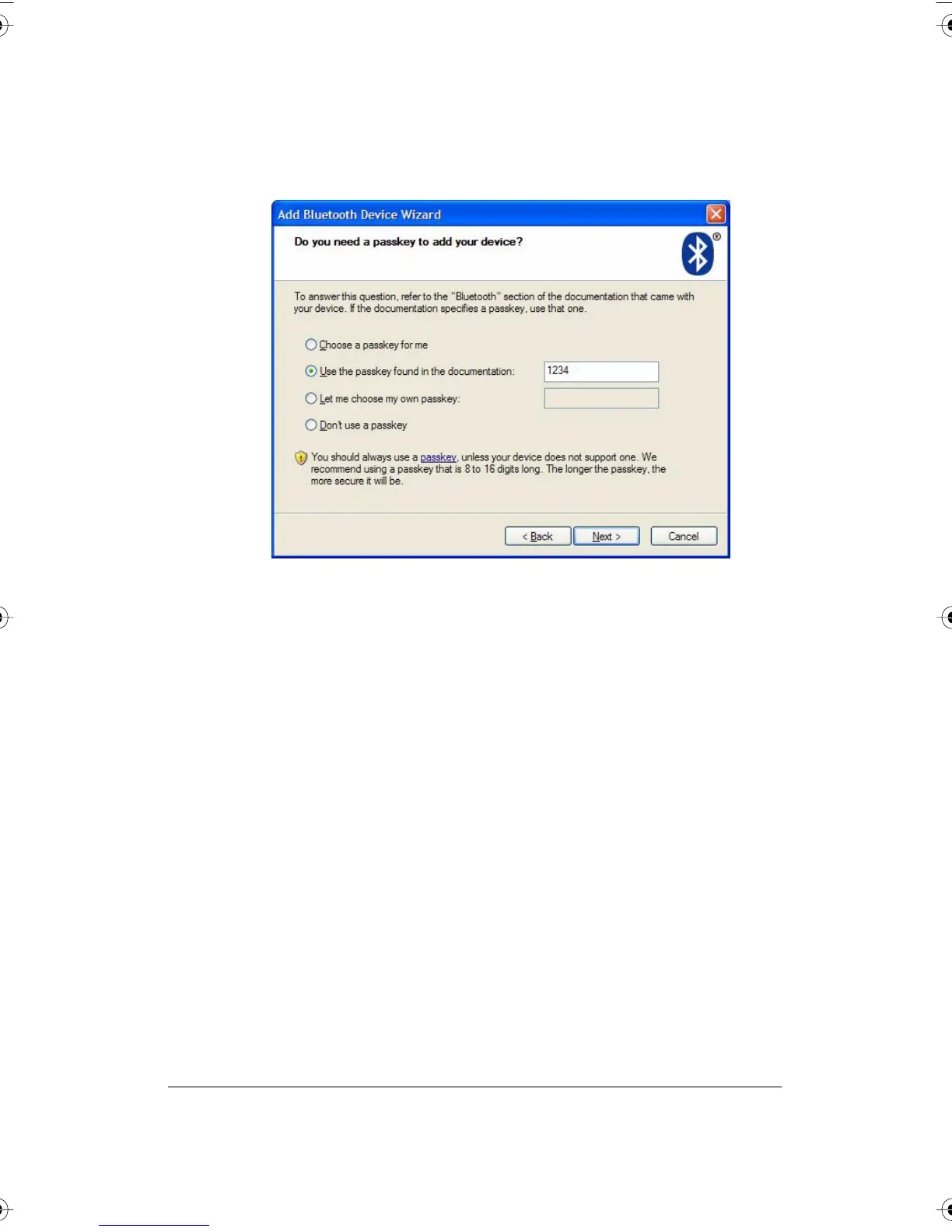
6 Select your whiteboard from the list and click “Next.” You see the
dialog box shown below.
7 Click the radio button beside “Use the passkey found in the
documentation” and enter “1234” as shown.
8 Click “Next” and wait for the software to connect to the whiteboard.
PolyVision I&O.book Page 49 Thursday, October 16, 2008 4:18 PM



 To Next Page