52 Installation and Operation Guide
PolyVision
®
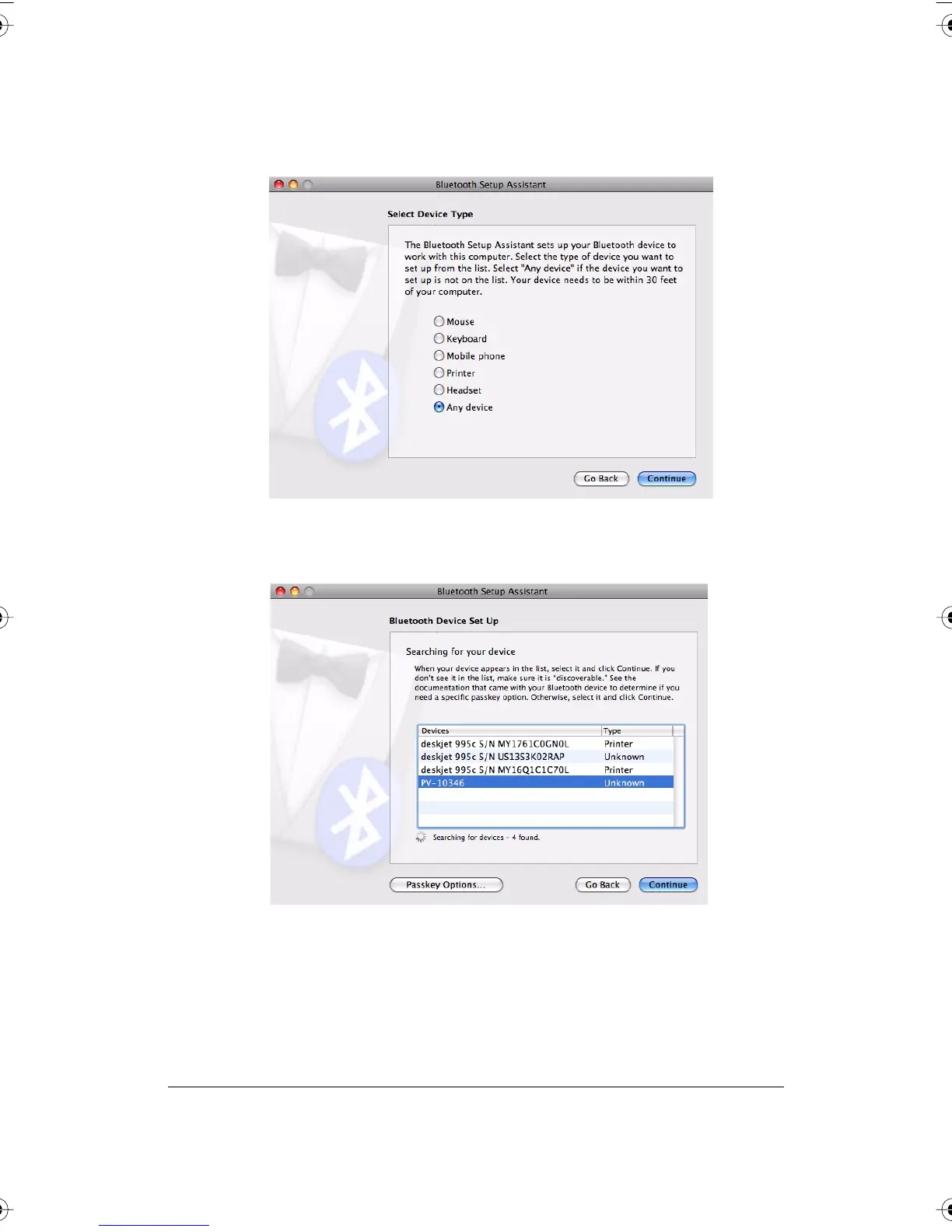
3 Click “Continue.” You see the Select Device Type dialog.
4 Select “Any device.”
5 Click “Continue.” A list of discoverable Bluetooth devices appears.
6 Select the Polyvision Bluetooth-Serial adapter identified by a number
in the form PV-10346, for example.
PolyVision I&O.book Page 52 Thursday, October 16, 2008 4:18 PM



 To Next Page