Installing the Wireless BT Option 53
PolyVision
®
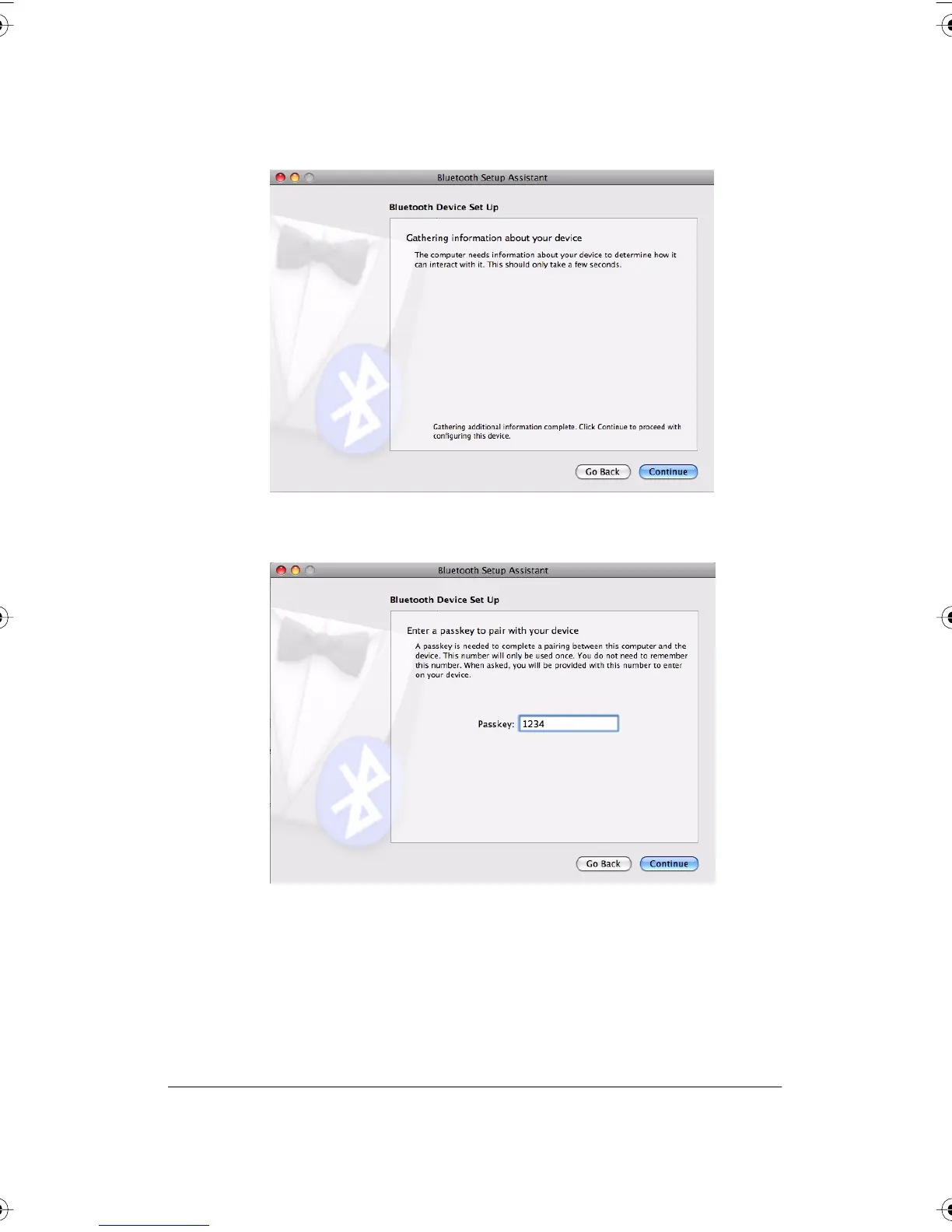
7 Click “Continue.” The system gathers information about your adapter.
8 Click “Continue” when the setup assistant has completed gathering
information about your device. You are prompted to enter a passkey.
9 Enter “1234.”
PolyVision I&O.book Page 53 Thursday, October 16, 2008 4:18 PM



 To Next Page