25
Web Smart Gigabit Switch Family User's Guide
TL-SG2216WEB/TL-SG2224WEB
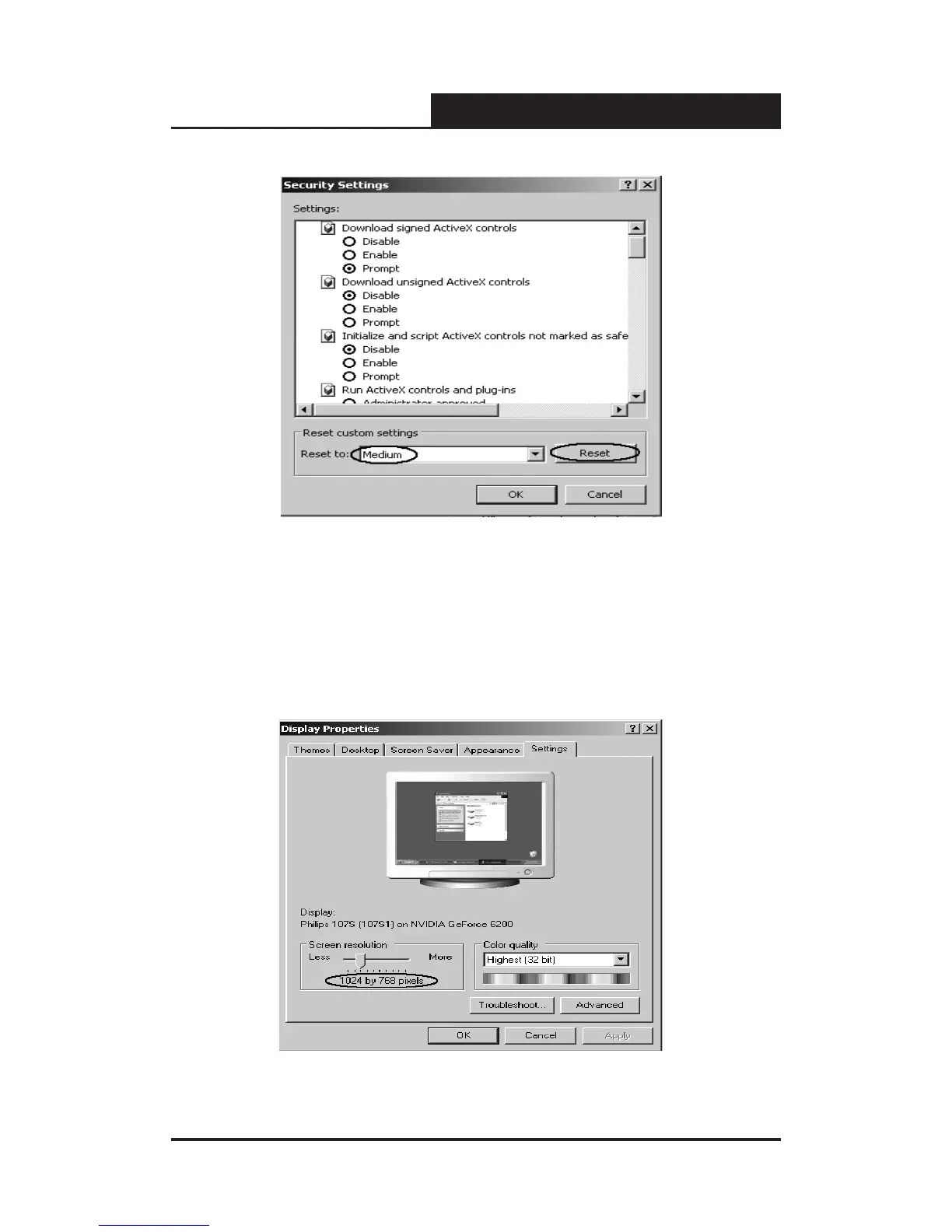
Figure 5-4 Security Settings
Fourthly, Select the “Medium” option of the combo box indicated in gure 5-4,
click the “Reset” button, and click “OK” to quit.
Fifthly, right-click the mouse on desktop, select the “Display Properties” in the
popup menu, a new dialog will display:
Figure 5-5 Resolution Settings










 To Next Page