32
Web Smart Gigabit Switch Family User's Guide
TL-SG2216WEB/TL-SG2224WEB
Conguration Backup: Means backing up the current conguration of
the switch to TFTP server.
Configuration Loading: Means downloading the configuration from
TFTP server to the switch and update it.
Notice:
1) Please make sure the target file exits on TFTP server before
downloading.
2) Please make sure the TFTP server is in operation.
3) Breaks should be avoided in le transfer; otherwise, the switch may be
damaged.
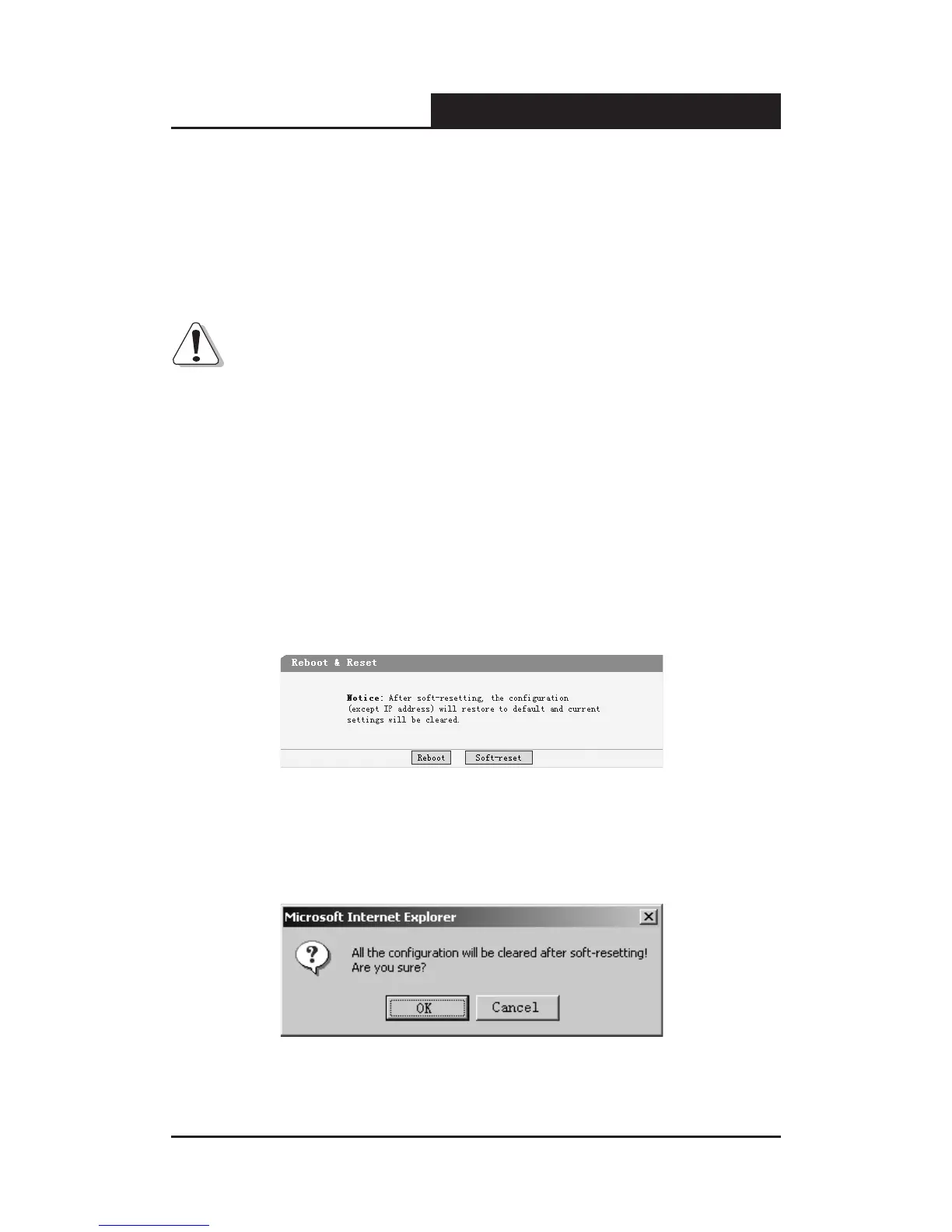
5.3.1.3 Reboot & Reset
This page is shown below.
Figure 5-15 Reboot & Reset
A prompt will display if a button is pressed. For example, if the button “Soft-
reset” is pressed, a message box will be activated as showed in gure 5-16.
Figure 5-16 Message Box










 To Next Page