39
Web Smart Gigabit Switch Family User's Guide
TL-SG2216WEB/TL-SG2224WEB
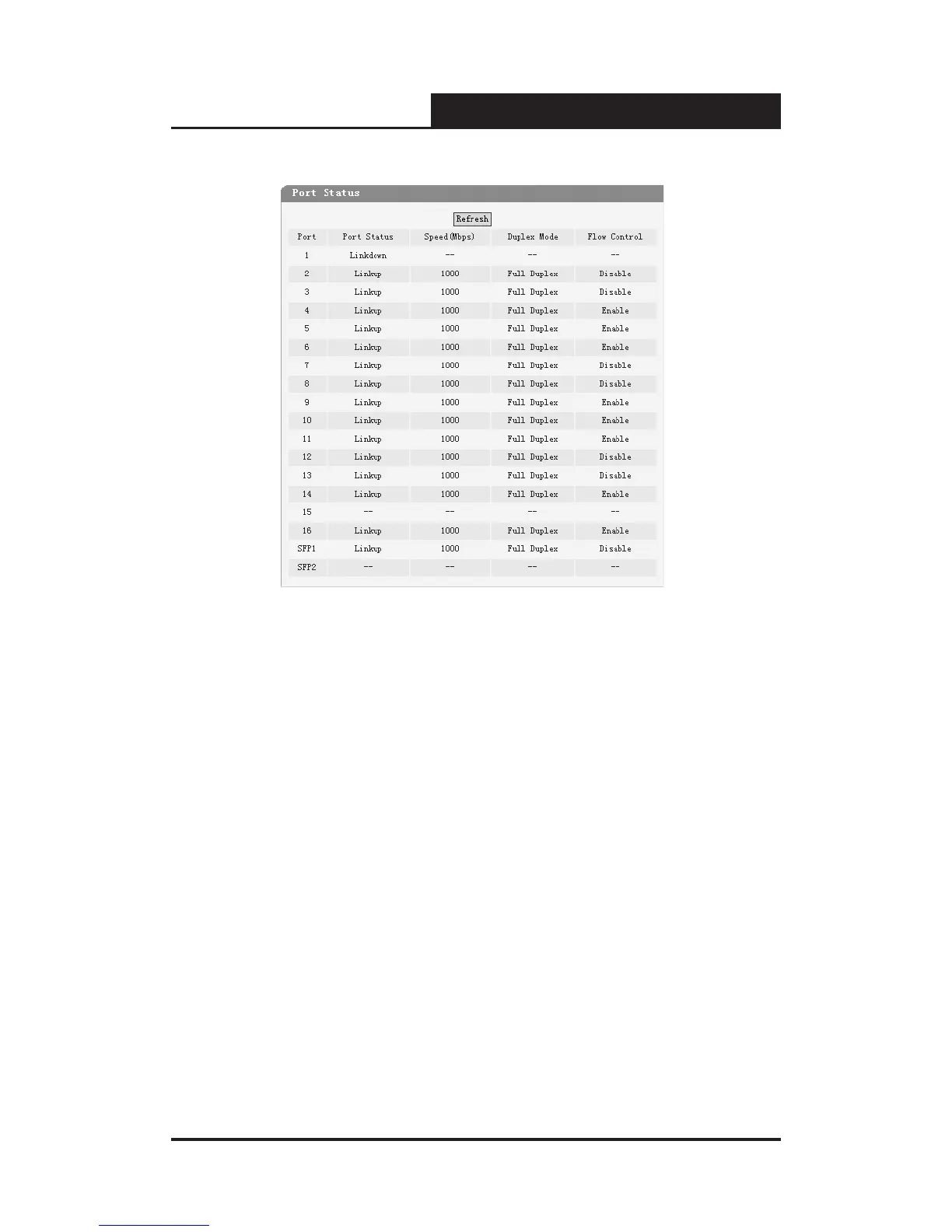
Figure 5-20 Port Status
Port Status: Indicates whether the port is linked, not linked, or disabled.
Speed (Mbps): Indicates the port speed with the unit of Mbps.
Duplex Mode: Indicates the port duplex mode.
Flow Control: Indicates whether flow control of the port is enabled or
disabled.
5.3.2.4 Storm Control
This page contains the following elds:










 To Next Page