9WX
TrafiCam with TI (9 wires)
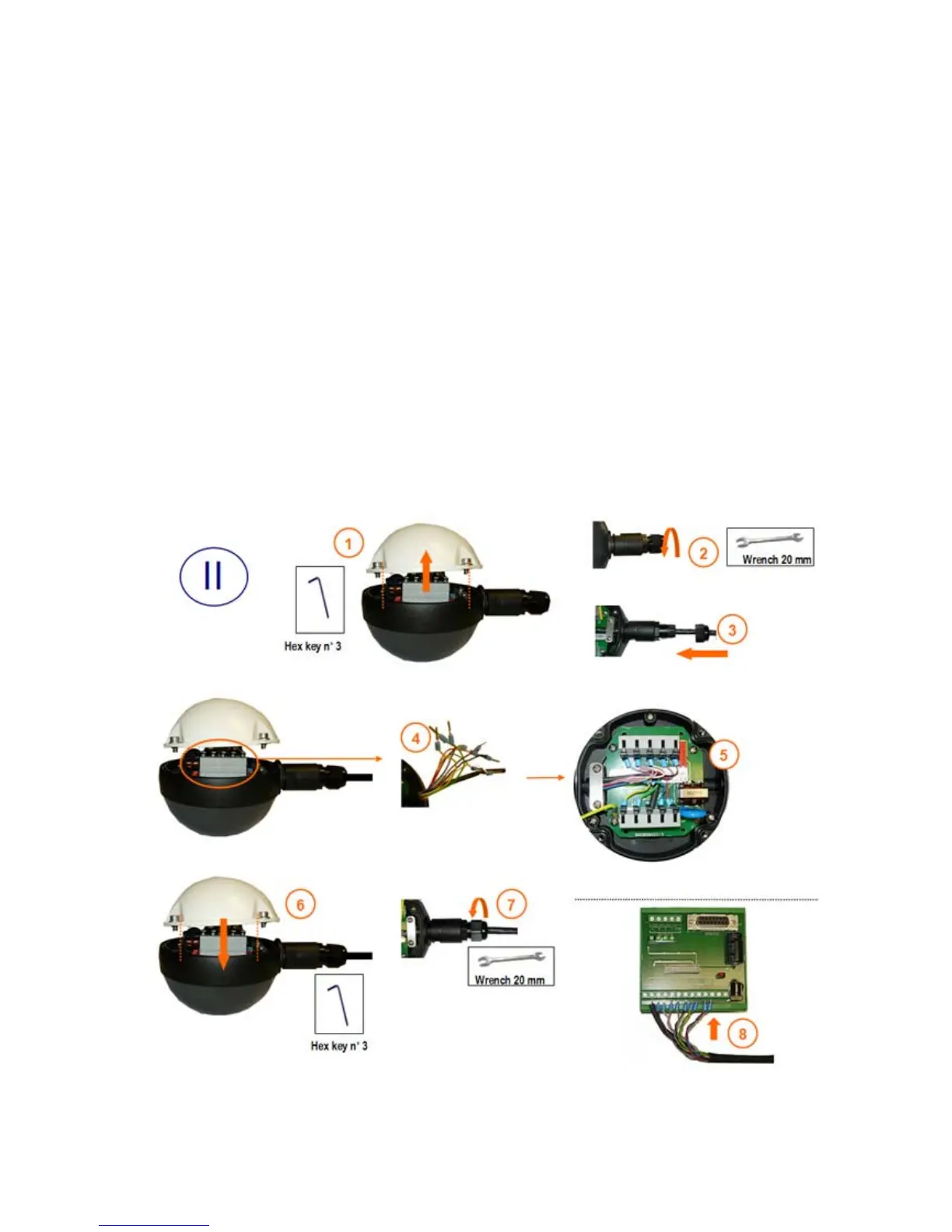
Step II: Connect the TrafiCam sensor to the interface.
Use a shielded twisted pair cable, UV-resistant, 10 wires+shield.
At the TrafiCam side:
• Open the sensor. (1)
• Loosen the cable gland. (2)
• Insert the cable into TrafiCam through the gland. (3)
• Strip the wires and fix the cable tags. Isolate the grounding wire. (4)
• Connect the cable to CN1 and CN2 and fix the cable plate. (5)
• Close TrafiCam (Torque max = 1,0 Nm). (6)
• Tighten the cable gland. (7)
At the interface side: (8)
• Connect the cable to the connector J1.


 To Next Page