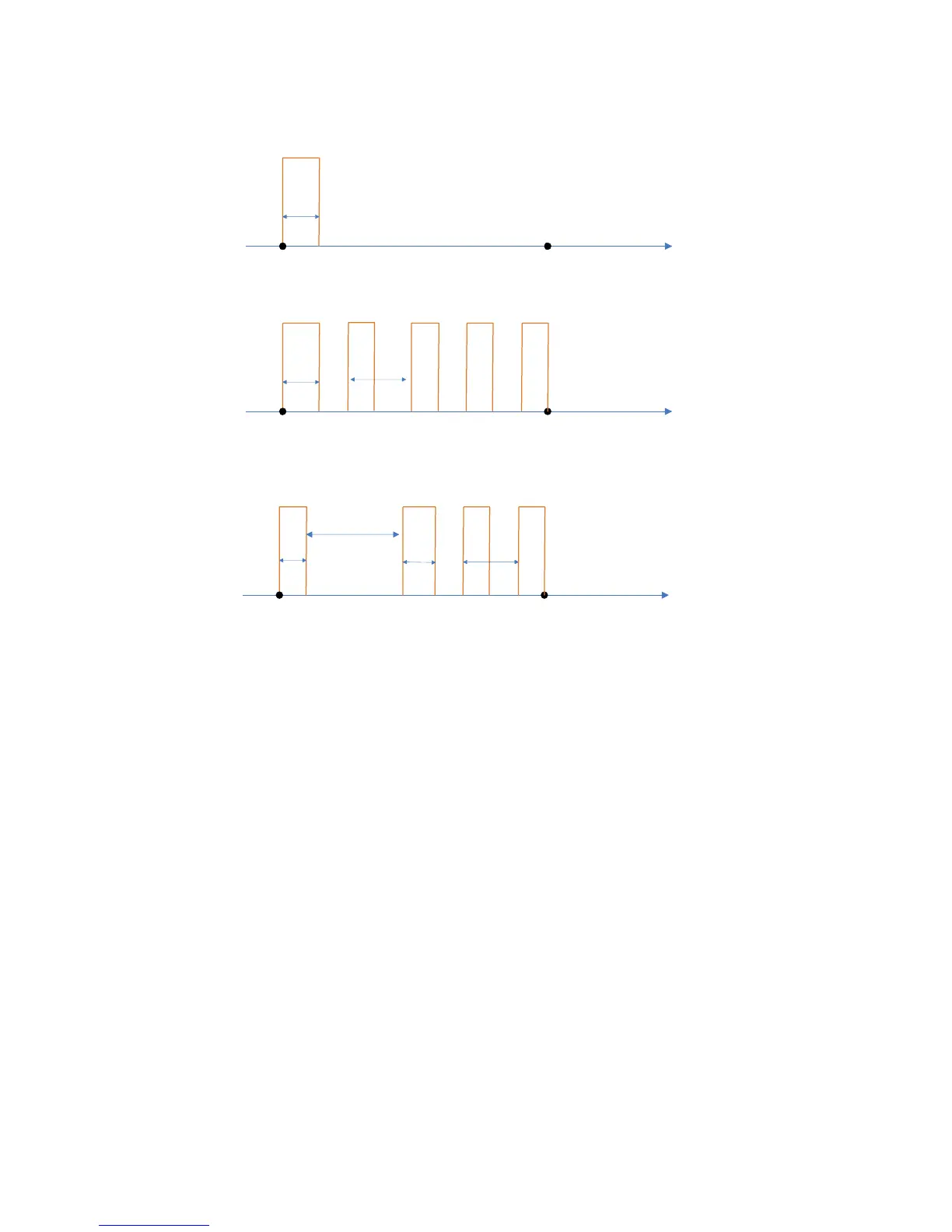
Start
presence detection
End
presence detection
time
Pulse
Pulse
time
Delay time = 0
Period = 0
End
presence detection
Pulse
Pulse period
PulsePulse
End
presence detection
Pulse
Delay time
Pulse period
PulsePulse
Start
presence detection
Start
presence detection
Delay time = 0
Pulse
time
Pulse
Pulse
time
½ Pulse period
time
time
Pulse
Pulse
23WX
TrafiCam with TI (9 wires)
Pulse generation function
• Select Advanced Settings from the Tools menu.
• Select Output Pulse Information.
• Select All Outputs... if you wish to set the pulse generation parameters for all zones.
To set the pulse generation parameters per zone: select an output from the list.
• Use the arrow keys to set the Pulse Mode, the Pulse Time, the Delay Time and the Pulse Period.
Default: none (Pulse mode)
Selection: none, entry, exit
Default: : 4,0 s (Pulse time)
Selection: 0,1-99,9 s
Default: 0 s (Delay time)
Selection: 0-99,9 s
Default: 0,0 (Pulse period)
Selection: 0,0-9,9 s
• Click OK.
Save or load the setup of a TrafiCam sensor
You can save the complete setup of the TrafiCam sensor as an XML file for backup purposes, for electronic exchange
or to copy the setup to another TrafiCam sensor.
Save a configuration to the PC
After you have set up the TrafiCam sensor:


 To Next Page