13WX
TrafiCam with TI (9 wires)
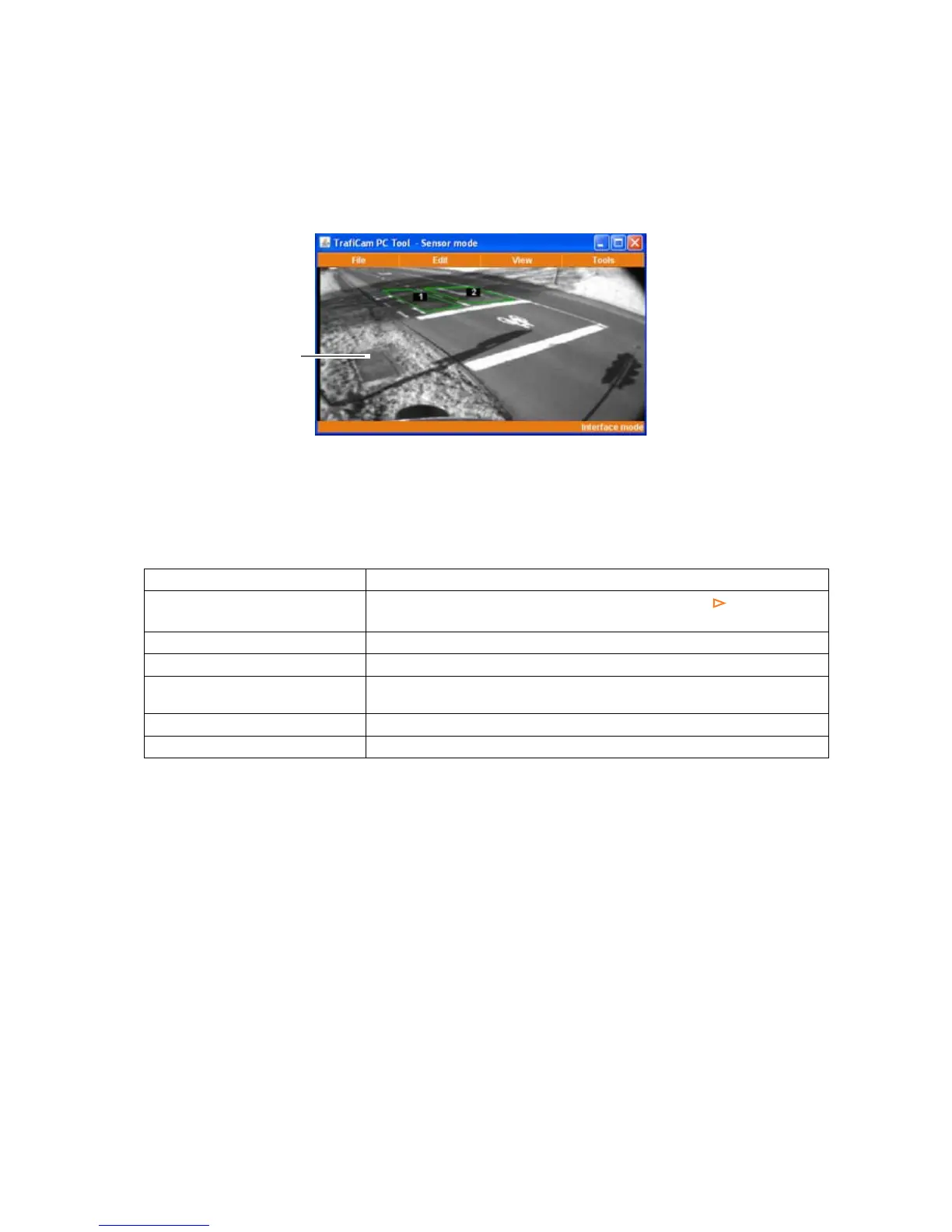
6. The work area of TrafiCam PC Tool
A
B
D
C
TrafiCam PC Tool - Sensor mode
A: Title bar B: Menu bar C: Status bar D: the TrafiCam sensor image
1, 2: the vehicle presence detection zones
How to Description
Open a menu or submenu
Click the menu item. A submenu is indicated via an arrow .
Close a menu by clicking outside the menu.
Activate a function Click the function.
Select a menu item Put the cursor on the menu item.
Set a parameter for a menu item Put the cursor on the menu item.
Use the arrow keys or the mouse scroll wheel to make the selection.
Refresh the sensor image Click Refresh Image from the View menu.
Set the language Select the language from the Tools menu.
Basic functions in TrafiCam PC Tool


 To Next Page