10WX
TrafiCam with TI (9 wires)
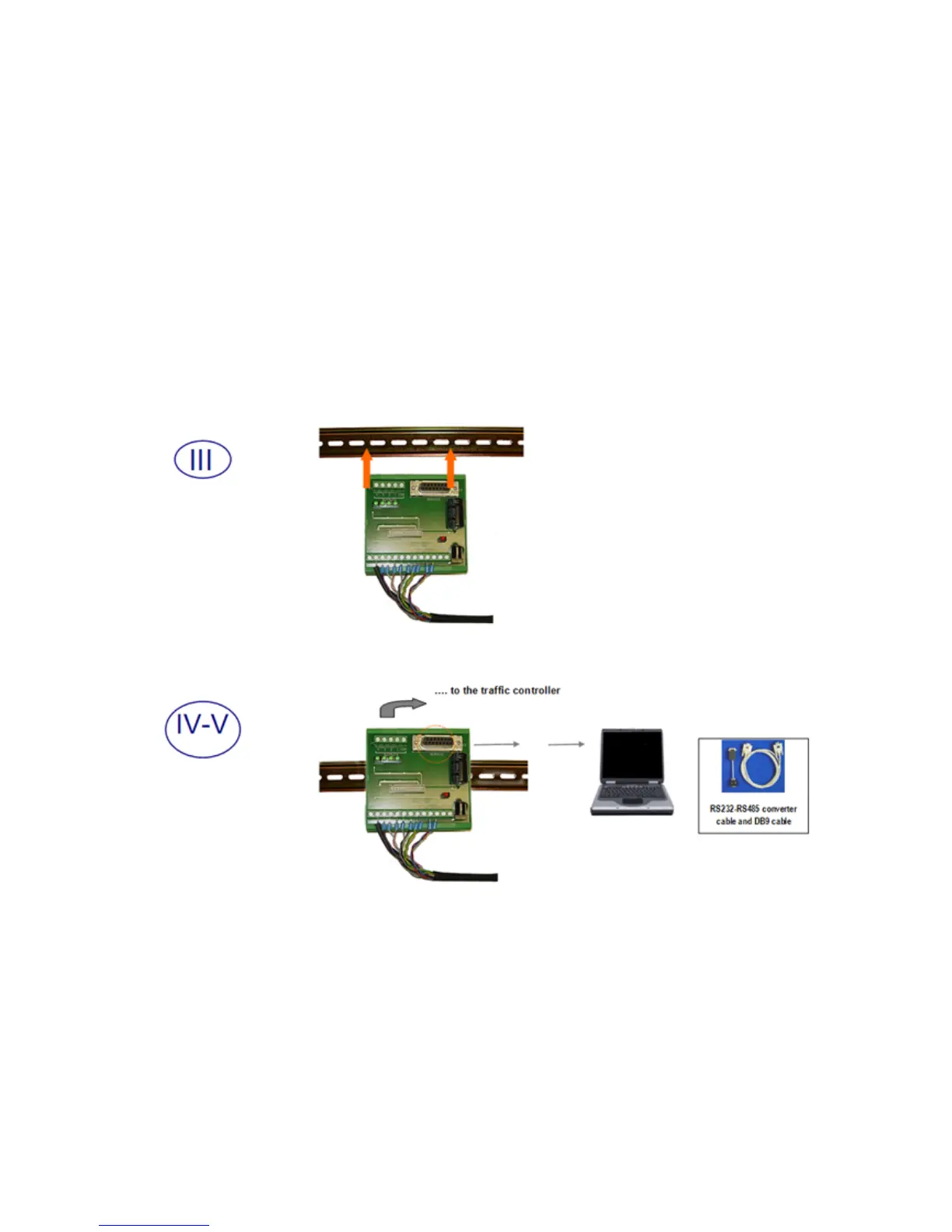
Step III: Mount the interface by clicking it on the DIN rail.
Step IV: Connect the interface to the traffic controller.
Step V: Connect the interface to the PC.
Use the RS-232 to RS-485 converter cable and the DB9 serial cable.
Finally connect the power supply and remove the TrafiCam lens cover.
You optimise the position of TrafiCam via visual verification (TrafiCam PC Tool, see next).
Always verify that there is no horizon in the image!
Tighten all screws after optimising the position of TrafiCam.


 To Next Page