14WX
TrafiCam with TI (9 wires)
7. Set up the TrafiCam sensor
Edit the presence detection zones
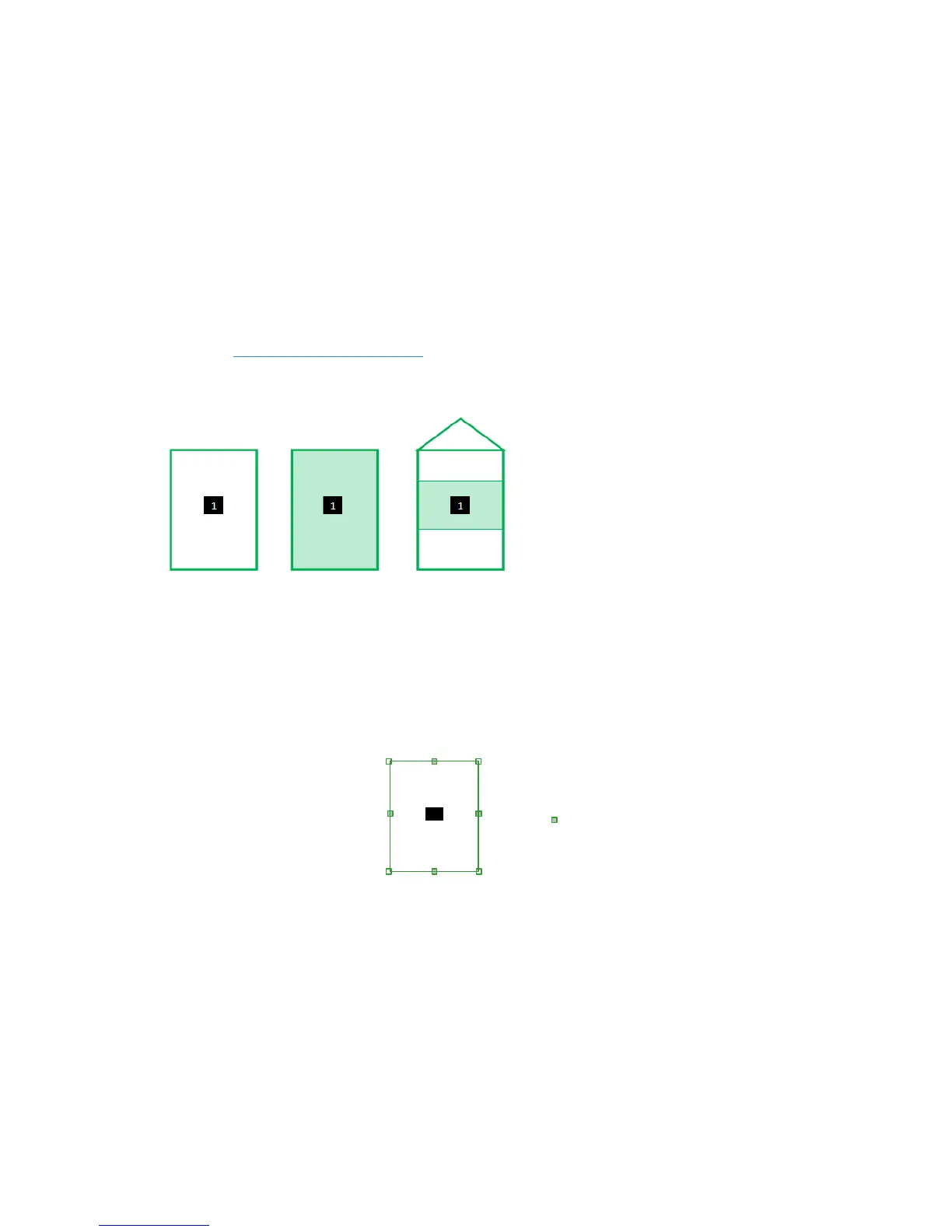
A zone can have 3 possible functions (detection modes):
• Presence: presence detection of moving and stationary vehicles (= default function)
• Stop: presence detection of stationary vehicles
• Loop: Vehicle counting
See Set the vehicle counting function.
A zone is displayed according to its detection mode.
Zone displayed according to its detection mode: presence (left), stop (middle) and loop (right)
The factory default setup of the TrafiCam sensor is displayed when you first open TrafiCam PC Tool. This default
configuration has one presence detection zone.
C
D
A
B
A, B, C, D: zone points
: direction point
1: output number
1
1
Presence detection zone with zone points and direction points
Note: To start a new setup from default factory settings: click New Configuration from the File menu.
If you wish to modify the setup of the TrafiCam sensor: click Get Configuration from the File menu.


 To Next Page