EasyManua.ls Logo

Trane Technologies Voyager 3 - User Manual

Trane Technologies Voyager 3
92 pages
Print Icon
To Next Page IconTo Next Page
Loading...
SAFETY WARNING
Only qualified personnel should install and service the equipment. The installation, starting up, and servicing of heating, ventilating, and air-conditioning equipment
can be hazardous and requires specific knowledge and training. Improperly installed, adjusted or altered equipment by an unqualified person could result in death or
serious injury. When working on the equipment, observe all precautions in the literature and on the tags, stickers, and labels that are attached to the equipment.
November 2022
RT-SVX34V-EN
Installation, Operation, and Maintenance
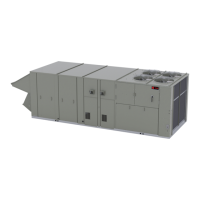
Voyager™ 3
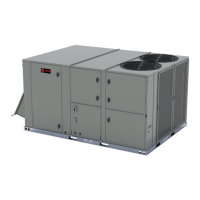
Packaged Rooftop Air Conditioners with Symbio™
700 Controls
27.5 to 50 Tons - 60 Hz
22.9 to 41.7 Tons (82-142 kW) - 50 Hz
“C” and later design
sequence
60Hz/3 phase: TC*,
TE*, YC*, 330C, 360C,
420C, 480C, 600C
50 Hz/3 phase: TC*,
TE*, YC*, 275C, 305C,
350C, 400C, 500C

Questions and Answers

  • A
    Anita AlvarezSep 1, 2025
    What to do if my Trane Technologies Air Conditioner's indoor motor (IDM) will not operate?
    • L
      leejennySep 1, 2025
      If the indoor motor (IDM) on your Trane Technologies Air Conditioner isn't working, here are some possible causes: * The IDM may have failed. Check the IDM and replace it if necessary. * There might be a failure in the wiring, terminals, fuses, or contactor. Check these components and repair or replace them as needed. * The ZSM could be defective. Place the unit in test mode. If the fan operates in the test mode, test the ZSM using the appropriate test procedures. * The supply fan proving diagnostic may have been activated. Check the Symbio™700 user interface and VFD for Broken Belt diagnostics. Replace the belt if necessary.
  • E
    Erin ThomasAug 31, 2025
    What to do if Trane Technologies Air Conditioner CPRs and ODMs will not operate?
    • S
      Sharon TorresAug 31, 2025
      If neither the CPRs (compressor protection relays) nor the ODMs (outdoor fan motors) are operating on your Trane Technologies Air Conditioner, here's what to investigate: * There might be no power to the compressor contactor coil, possibly indicating a Cool Failure. Check the wiring, terminals, and applicable controls (HPCs, DTLs, LPC). * The compressor contactor coil may be defective, also indicating a Cool Failure. Check the compressor contactor coil. If it's open or shorted, replace the compressor contactor. * The compressor contactor contacts could be defective. If 24 VAC is present at the compressor contactor coil, verify contact closure. * LPC1 may have tripped. Perform a leak check, repair any leaks, evacuate, and recharge the system. Check the LPCs operation.
  • A
    antonio43Aug 29, 2025
    What to do if Trane Technologies Air Conditioner CPRs operates, but ODMs will not operate?
    • R
      Robert JonesAug 29, 2025
      If the CPRs (compressor protection relays) are operating, but the ODMs (outdoor fan motors) won't operate on your Trane Technologies Air Conditioner, here are a few things to check: * The ODM may have failed. Check the ODMs and replace them if necessary. * There may be a failure in the wiring, terminals, or mechanical contactor. Inspect these components and repair or replace them if needed. * The ODF 20 or 34 relay may have failed. Check for proper voltage and contact closure. ODF20 and 34 have a 24 VAC holding coil. If voltage is present, replace the relay.
  • D
    Dominique RamosAug 27, 2025
    What to do if my Trane Technologies Voyager 3 Air Conditioner's economizer will not operate?
    • D
      Donna ReyesAug 27, 2025
      If the economizer on your Trane Technologies Air Conditioner isn't working, consider these potential causes: * The economizer connector may not be plugged into the unit wiring harness. Check the connector and plug it in if necessary. * The Economizer Actuator (ECA) may have failed. Verify that 24 VAC is present between ECA terminals 24 VAC and Common. Place the unit in econ test mode; the economizer actuator should drive open. In any other unit test mode, the economizer actuator should drive to the minimum position. If the ECA does not drive as specified, replace the ECA. * There could be a wiring or terminal failure. Check the wiring, Fresh Air Options module, and terminals. Repair or replace if necessary.
  • E
    Elizabeth CopelandAug 27, 2025
    What to do if my Trane Technologies Air Conditioner evaporator coil freezes up during low ambient operation?
    • N
      nwilliamsAug 27, 2025
      If the evaporator coil in your Trane Technologies Air Conditioner freezes up during low ambient operation, consider these potential causes: * The system might be low on refrigerant charge. Perform a leak check, repair any leaks, evacuate the system, and recharge it as necessary. * There could be low airflow in the system. Check the return air for obstructions or dirty filters. Also, inspect the fan wheels, motors, and belts. * The Outdoor Air Sensor (OAS) may have failed. Check the OAS resistance at connector P15, referring to the Resistance versus Temperature chart. Replace the sensor if needed.
  • K
    kimberlypattersonAug 25, 2025
    What to do if my Trane Technologies Voyager 3 heats and cools, but won't control to set point?
    • L
      lhernandezAug 25, 2025
      If your Trane Technologies Air Conditioner heats and cools but doesn't maintain the set point, it could be due to: * A defective Zone Sensor Module (ZSM). Refer to the Zone Sensor Module (ZSM) Test Procedures and the Default Chart. * The thermometer on the ZSM might be out of calibration. Check and calibrate the thermometer.
  • L
    lmontesAug 23, 2025
    Why Trane Technologies Voyager 3 is not working: no heat, cool, or fan?
    • L
      loweannaAug 23, 2025
      If your Trane Technologies Air Conditioner isn't providing heat, cool air, or fan operation, here are a few potential causes: * There may be no power to the unit. In this case, check the line voltage at the service disconnect. * The Emergency Stop input might be open. Verify the Emergency Stop input. * The Symbio 700 User Interface might display 'Diagnostic: VFD Supply Fan Broken Belt – 1'. Inspect the IDM and belts, and replace them if needed.

Summary

Introduction

Warnings, Cautions, and Notices

Provides definitions for safety advisories like WARNING, CAUTION, and NOTICE to ensure proper understanding of manual precautions.

Proper Field Wiring and Grounding

Ensures safe installation by detailing requirements for field wiring and grounding as per NEC and local codes.

Personal Protective Equipment (PPE) Required

Outlines essential PPE for technicians to prevent injury from electrical, mechanical, or chemical hazards during service.

Overview of Manual

Explains the scope of the manual, emphasizing that procedures should only be done by qualified technicians.

Model Number Description

60 Hz Model Number Breakdown

Details the meaning of each digit in the 60 Hz model number for unit identification and configuration.

50 Hz Model Number Breakdown

Details the meaning of each digit in the 50 Hz model number for unit identification and configuration.

General Information

Unit Inspection

Instructions for inspecting the unit upon receipt for shipping damage or material shortages before installation.

Storage Guidelines

Provides guidance on storing the unit in a level, dry location and taking precautions against condensate formation.

Unit Dimensions and Weights

Recommended Clearances

Specifies adequate clearances around and above the unit for proper operation and servicing access.

Unit Rigging and Placement

Details proper procedures and equipment for rigging and placing the unit safely and correctly on the curb.

Pre-Installation

General Unit Requirements

Checklists for unit receipt, rigging, curb sealing, and basic connections prior to unit installation.

Electrical Requirements

Pre-installation electrical checks and connection requirements, including warnings.

Installation General Requirements

Condensate Drain Connection

Instructions for connecting the condensate drain line, including trap installation and proper pitching for flow.

O;A Sensor and Tubing Installation

Steps for installing the outside air pressure sensor and pneumatic tubing for VAV applications.

Installation Electrical

Proper Field Wiring and Grounding

Emphasizes requirements for qualified personnel and adherence to codes for safe field wiring and grounding.

Electrical Wire Sizing and Protection

Provides calculations for MCA, MOP, and RDE to determine correct electrical service wire size and protection.

V3 System Input Devices and Functions

Describes various sensors and input devices like thermostats, humidity sensors, and zone sensors for system control.

Installation Piping

General Requirements

Covers general safety precautions, gas pressure, leak testing, and code compliance for piping installation.

Connecting the Gas Supply Line

Step-by-step guide for connecting the gas supply piping to the unit's furnace gas train, including leak testing.

Startup

Symbio Controls Startup

Guide to using the Symbio 700 Service Test Mode for energizing system components during startup.

Electrical Phasing Verification

Details the critical process of verifying and correcting electrical phasing for proper compressor operation.

Starting the Unit

Steps for powering up the unit, performing self-diagnostics, and initiating operation stages via the user interface.

Maintenance

Fan Belt Adjustment

Procedure for inspecting and adjusting supply fan belt tension using a tension gauge for proper operation.

Filters Inspection and Replacement

Instructions for inspecting, cleaning, or replacing return air filters based on unit model and filter size.

Coil Cleaning Procedures

Guidance on cleaning evaporator, condenser, and reheat coils to maintain unit efficiency, including safety precautions.

Refrigeration System

R-410 A Refrigerant Handling

Highlights safety warnings and necessary equipment for handling R-410A refrigerant due to higher operating pressures.

Refrigerant Evacuation and Charging

Outlines procedures for removing and recharging refrigerant, emphasizing proper practices to avoid compressor damage.

Compressor Oil Management

Procedures for checking compressor oil level and condition, especially after motor burnouts.

Troubleshooting

Unit Not Operating or Controlling Properly

Covers common issues like unit non-operation, lack of heating/cooling, or failure to control to set points.

Economizer and Exhaust Fan Malfunctions

Addresses issues with economizer operation, minimum position, modulation, and power exhaust fan functionality.

Unit Wiring Diagram Numbers

Warranty and Liability Clause

Trane Technologies Voyager 3 Specifications

General IconGeneral
TypeRooftop Unit
RefrigerantR-410A
DimensionsVaries by model
WeightVaries by model
Tonnage3 - 25 tons
Energy Efficiency Ratio (EER)Up to 11.2
Voltage208-230/460V

Related product manuals