Slideshow Maker
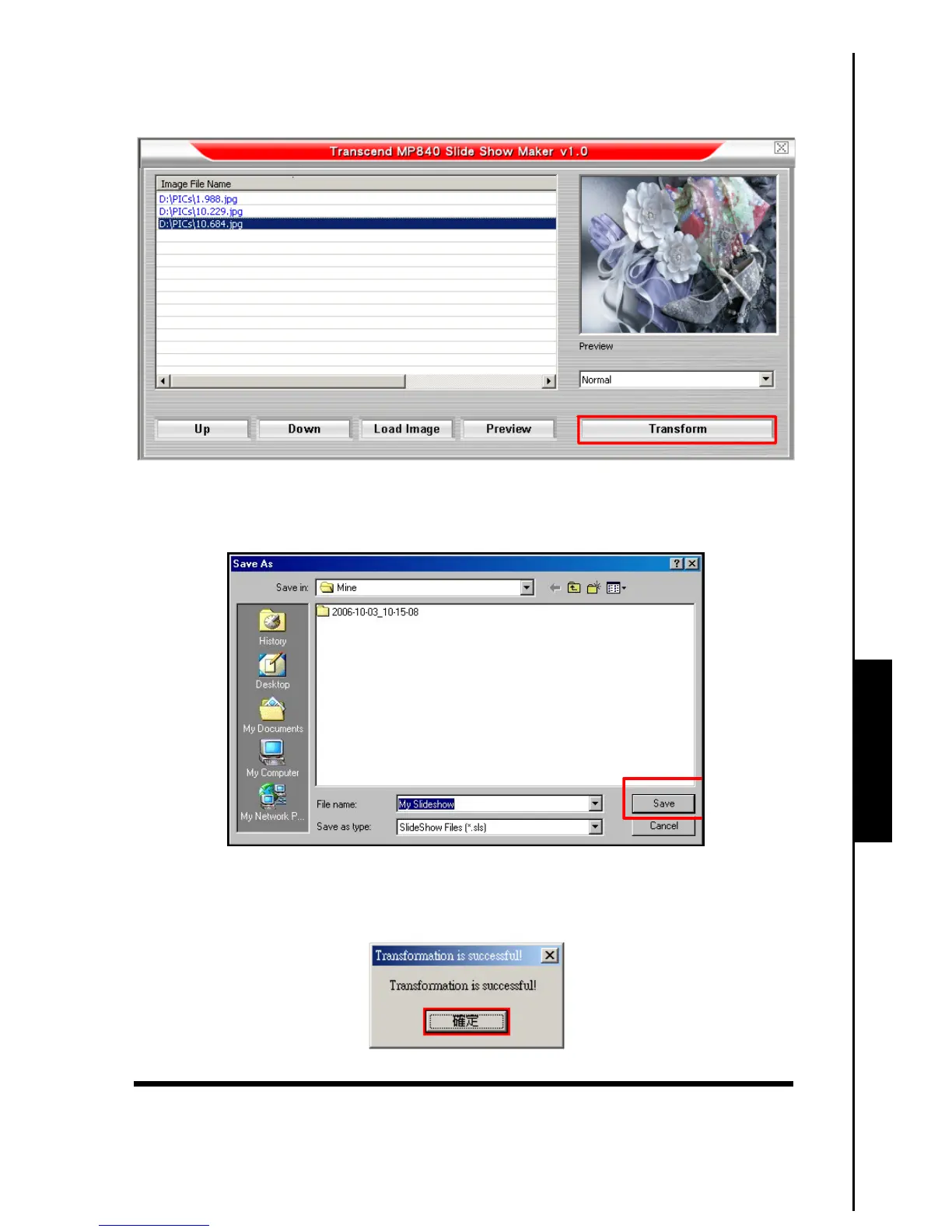
3. You can Preview the Photo files that you are going to convert in the Preview Panel. After you select all
the Photo files that you want to convert to the “.sls” format, click on the “Transform” button to
continue.
Figure 18. Preview and Start Converting
4. The Save As window will appear. Select a destination for the converted file and click on the “Save”
button to save the “.sls” file to the sls folder.
Figure 19. Select a Destination for the ‘.sls’ file
5. After the “.sls” file is saved the “Transfer Complete” message window will appear. Click on the
“OK” button to complete the Transfer process and return to the Slideshow Maker main window.
Figure 20. Transfer Complete



 To Next Page