8000 SERIES OPERATION MANUAL TRANSMILLE LTD.
TRANSMILLE LTD. PAGE 19
Controls & Functions
To familiarise yourself with the 8000 Series multimeters, it is advised to learn a selection of the basic
operations of the front panel controls before use.
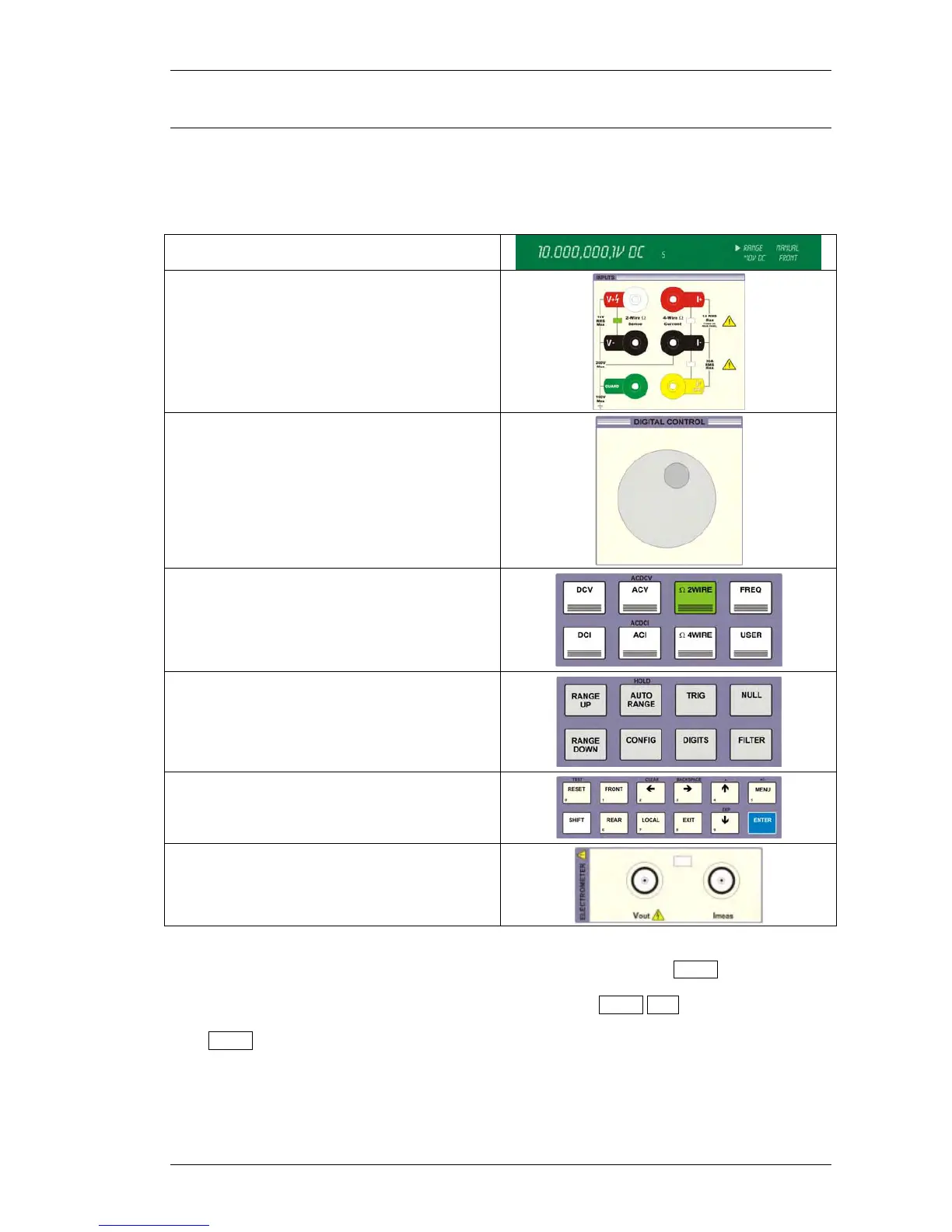
The front panel consists of the following sections :
Dual Display
Input terminals and Indicator LEDs
Digital Control Dial
Function Keys
Range & Readback Controls
Input & Menu Controls
Electrometer I/O Terminals
The front panel keys are grouped into related sections, with certain keys providing ‘shift’ functions as
printed above the relevant key. To perform a shifted function, simply click the SHIFT key which will
illuminate in blue. Press one of the keys with the required function labelled above it and this function
will be selected. For example to select the ACDCV function press SHIFT ACV.
If the SHIFT button is pressed by mistake, simple press it again to de select it.



 To Next Page