8000 SERIES OPERATION MANUAL TRANSMILLE LTD.
TRANSMILLE LTD. PAGE 43
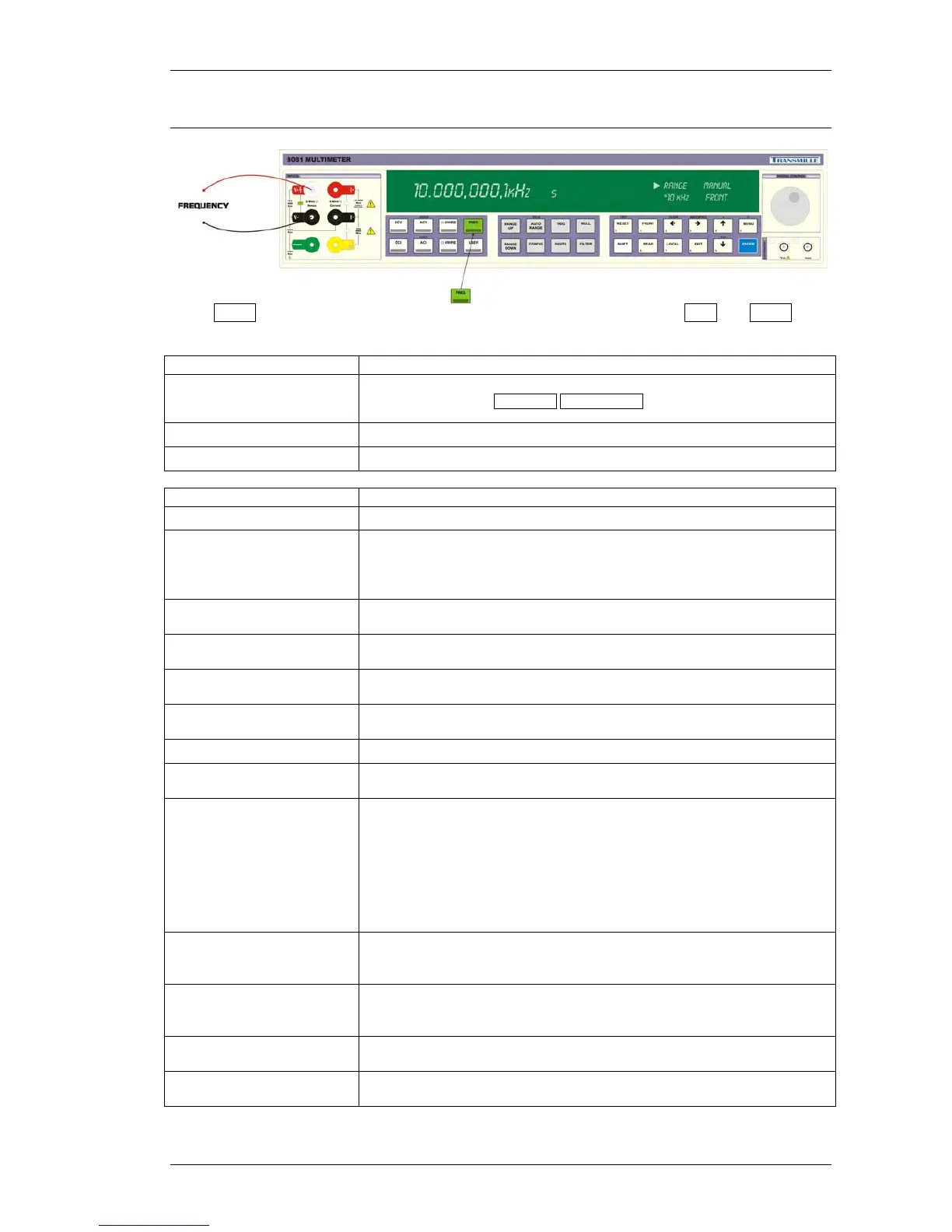
Frequency
Press FREQ to enter the FREQUENCY measurement mode (1Hz resolution) : ACV and FREQ will
both illuminate.
Status Display Section Description
X RANGE
eg. *1V
Display / Selection of AC Voltage range –
Use menu dial or
RANGE UP RANGE DOWN buttons to change range.
Selected range indicated by a *
MANUAL Ranging mode : AUTO or MANUAL
FRONT FRONT or REAR terminals in use
Additional Settings Description
DIGITS Set measurement resolution
FILTER TIME
Set FILTER TIME :
250ms to 64s
Dynamic Mode for Automatic filter setting
based on measurement stability
ANALOGUE FILTER
Set ANALOGUE FILTER mode :
ON / OFF
INPUT TERMINALS
Set INPUT TERMINALS to use :
FRONT / REAR
RATIO
Set RATIO mode :
ON / VALUE / OFF
READING MIN / MAX
Display READING MIN / MAX measurement data
for the selected function / range
TRIGGER AUTO / MANUAL
GUARD TO LOW
Set GUARD TO LOW mode :
FLOATING / SIGNAL LOW
MATHS, NULL, dB
Set NULL : Store zero offset value
Clear NULL : Clear zero offset value
Set OFFSET : Add a user entered value to the measurement
Set SCALE : Multiply measurement by a user entered value
Clear FORMULA : Clear the formula entered (SCALE & OFFSET)
See dB function for use of Set dB, dB SET ZERO & dBm REF 600 Ohms
OHMS LOW CURRENT
Reduced measurement current to reduce power dissipation / self
heating during measurement
OFF / ON
OHMS COMPENSATION
Compensates for thermal voltages which may be present
at the measurement terminal connection
OFF / ON
POWER / CURRENT
Displays the power dissipation / current flowing
for the specific range & measurement
INTERNAL
TEMPERATURE
Displays the internal temperature



 To Next Page