8000 SERIES OPERATION MANUAL TRANSMILLE LTD.
TRANSMILLE LTD. PAGE 28
Operating the multimeter
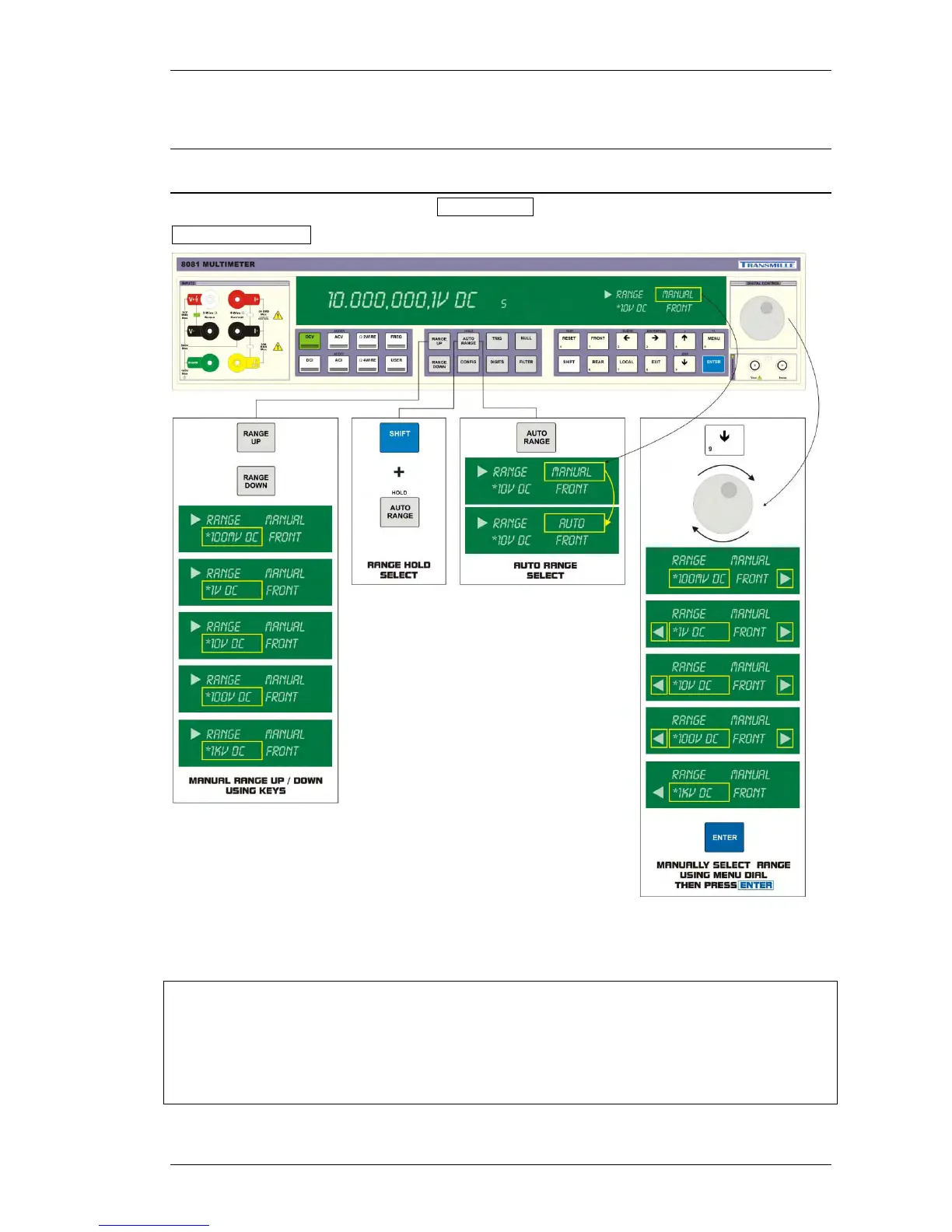
Selecting a Range
Range selection can be set to automatic AUTORANGE mode or a manual range can be set using
MANUAL RANGING.
Autoranging is selected on power up and after a remote interface reset
If the input signal is greater than the range full scale the multimeter will indicate overrange
For frequency measurements, the ranging applies to the input signal voltage, not the frequency.
FUNCTION SPECIFIC RANGE MEMORY
Range settings are automatically stored for each function - these can be set as follows :
Autorange
Set to maximum range
Set to previously selected range



 To Next Page