TRENDnet User’s Guide TV-IP321PI
© Copyright 2015 TRENDnet. All Rights Reserved. 33
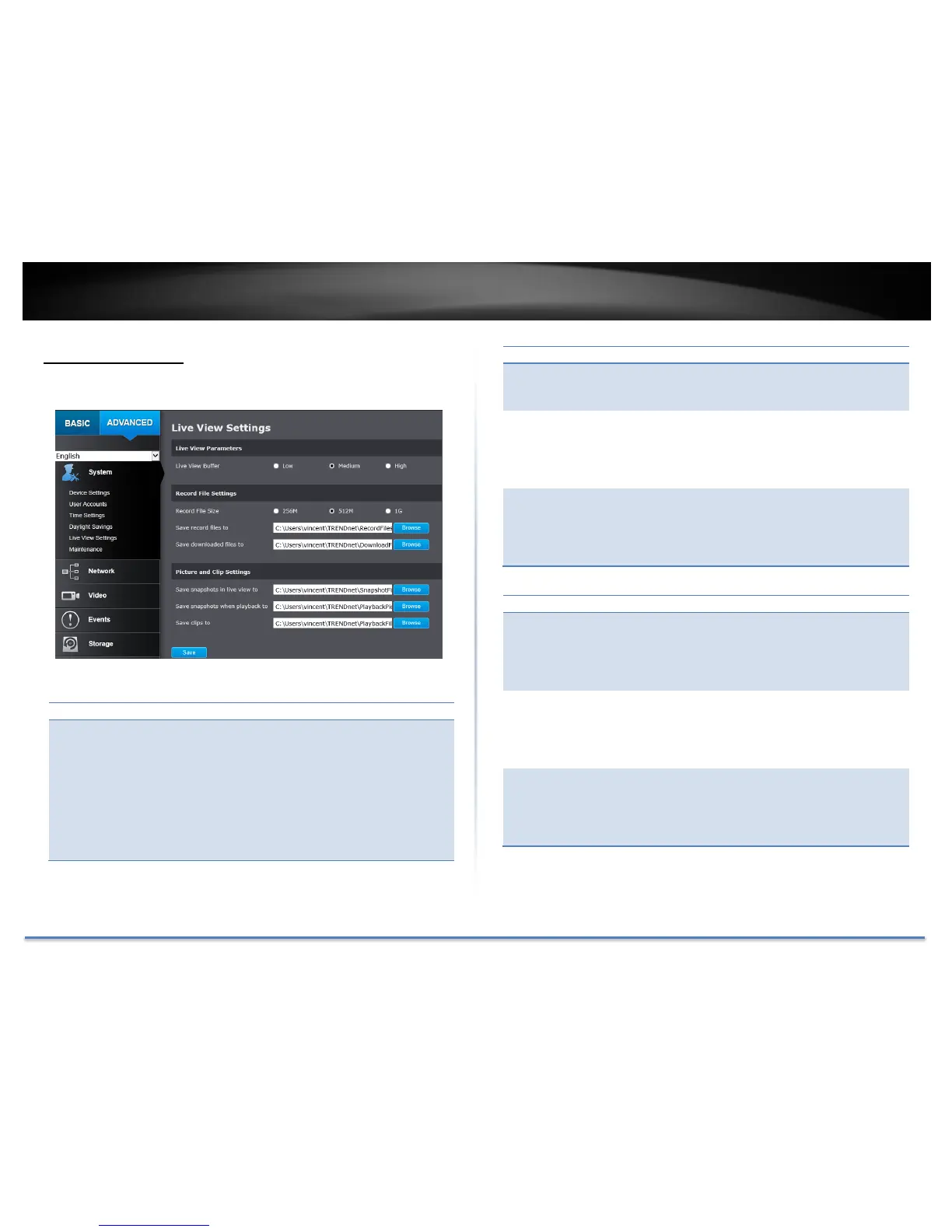
Live View Settings
Setup the live view video quality, file size and file saving directories.
Configure the buffer size for live view video stream.
With low buffer size setting, you can get real-time
video stream, but the video may be stop and go if the
network is congested. With high buffer setting, you
can have smooth video streaming, but the video is
delayed from the time happening. Medium size can
have moderate video stream smoothness and time
delay.
This size of live view video recording. You can
choose 256MB, 512MB, or 1GB a file. Smaller file
size is good for many short recordings.
By default, files will be saved under the folder with
your user name, under the subdirectory
TRENDnet/RecordFiles. Click Browse and then
choose a new destination if you want to save the
file somewhere else.
Save
downloaded
files to:
By default, files will be saved under the folder with
your user name, under the subdirectory
TRENDnet/DownloadFiles. Click Browse and then
choose a new destination if you want to save the
file somewhere else.
Picture and Clip Settings
By default, files will be saved under the folder with
your user name, under the subdirectory
TRENDnet/SnapshotFiles. Click Browse and then
choose a new destination if you want to save the
file somewhere else.
By default, files will be saved under the folder with
your user name, under the subdirectory
TRENDnet/PlaybackPics. Click Browse and then
choose a new destination if you want to save the
file somewhere else.
By default, files will be saved under the folder with
your user name, under the subdirectory
TRENDnet/PlaybackFiles. Click Browse and then
choose a new destination if you want to save the
file somewhere else.
Click Save to save the changes





 To Next Page