TRENDnet User’s Guide TV-IP321PI
© Copyright 2015 TRENDnet. All Rights Reserved. 37
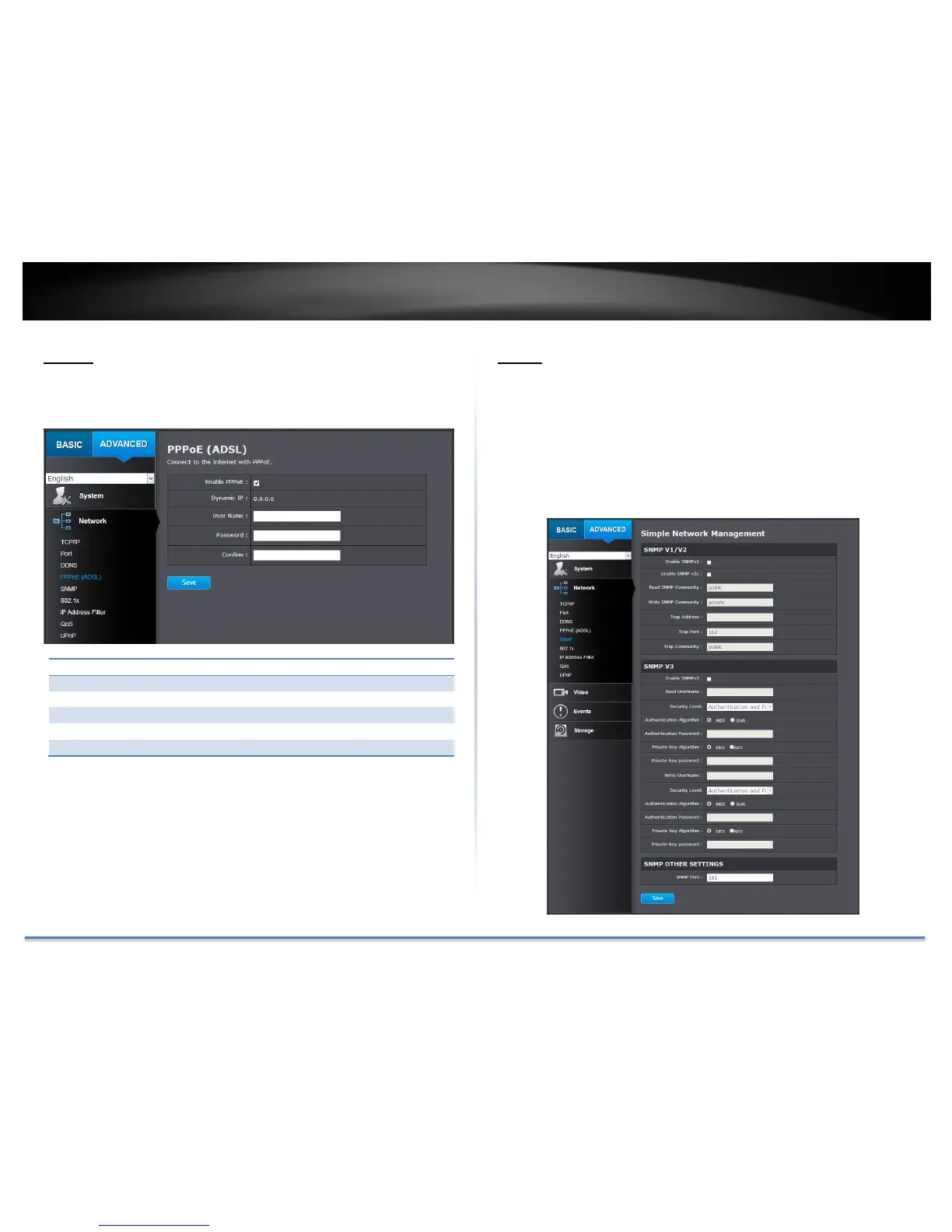
PPPoE
Setup PPPoE (ADSL) connection to connect your camera with your ISP,
Internet Service Provider.
Click Save to save the changes
SNMP
SNMP Settings allows you to assign the contact details, location,
community name and trap settings of SNMP. This is a networking
management protocol used to monitor network-attached devices. SNMP
allows messages (called protocol data units) to be sent to various parts
of a network. Upon receiving these messages, SNMP compatible devices
(called agents) return data stored in their Management Information
Bases.




 To Next Page