EasyManua.ls Logo

TRENDnet TV-IP321PI - Physical Descriptions; Angle Adjustment; Reset Button

TRENDnet TV-IP321PI
63 pages
Print Icon
To Next Page IconTo Next Page
To Previous Page IconTo Previous Page
Loading...
TRENDnet User’s Guide TV-IP321PI
© Copyright 2015 TRENDnet. All Rights Reserved. 7
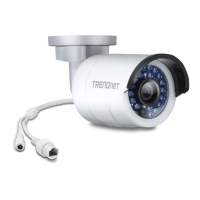
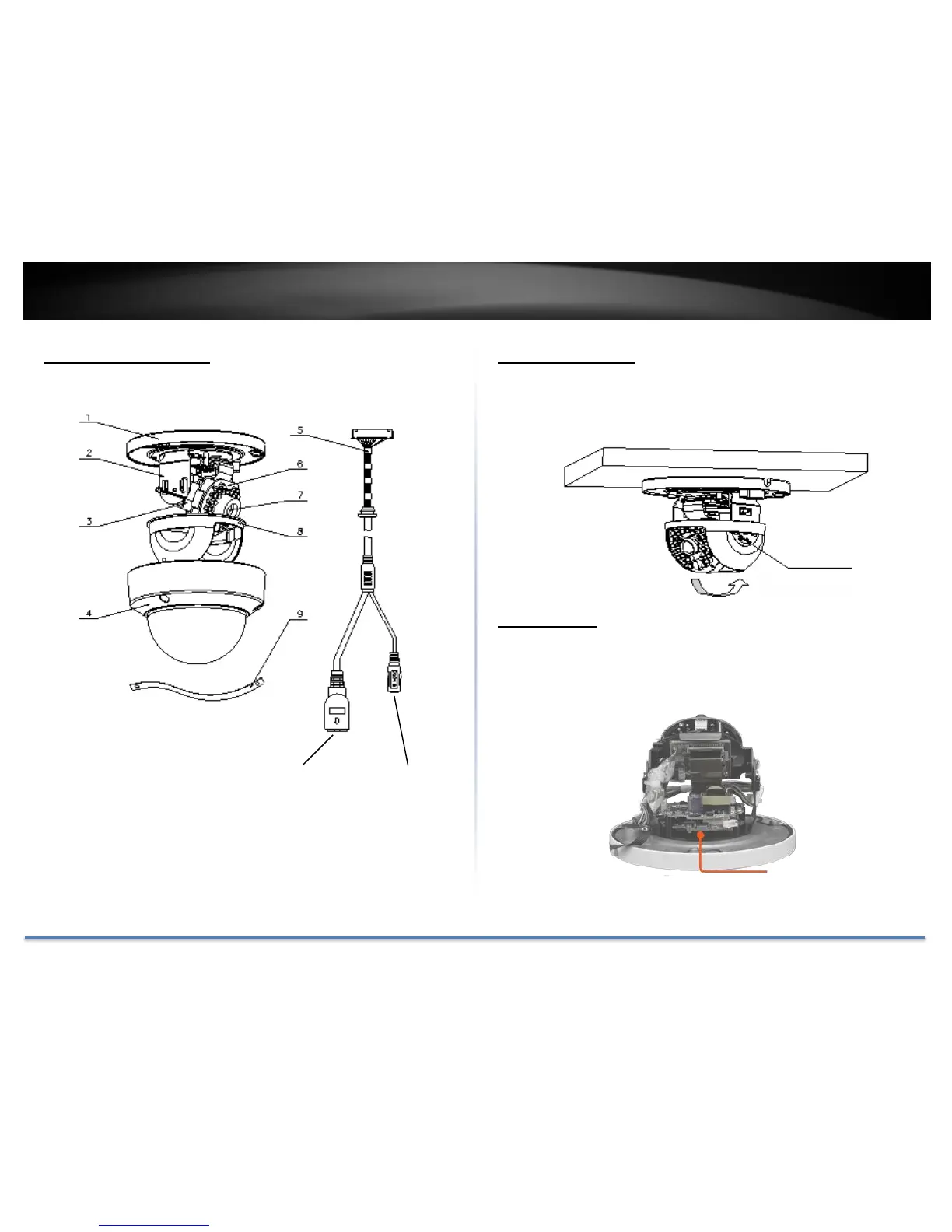
1. Mounting base
2. Horizontal stand
3. Vertical stand
4. Lower dome
5. Cables
6. Infra-red lamps
7. Lens
8. Black Liner
9. Safety rope
Physical Descriptions
Angle Adjustment
Loosen the tilt lock screws, adjust the tilting position in a range from 15
to 90, and tighten the tilt lock screws.
Reset Button
Push and hold the reset button then power on the camera. Keep holding
the reset button for more than 10 seconds to reset configuration to
factory default.
Screw
Reset Button
10/100 PoE
Network Port
DC Power
12V DC 1A
(Optional)

Table of Contents

Other manuals for TRENDnet TV-IP321PI

Related product manuals