TRENDnet User’s Guide TV-IP321PI
© Copyright 2015 TRENDnet. All Rights Reserved. 45
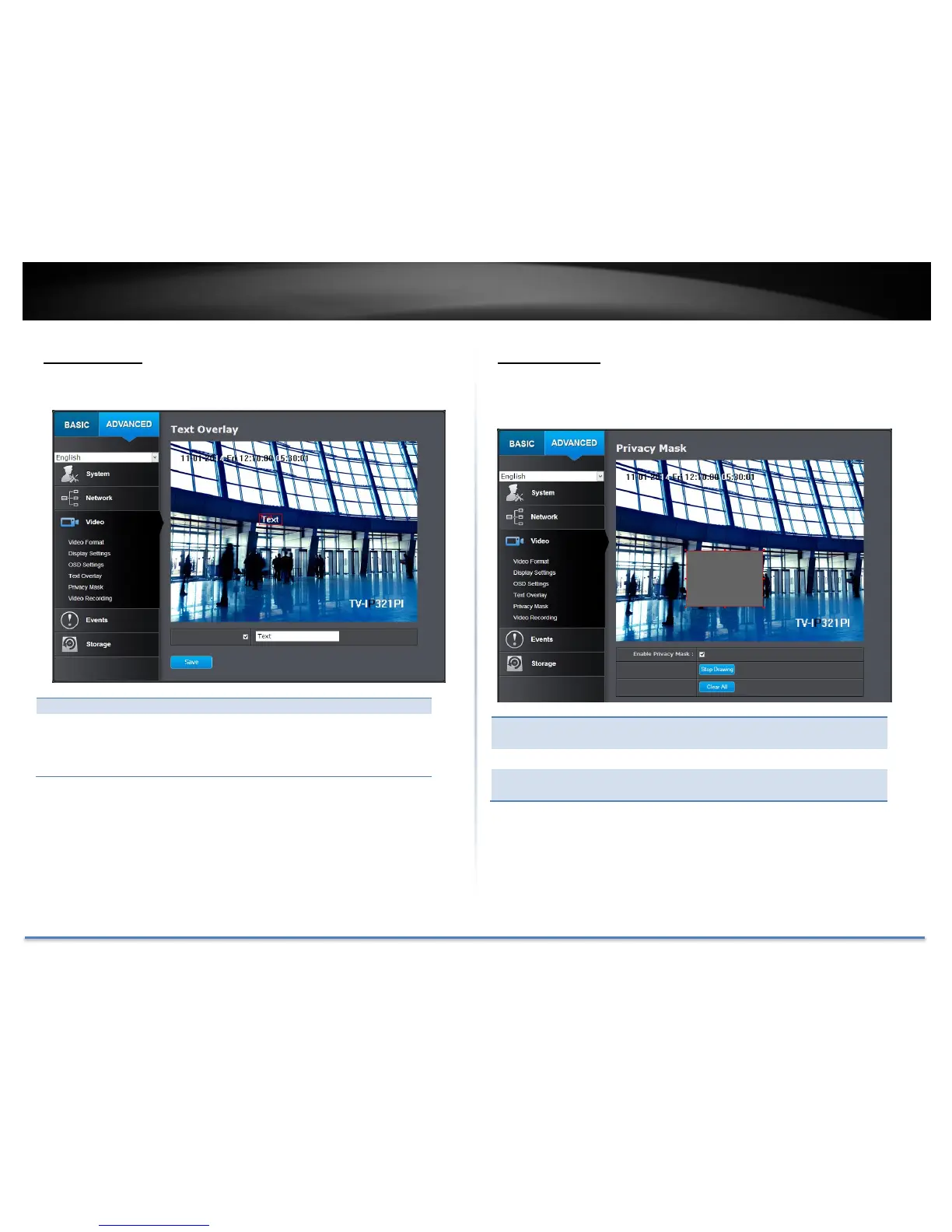
Text Overlay
Display extra information on the screen over the image.
Check this box to enable text overlay.
Enter the text you want to display. You can enter
your local language if you want. The text field
allows maximum 44 English letters or 20 non-
English characters.
Move the red box to position the text.
Click Save to save the changes
Privacy Mask
Create a masking area to keep your privacy. You can create up to four
independent masking areas by clicking and dragging on the screen.
Check this box to enable privacy masking.
Click this button to stop drawing.
Click this button to clear all the masking
areas.
Click Save to save the changes





 To Next Page