FMS-2000M
LIT-12013580
8
Introduction
from a Building Management System (BMS) for up to four spaces. The monitor
touch screen.
The FMS-2000M provides maximum room status awareness with the color coded visual alarms that display on screen, and the 360°
with one tap to the screen to reduce audible alarm fatigue. The FMS-2000M features two password-protected access levels, one for
administrators and one for restricted level users, such as nurses.
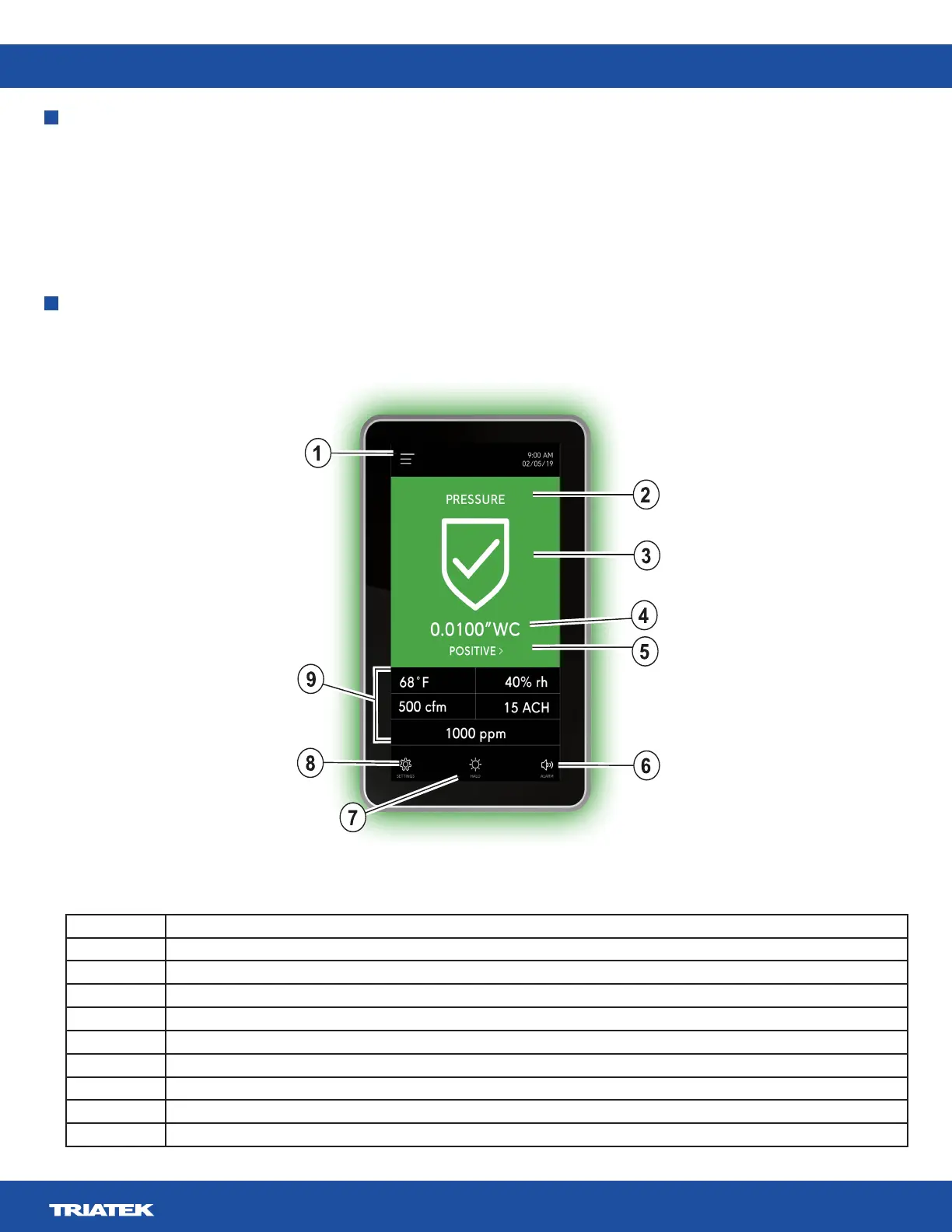
Number Description
1 User menu
2 Room name or parameter name
3 Parameter status icon
4 Pressure sensor reading
5 Isolation mode quick link
6 Audible alarm quick access
7 360° Safety Halo quick access
8 Settings menu
9 Secondary parameters from BMS network variables
Table 1: FMS-2000M Critical Environment Monitor display and icons
Display overview
Figure 1: FMS-2000M Critical Environment Monitor display overview


 To Next Page