4.
5.
6.
7.
1.
2.
3.
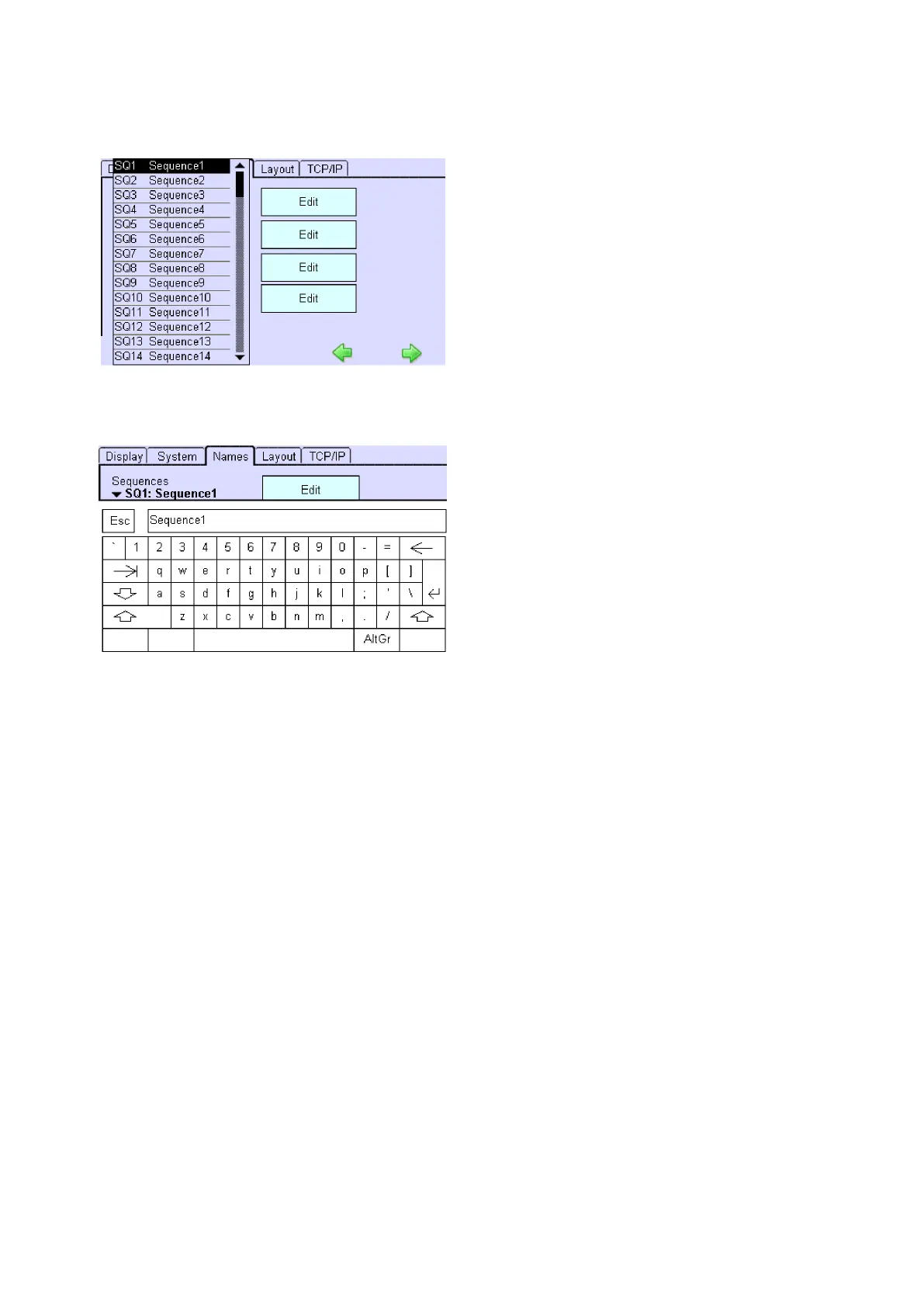
Select the lighting situation and click on the "Edit" button next to it.
-> The dialog box Keyboard is displayed.
Enter the new name and confirm with the Enter key.
Click on the Esc key to cancel the process.
Ethernet Rename Groups, Scenes, Sequences, Schedules, p. 110
USB Rename Groups, Scenes, Sequences, Schedules, p. 97
6.2.3. Selecting a screen design for the Home menu
Different screen designs can be selected for the Home menu: The Display tab is open in the Configuration menu.
Click on the "Main menu" symbol.
-> The "Main menu" is displayed
Click on the "Configuration" button
-> The "Configuration" page is displayed
-> The "Display" tab is displayed.
Click on an arrow key under the "Design" entry
-> The selection box is displayed: A Classic, Classic Grey, Modern or a user defined design can be selected.



 To Next Page