6.3.2. Colour Temperature
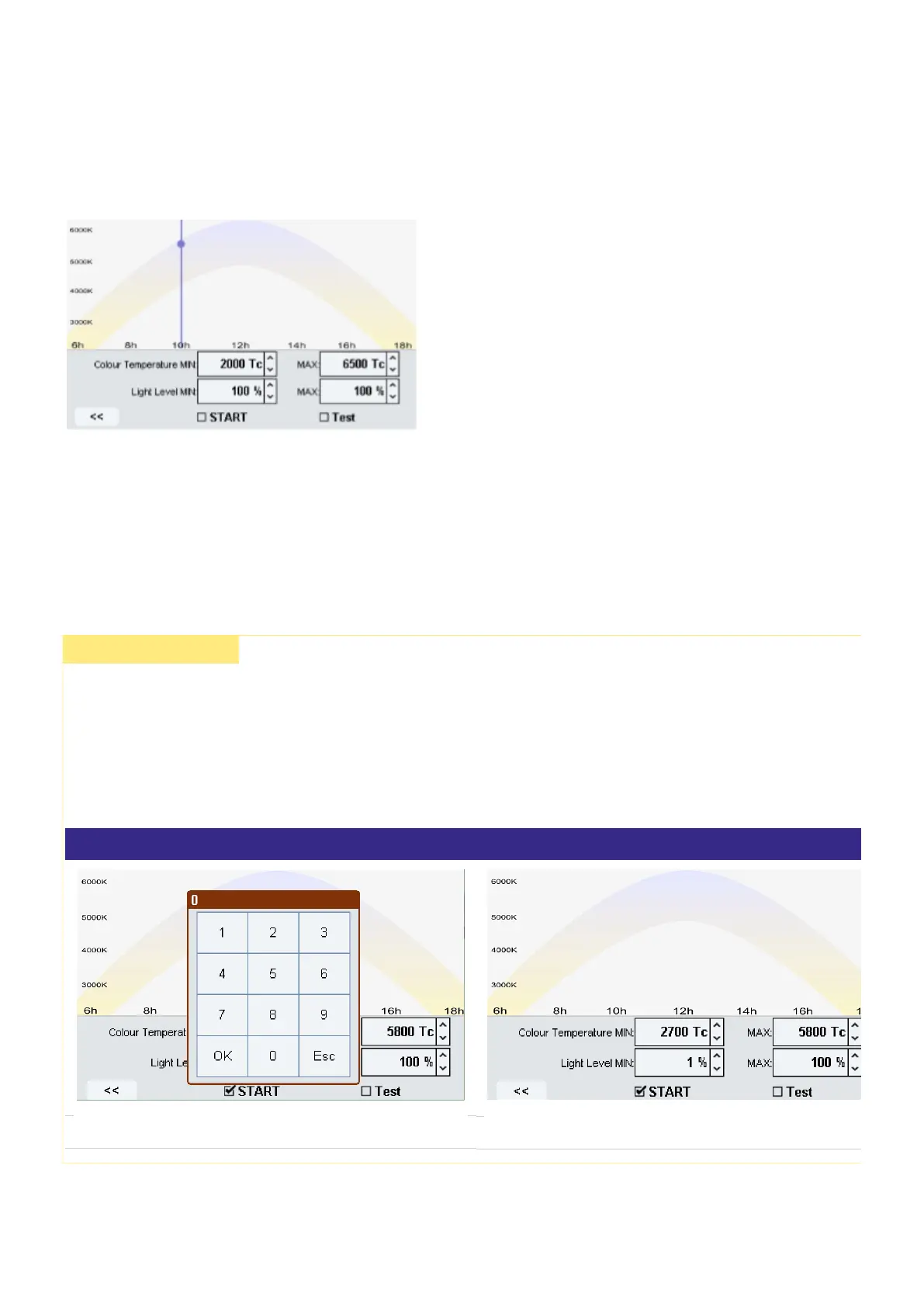
Colour Temperature allows you to change the Colour Temperature over the day.
In this window you can set the min. and max. Colour Temperature.
Also the min. and max. Light Level can be set in a range between 1-100%.
If you set the min. and max. Light Level to 101% then no Light Level will be sent.
½ CAUTION!
If the parameter Light Level MIN is set to 0 %, it will be displayed in the GUI as 1 %. Still, the parameter will work as
expected. The light will be turned off in the time between 18:00 and 6:00.
If the parameter Light Level MIN is set to 1 %, it will be displayed correctly as 1 % and the light will stay at 1 %
dimming level in the time between 18:00 and 6:00.
The following graphs illustrate this:
A value of 0 % will be entered.
Still, a value of 1 % is displayed.



 To Next Page