1.
2.
3.
4.
5.
6.
7.
Click on the "Main menu" symbol.
-> The "Main menu" is displayed
Click on the "Configuration" button
-> The "Configuration" page is displayed
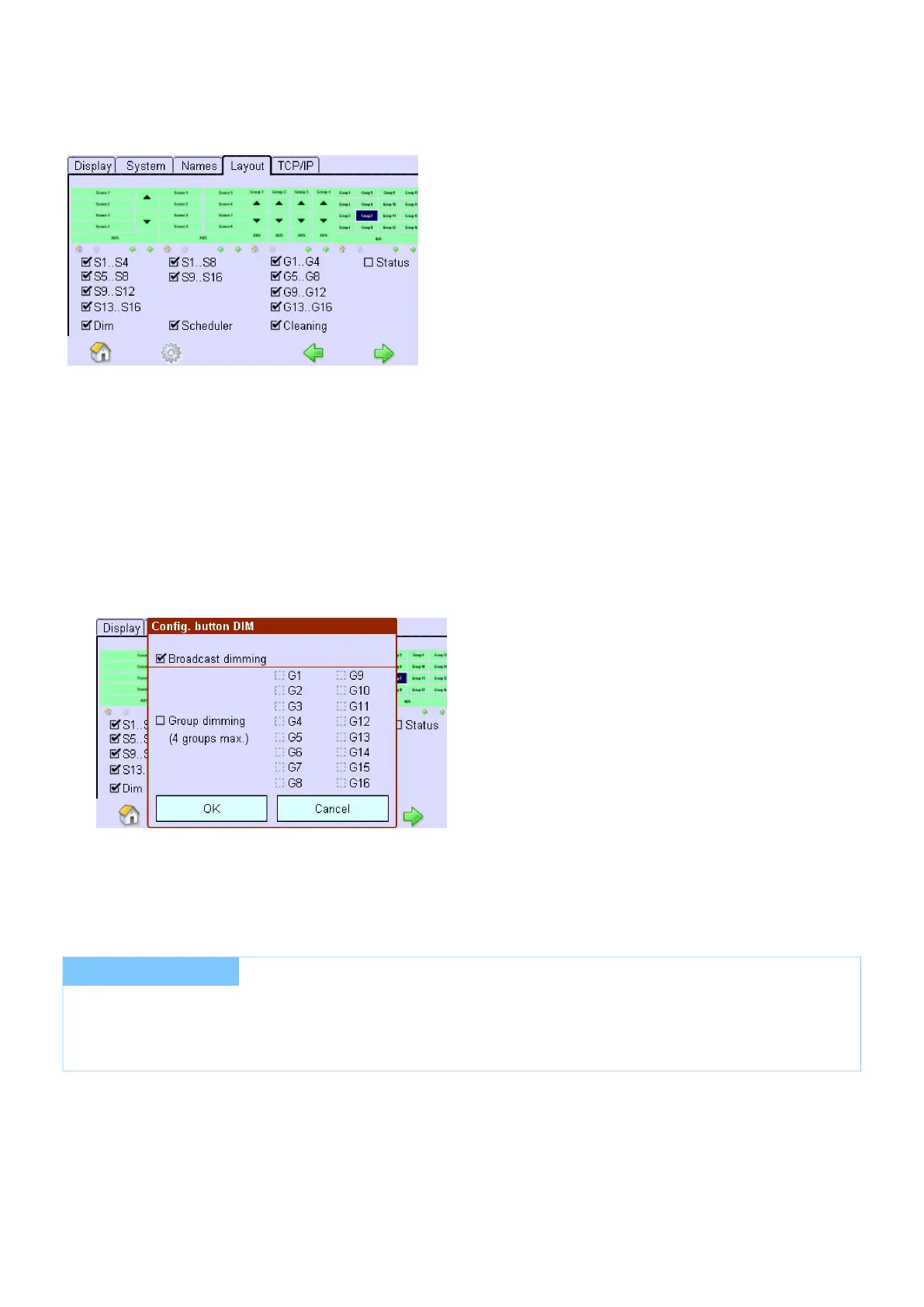
Click on the "Layout" tab
-> The " " tab is displayedLayout
Activate the check boxes for the functions you want to be displayed as buttons in the Home menu.
-> When activating the check box Dim, the dialog box Config. DIM button is displayed
Activate the check box Dim Broadcast to dim all operating devices.
Activate the respective check boxes to dim one or several groups.
-> The operating devices that are set can be dimmed using the buttons in the Home menu.
...
I NOTICE
The Dim buttons can only be configured in the Basic Application.
Tridonic recommends activating the Dim buttons for a maximum of 4 groups to ensure that there is no time delay
with the dimming.



 To Next Page