2.
3.
4.
5.
6.
7.
8.
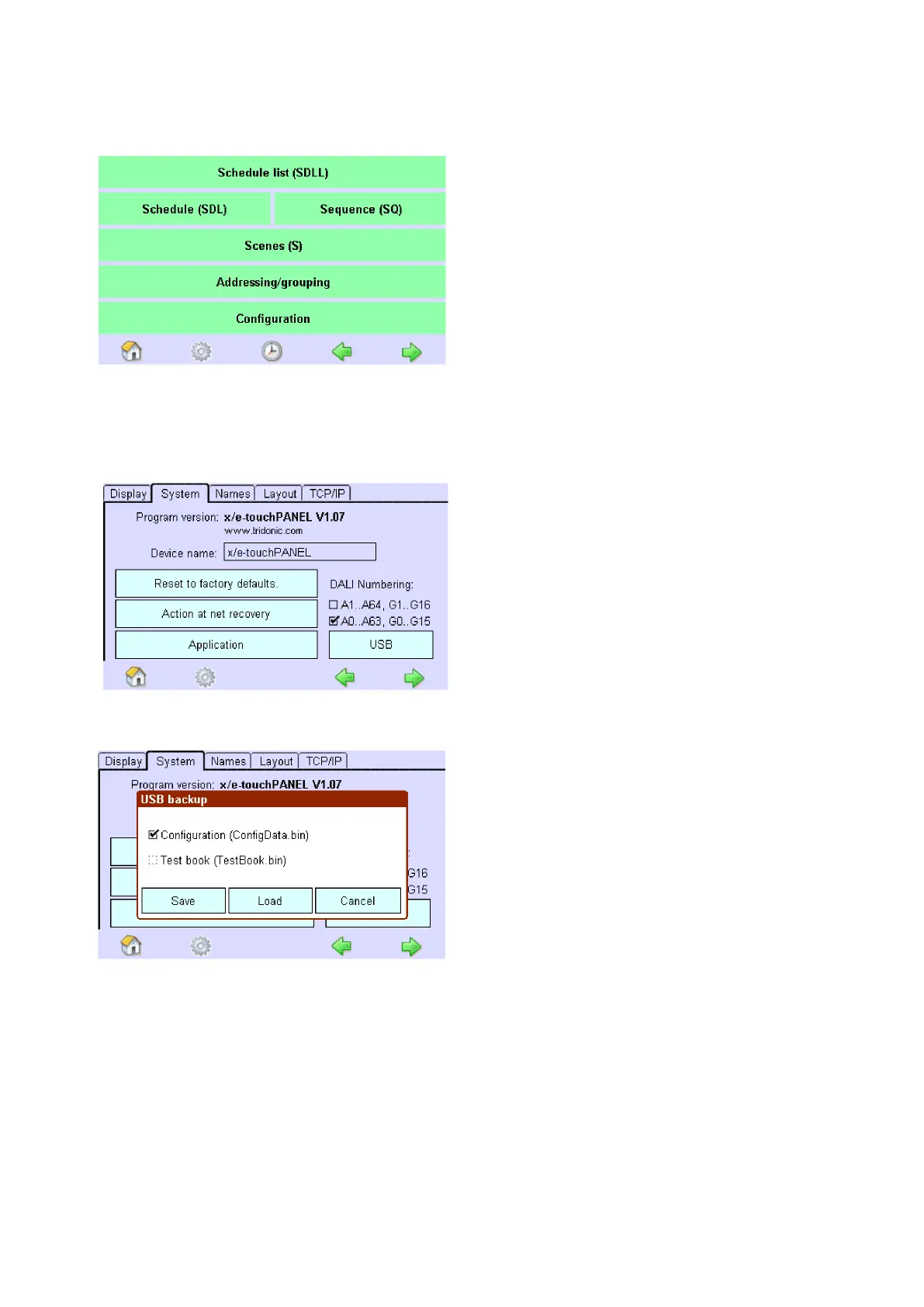
Click on the "Configuration" button
-> The "Configuration" page is displayed
Click on the "System" tab
-> The "System" tab is displayed
Click on the "USB" button
-> The dialog box "USB backup" is displayed
Activate checkbox "Configuration (ConfigData.bin)" to load configuration file to x/e-touchPANEL (all
Applications).
- and/or -
Activate checkbox "Test book (TestBook.bin)" to load testbook to x/e-touchPANEL (only available in
EMERGENCY Application).
Click button "Save" to confirm selection
-> The configuration file (ConfigData.bin) and/or the testbook is copied to the USB memory stick.



 To Next Page