10.
11.
1.
2.
1.
2.
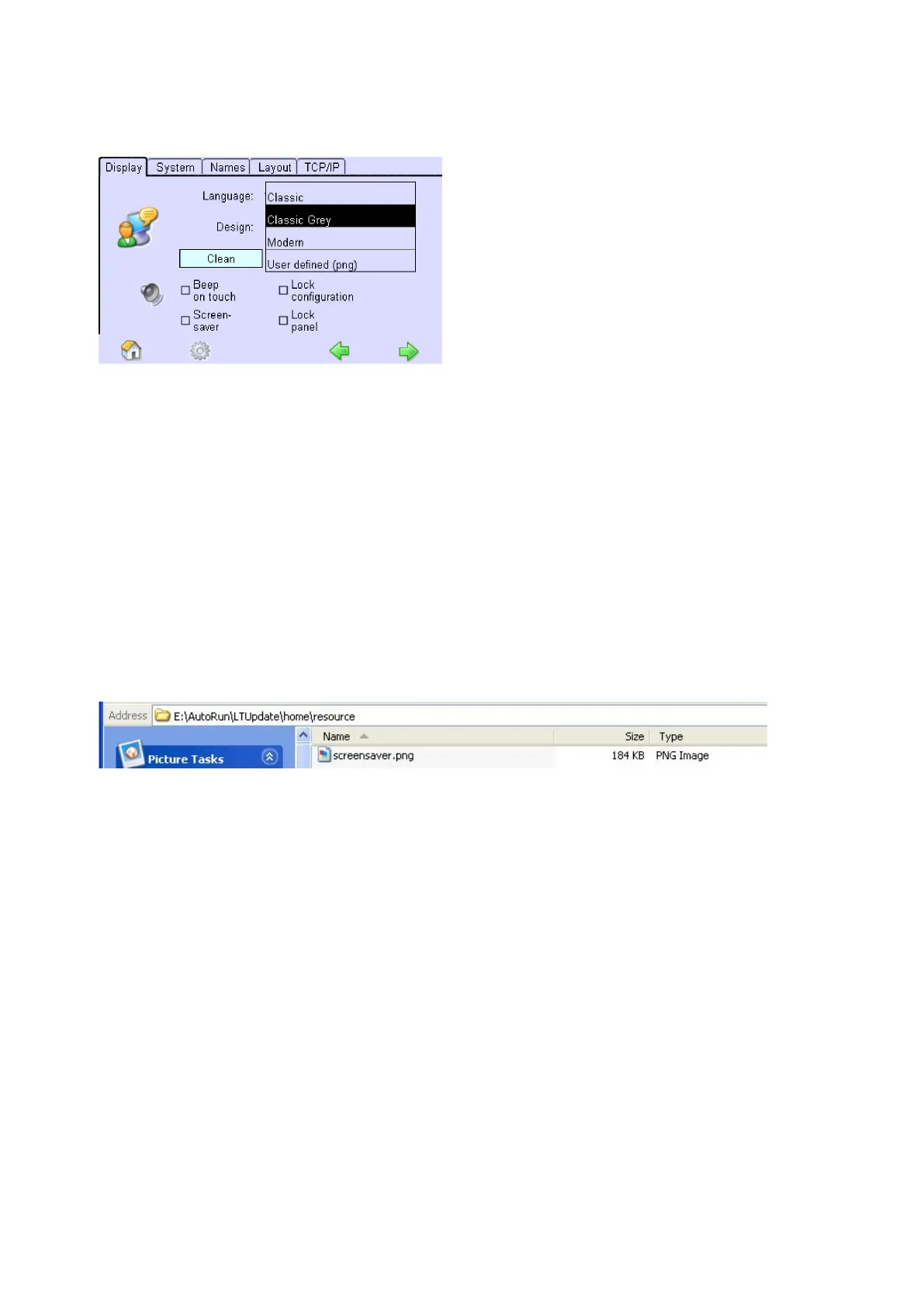
Choose option "User defined (png)".
-> Conversion of design is completed.
-> Customised design is displayed.
7.3.4. Replace screensaver image
x/e-touchPANEL allows loading a customer specific screensaver image, for example with a specific logo.
The image must be in .png format and have a size of 800x480 pixels. The screensaver is activated when the screen
hasn't been touched for more than 2 minutes.
To change the sreensaver image proceed as follows:
Create a file, name it 'screensaver.png' and copy it into the /AutoRun/LTUpdate/home/resource directory of a
USB memory stick.
, p.
Insert USB memory stick into USB interface of the x/e-touchPANEL.
-> The screensave image is automatically copied to the x/e-touchPANEL.
7.3.5. Save configuration file or testbook
The x/e-touchPANEL allows you to save the configuration file and/or the testbook. The procedure is the same for all
Applications. The following description uses screenshots from the Emergency Application which can be different
from the other Applications.
Insert a USB memory stick into the USB interface of the x/e-touchPANEL
Click on the "Main menu" symbol.
-> The "Main menu" is displayed



 To Next Page