35
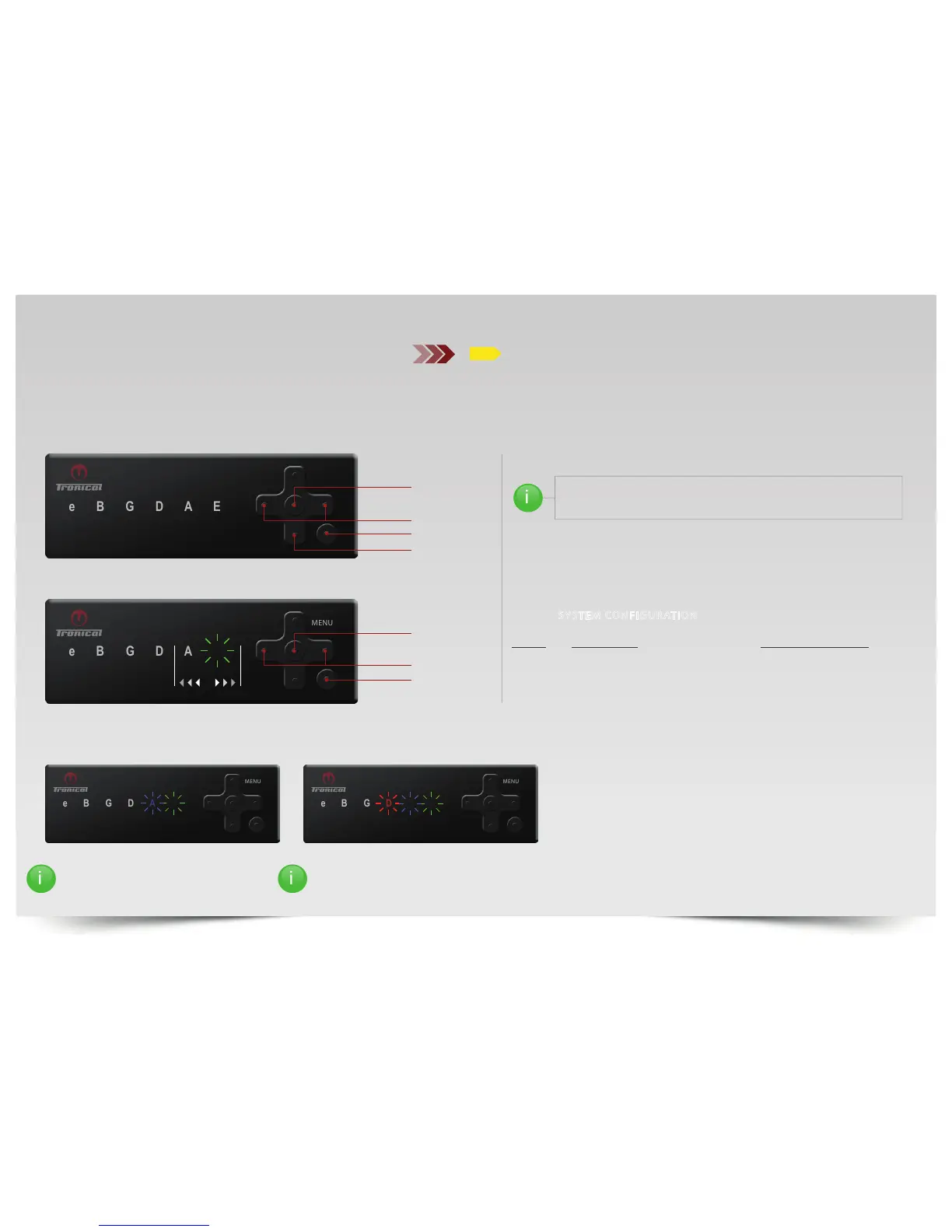
For GUITAR TYPE select “A“LED and press ”ENTER”.
The DEFAULT SETTING is LEDE for “ELECTRIC.“
Use the “LEFT/RIGHT“ button to change to the appropriate setting:
1. GREEN “E“ ELECTRIC
2. GREEN “E“ & BLUE “A“ ACOUSTIC
3. GREEN “E,“ BLUE “A,“ & RED “D“ TAYLOR GS MINI
Press “ENTER“ to CONFIRM.
GREEN “E“ & BLUE “A“ BLINKING LED‘S:
ACOUSTIC GUITAR
GREEN “E,“ BLUE “A,“ & RED “D“ BLINKING LEDS:
TAYLOR GS MINI
SYSTEM CONFIGURATION
BAT
LEFT / RIGHT
ENTER
BACK
GUITAR TYPES
A
GUITAR TYPE
A
Push “ON“ button. The system comes up with the last completed tuning in
MULTISTRING MODE.
Push “BACK“ button to enter TUNING SELECTION MODE. “MENU“ LED is OFF.
To enter SYSTEM CONFIGURATION:
PRESS and HOLD BOTH “RIGHT“ and “ENTER“ AT THE SAME TIME.
“MENU“LED and “E“LED LIGHT UP YELLOW.
ENTER
DOWN
LEFT / RIGHT
ON/BACK
ii
i
IT IS IMPORTANT TO SETUP THE SYSTEM TO THE RIGHT GUITAR TYPE.
ACOUSTIC GUITARS ARE EQUIPPED WITH THICKER STRINGS AND
SHOW DIFFERENT ACOUSTIC CHARACTERISTICS.



 To Next Page