CHAPTER 2: ASSEMBLY INSTRUCTIONS
BIKE ASSEMBLY STEPS (continued):
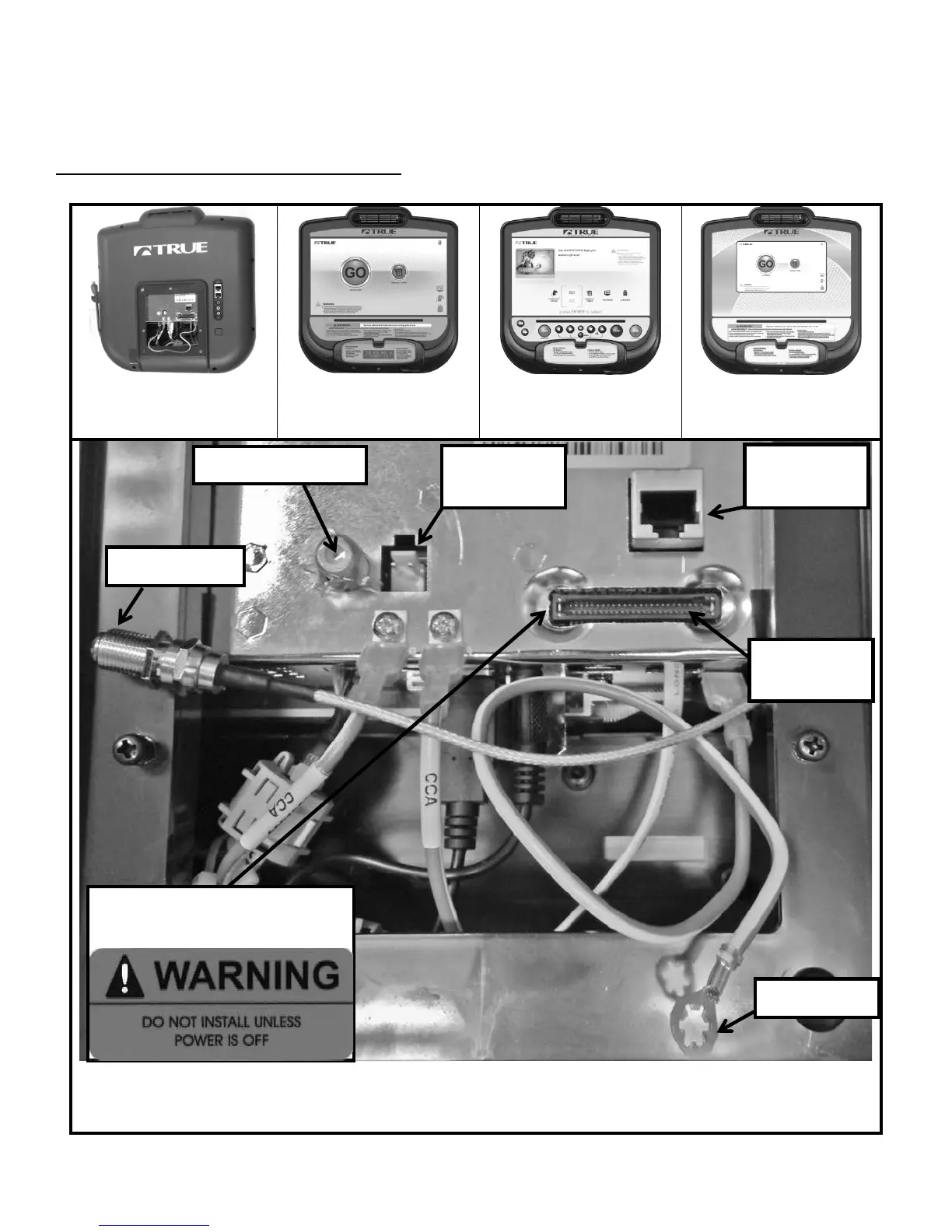
Step 10A: Cable Connections (console):
*Follow Step 10A if installing a touchscreen console or 15”TFT console. For other consoles, proceed to Step 10B.
Ethernet & Coaxial cable connections are not available on the Orange LED or 9” TFT Consoles
The Ethernet Port on the 15” TFT Console is non-functioning
All Ground Wires Must be connected
to access data port
Truefitness.com / 800.426.6570 / 636.272.7100 16



 To Next Page