CHAPTER 4: PROGRAMMING & OPERATION
Truetness.com / 800.426.6570 / 636.272.7100
32
ADVANCED CONSOLE FUNCTIONS CONTINUED:
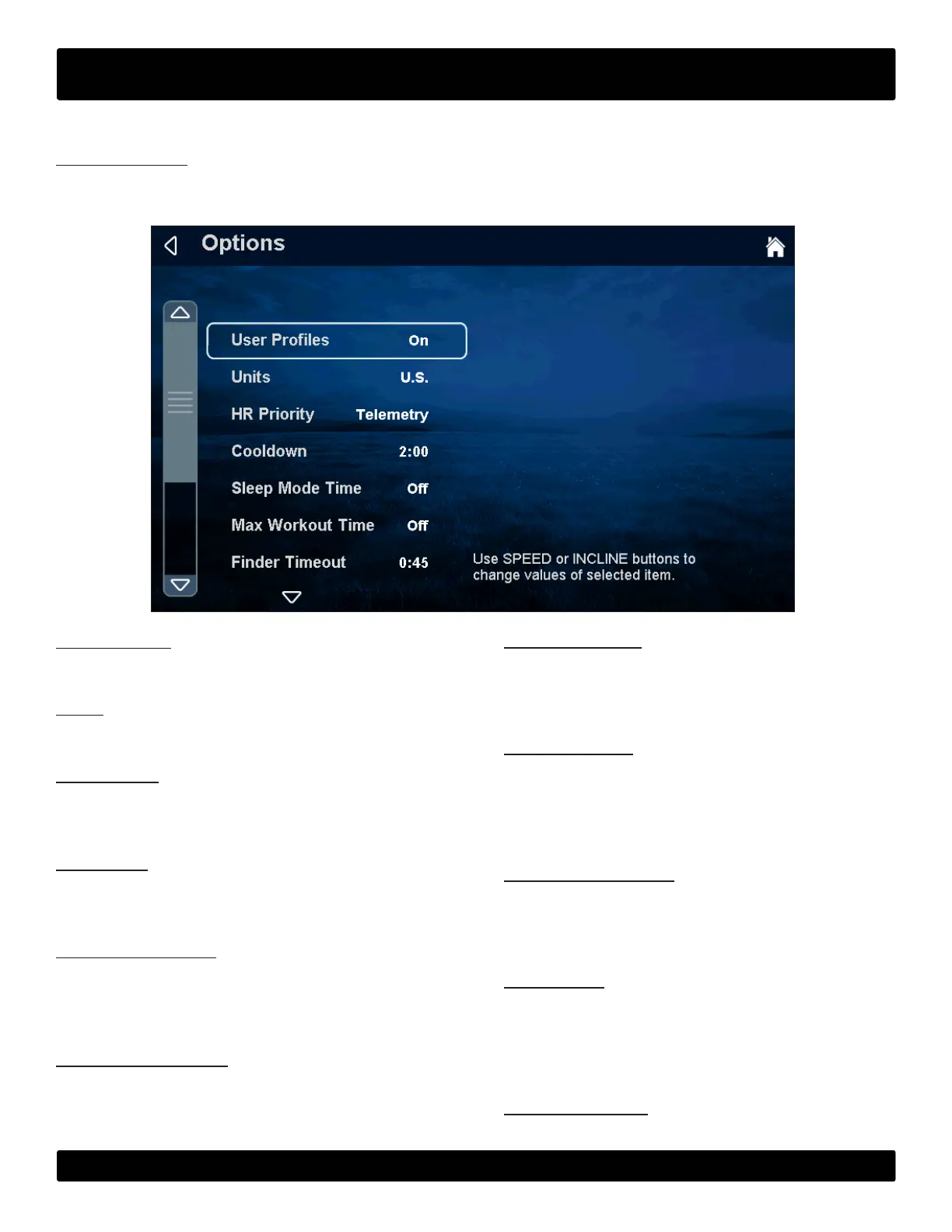
Options Menu:
e options menu contains various options and settings that pertain to the operation and setup of the machine. To make
changes, select the option to change and use the up and down incline keys to make changes.
User Proles
Enables or disables the custom user prole feature.
Units
Choose how the workout data is displayed by default.
HR Priority
Determines the order in which the unit reads heart rate
data.
Cooldown
Adjusts the length of the cooldown time at the end of a
workout.
Sleep Mode Timer
e amount of time the unit can be idle before entering
sleep mode. By choosing the “O ” setting, the unit will
remain powered.
Max Workout Time
Limits the amount of time that all workouts can last. By
choosing the “O ” setting, the time will be unlimited
(does not apply to manual or distance workouts).
Finder Timeout
Choose how long the Workout Finder remains on the
screen without any user interaction. By choosing o, the
Workout nder will stay open until closed by a user.
Setup Timeout
Choose how long the workout data entry screen will
remain on the display without any user interaction. By
choosing the “o” setting, the data entry screen will be
displayed until closed by a user
Summary Timeout:
Determines the amount of time the Workout Summary
Screen will be displayed. By choosing the “O ” setting,
the summary will be displayed until ended by a user.
Pause Time
Limits the amount of time that a workout can be paused
before it automatically ends. By choosing the “O ” op-
tion, the unit will remain paused until the user resumes
or ends the workout.
Factory Defaults
Resets all settings in the to factory defaults.


 To Next Page