EasyManua.ls Logo

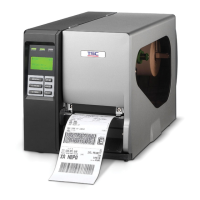
TSC TTP 246M - User Manual

TSC TTP 246M
33 pages
Print Icon
To Next Page IconTo Next Page
Loading...
USER’S
MANUAL
TTP-246M/344M
THERMAL TRANSFER / DIRECT THERMAL
BAR CODE PRINTER

Other manuals for TSC TTP 246M

Questions and Answers

  • D
    Donald OchoaSep 9, 2025
    Why won't the power indicator illuminate on my TSC TTP 246M?
    • D
      david55Sep 9, 2025
      If the power indicator on your TSC Barcode Reader isn't lighting up, it could be due to: * The power cord not being properly connected. Ensure the power cord is securely connected between the printer and the outlet. * The voltage setting of the power supply being set incorrectly. Adjust the voltage setting at the rear of the printer to the correct voltage.
  • E
    Erik DixonSep 12, 2025
    Why is my TSC Barcode Reader not printing through the serial port?
    • B
      Brandi HernandezSep 12, 2025
      If your TSC Barcode Reader isn't printing via the serial port: * The serial port settings may be inconsistent between the host and the printer. Reset the serial port settings. * The serial port cable pin configuration might not be pin to pin. Replace the cable with one that has a pin to pin assignment.
  • C
    Carl WalkerSep 14, 2025
    What does it mean when my TSC TTP 246M Barcode Reader says 'Memory full'?
    • S
      Stephanie LutzSep 14, 2025
      A 'Memory full' message on your TSC Barcode Reader indicates that the FLASH/DRAM is full. Delete any unused files in the FLASH/DRAM. Note that the maximum number of files saved is 50 in DRAM and 100 in Flash Files.
  • M
    masondavidSep 16, 2025
    What to do if my TSC Barcode Reader displays 'Carriage open'?
    • A
      Alexis DonovanSep 16, 2025
      If your TSC Barcode Reader displays a 'Carriage open' message, it means the printer carriage is open. Make sure to close the print carriage.

Summary

Getting Started

Set Up

Setting Up the Printer

Provides step-by-step instructions for physically setting up the printer, including connections and power.

Ribbon Installation

Detailed instructions and diagrams for installing the thermal transfer ribbon onto the printer spindles.

Label Roll Installation

Step-by-step guide on how to load a label roll into the printer, including sensor placement.

Using TTP-246 M;344 M

Gap;Black Mark Sensor Calibration Utility

Explains how to calibrate the gap/black mark sensor for accurate label detection.

Printer Initialization

Details the process of restoring printer settings to their factory defaults and the implications.

Troubleshooting Guide

Lists common printer problems like 'No ribbon' or 'No paper' with their causes and solutions.

Printer Cleaning

TSC TTP 246M Specifications

General IconGeneral
Print Resolution203 DPI
Media Thickness0.06 ~ 0.25 mm (0.00236 ~ 0.0098")
Memory8 MB Flash
ConnectivityUSB
Processor32-bit RISC
Print MethodThermal Transfer/Direct Thermal

Related product manuals