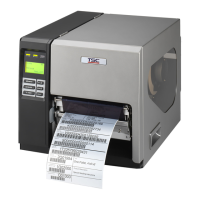
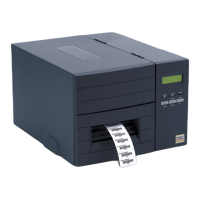
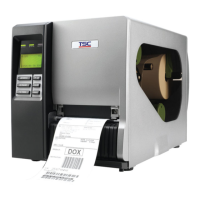
TTP-2410M/346M/644M
TTP-246M Plus/344M Plus
Bar Code Printer Service Manual
36
36
UP: Fwd.
DOWN: Rev.
MENU: Exit
* Cutter jam.
* There is no cutter installed on the
printer.
* Cutter PCB is damaged.
* If the cutter module is installed, please press UP
or DOWN key to rotate the cutter up or down to
make the knife back to the right position.
* Remove the label.
* Make sure the thickness of label is less than 200
g/m2 (for regular cutter) or 300 g/m2 (for heavy
duty cutter).
* Replace a cutter PCB.
Not Printing
* Cable is not well connected to serial or
USB interface or parallel port.
* The serial port cable pin configuration
is not pin to pin connected.
* Re-connect cable to interface.
* If using serial cable,
- Please replace the cable with pin to pin
connected.
- Check the baud rate setting. The default baud
rate setting of printer is 9600,n,8,1.
* If using the Ethernet cable,
- Check if the Ethernet RJ-45 connector green
LED is lit on..
- Check if the Ethernet RJ-45 connector amber
LED is blinking.
- Check if the printer gets the IP address when
using DHCP mode.
- Check if the IP address is correct when using
the static IP address.
- Wait a few seconds let the printer get the
communication with the server then check the
IP address setting again.
* Chang a new cable.
* Ribbon and media are not compatible.
* Verify the ribbon-inked side.
* Reload the ribbon again.
* Clean the printhead.
* The print density setting is incorrect.
* Printhead’s harness connector is not well
connected with printheat. Turn off the printer
and plug the connector again.
* Check if the stepping motor is plugging in the
right connector.
* Check your program if there is a command
PRINT at the end of the file and there must have
CRLF at the end of each command line.
Memory full
( FLASH / DRAM )
* The space of FLASH/DRAM is full.
* Delete unused files in the FLASH/DRAM.
* The max. numbers of file of DRAM is 50 files.
* The max. user addressable memory space of
DRAM is 256 KB
* The max. numbers of file of FLASH is 256 files.
* The max. user addressable memory space of
FLASH is 2560 KB for TTP-246M Plus and
TTP-344M Plus and 6656KB for TTP-2410M
and TTP-346M.










 To Next Page