Instrument Operation 4-3
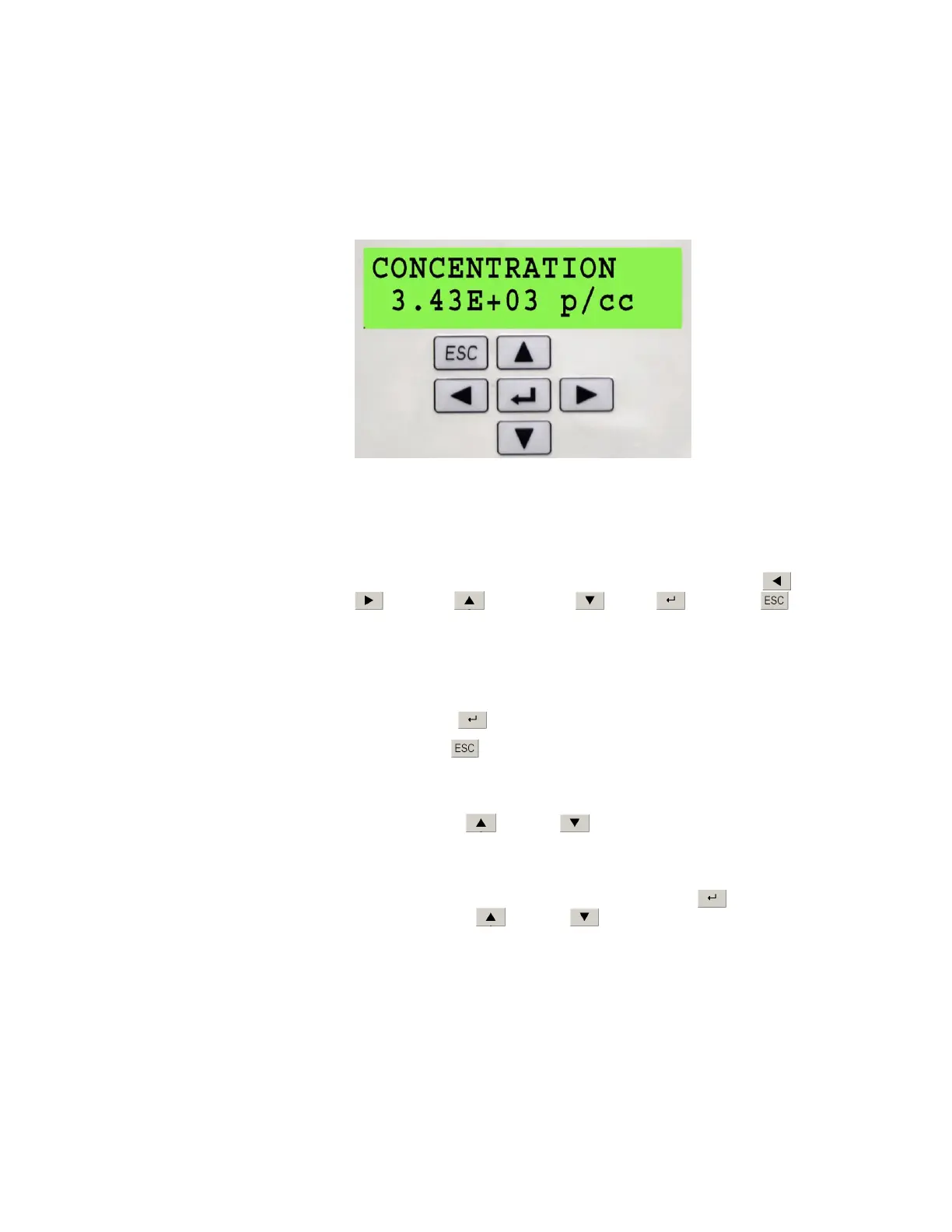
Model 3772 LCD Display and Keypad
In addition to firmware communication, Model 3772 presents measurement
data, instrument status, and user settings on a 2-line, 16-character,
alphanumeric LCD display. You can navigate the menu options using the
six-button keypad. The display and keypad are shown in Figure 4-3.
Figure 4-3
Model 3772 Front Panel LCD Display and Keypad
Model 3772 Keypad Navigation
As shown in Figure 4-3, the keypad has six keys: scroll left , scroll right
, scroll up , scroll down , Enter , and ESC . Detailed
navigation instructions are described below. Generally,
The up and down arrows are used to scroll through a given menu.
The left and right arrows are used to configure user settings. The new
setting becomes active immediately after the setting is selected.
The Enter
key displays submenus.
The ESC
key returns the display out of a submenu.
The control menu has a two-tier hierarchy. There are four primary
functions: Concentration, User Settings, Status, and Total Count Mode. By
pressing the up or down arrow, the display will scroll through
these four functions.
Two of the primary functions, User Settings and Status, have submenus. A
submenu can be accessed by pressing the Enter key. Once inside a
submenu, the up or down arrow can be used to scroll through the
features. The submenu for User Settings contains all the options for
configuring the CPC. The submenu for Status contains all the parameters
for monitoring the CPC. The primary functions are summarized below
along with their submenus. These are described in detail in the following
sections.



 To Next Page