7-6 Model 3772/3771 Condensation Particle Counter
2. If you have any data on the flash memory card you want to save, you
must copy it to a temporary directory on your computer, because the
reformat will erase it from the flash card.
3. Put your cursor on the flash memory card’s drive letter in Microsoft
®
Internet Explorer
®
browser and right click. Select Format.
4. Under File System, make sure “FAT32” is selected. Click on Start.
5. When it is done reformatting, copy any files you saved back onto the
flash memory card.
6. You can check the format type of the flash memory card at any time by
right clicking on the drive letter in Microsoft
®
Internet Explorer
®
browser. Select Properties and look under File System.
C a u t i o n
Remove the flash memory card following the correct procedures:
1. Use Safely Remove Hardware option in Windows to disconnect the
card reader from the computer—stop USB Mass Storage Device.
2. After the message Safe To Remove Hardware: The “USB Mass
Storage Device” device can now be safely removed from the system
appears, physically remove the flash memory card from the card
reader.
Failure to follow these procedures may result in failure to log data with
the flash memory card.
RS-232 Serial Communications
The communications ports are configured at the factory to work with
RS-232-type devices. RS-232 is a popular communications standard
supported by many mainframe computers and most personal computers.
The Model 3772/3771 CPC has two A-pin, D-type subminiature connectors
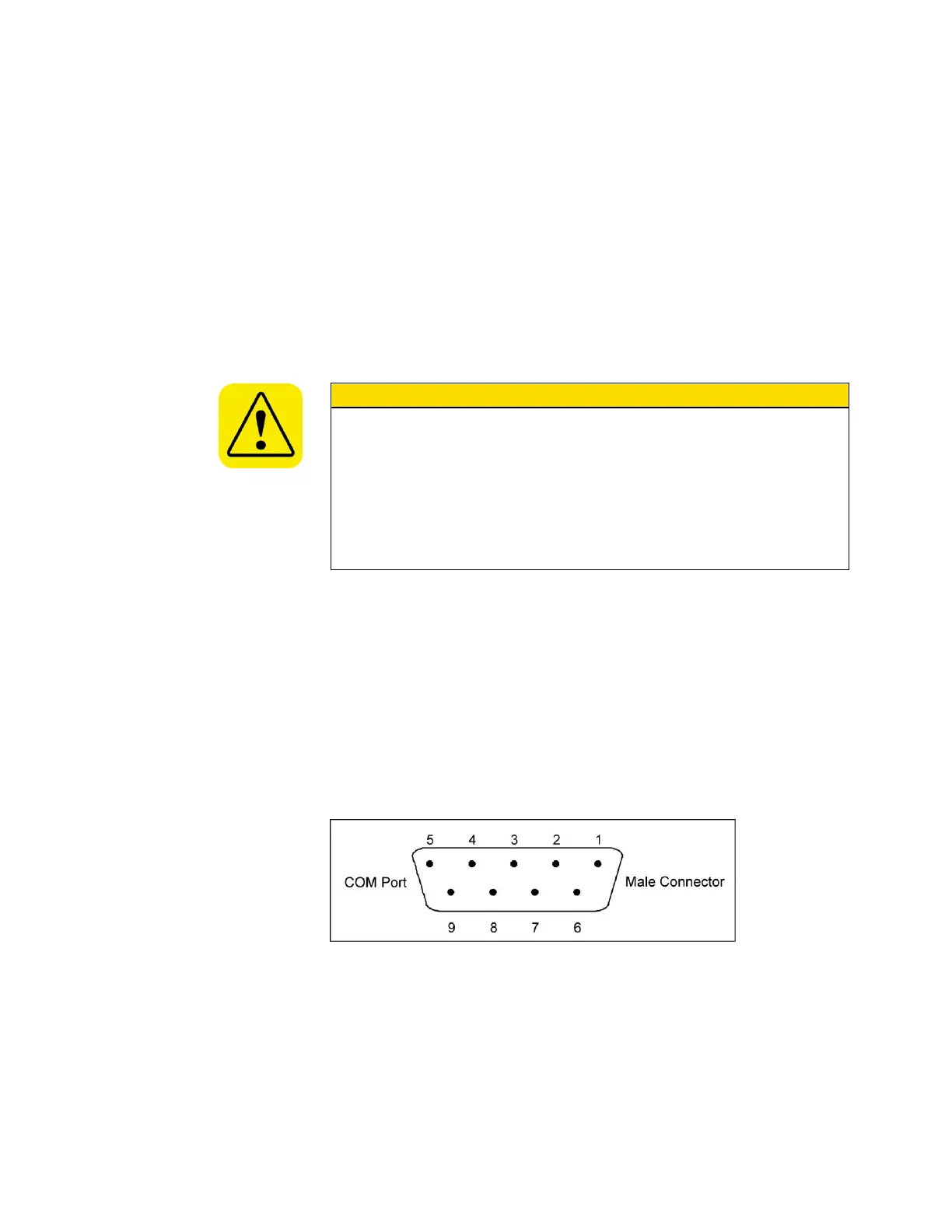
on the back panel labeled Serial 1 and Serial 2. Figure 7-5 shows the
connector pins on the serial ports; Table 7-1 lists the signal connections.
Note: This pin configuration is compatible with the standard IBM PC serial
cables.
Figure 7-5
RS-232 Connector Pin Designations



 To Next Page