16
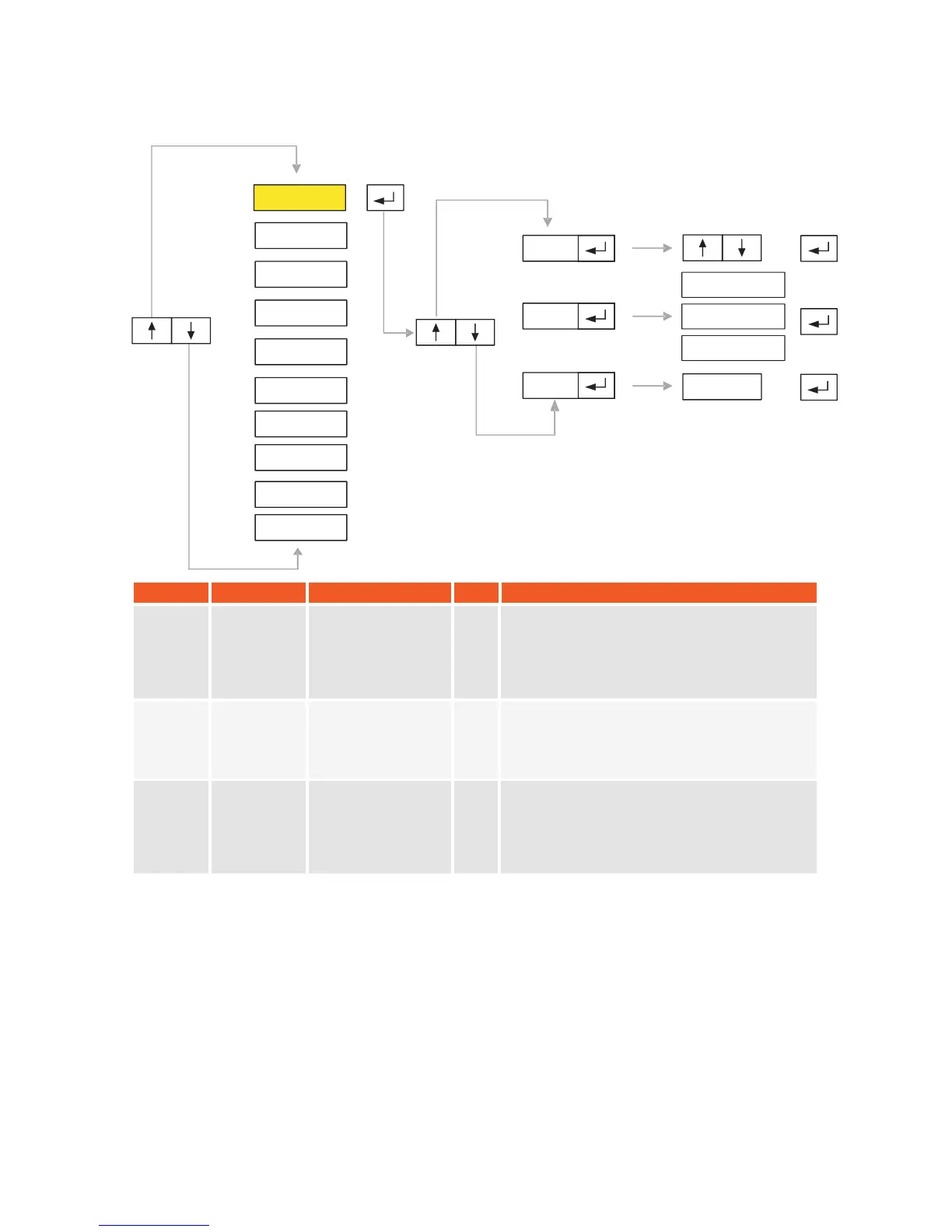
SYMBOL NAME ALTERNATIVES DEF.
EXPLANATION
P1.0 Purpose of
Use
1
1
0
Non Approved
2
2
Approved
2
P1.1
Default
Values *
-------
P1.2
P1.0
P1.1
P1.2
P1-GEN
P2-PAR
P3-CON
P4-CAL
P5-POR
P6-INO
P7-PRP
P8
P9
-
-DIS
ANA
-END-
------
5.1. P1-General:
If non approved mode
is selected, indicator
adjustments can be changed without any
restrictions. In approved mode, the data input
will only be accepted if they are convenient to
EN45501 standard.
This option is used to return all of indicators
parameters back to their factory default
values.
KM.LL2E.002
Single Interval
Multi Range
Multi Interval
0
You can select the operation type of the
indicator from this menu. Select 0 for single
Interval, 1 for Multi Range and 2 for Multi
Interval.
Single Interval
Multi Range
Multi Interval


 To Next Page