28
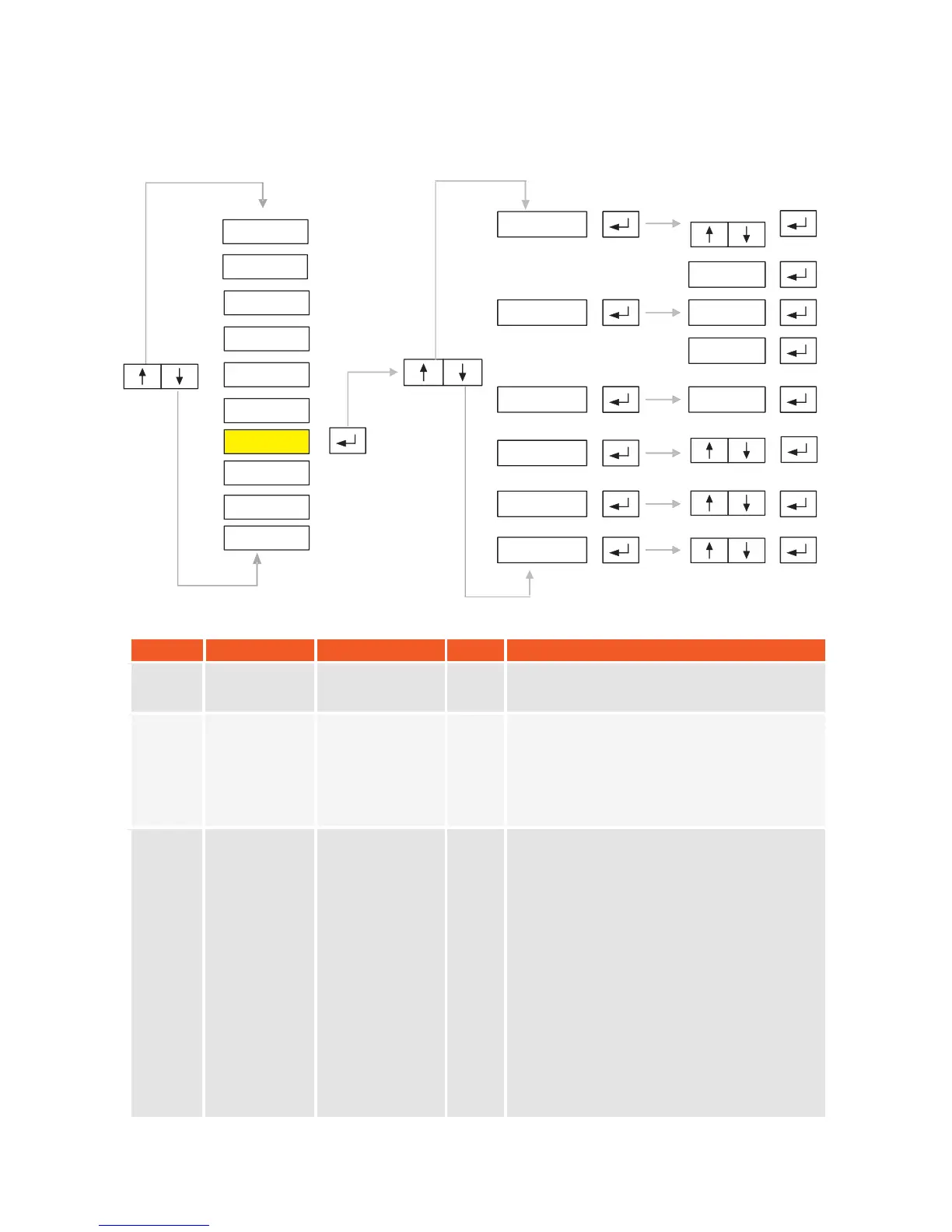
5.7. P7-Peripheral Equipments:
SYMBOL
NAME
ALTERNATIVES
DEF.
EXPLANATION
P7.0
Minimum Load
for Printer
0 0
1 20 e
2 50 e
0
This value shows minimum weight value at
which pinter outputs can be taken.
P7.1
Ticket
Format
-----
Enter number of blank rows from top (Top),
number of blank characters from left (left)
and blank rows at the end (Bottom).
Note: Each of above values must be
between
1 to 255.
P7.2
Ticket
Fields
-----
Fields on the ticket can be defined by using
the following formula:
Ticket no x 1 + Firm Name x 2 + Date-Time
x 4 + Code x 8 + Weight x 16 + Barcode x
32.
You must put 1 for the fields you want to
include to the ticket and put 0 for others.
,
Then calculate above formula and enter it to
P7.2
Example: If you want only ticket no and
weight fiel ds on the ticket, then result of the
formula will be equal to:
1x1 + 0x2 + 0x4 + 0x8 + 1x16 + 0x32 = 17.
You must enter 17
P7.1
P7.0
P7.2
TOP-
-
LEF -
-
-
BOT-
-
-
- - - - - -
P7.3
P7.4
P7.5
P2-PAR
P1-GEN
P3-CON
P4-CAL
P5-POR
P6-INO
P7-PRP
P8
P9
-
-
DIS
ANA
-END-
KM.LL2E.002


 To Next Page