26
5
.6. P6-Inputs / Outputs:
SYMBOL
NAME
ALTERNATIVES
DEF.
EXPLANATION
P6.0
Output
Operating
Type
0 Disable
1 Net Values
2 Brut Values
3 Inputs
0
You can select operating type of each of
outputs.
If 0 (disable) is selected, relevant output will
be disabled.
If 1 (net) is selected, re spective output will
be closed when net weight value is greater
than set point weight (entered at P6.2).
If 2 (brut) is selected, this time brut values
will be compared with set point weights.
If 3 (inputs) is selected, output will work with
respect to inputs, meaning that if one of the
inputs is active, then respective output will be
active (you can assign different inputs to
each of outputs as shown in P6.1).
P6.1
Output
Assign
-------
You can assign different inputs to each of
outputs. First of all s elect output number and
press enter button. Then write respective
in puts you want to assign by using the
following formula:
Input1 x 1 + Input2 x 2 + Input3 x 4 +
Input4 x 8.
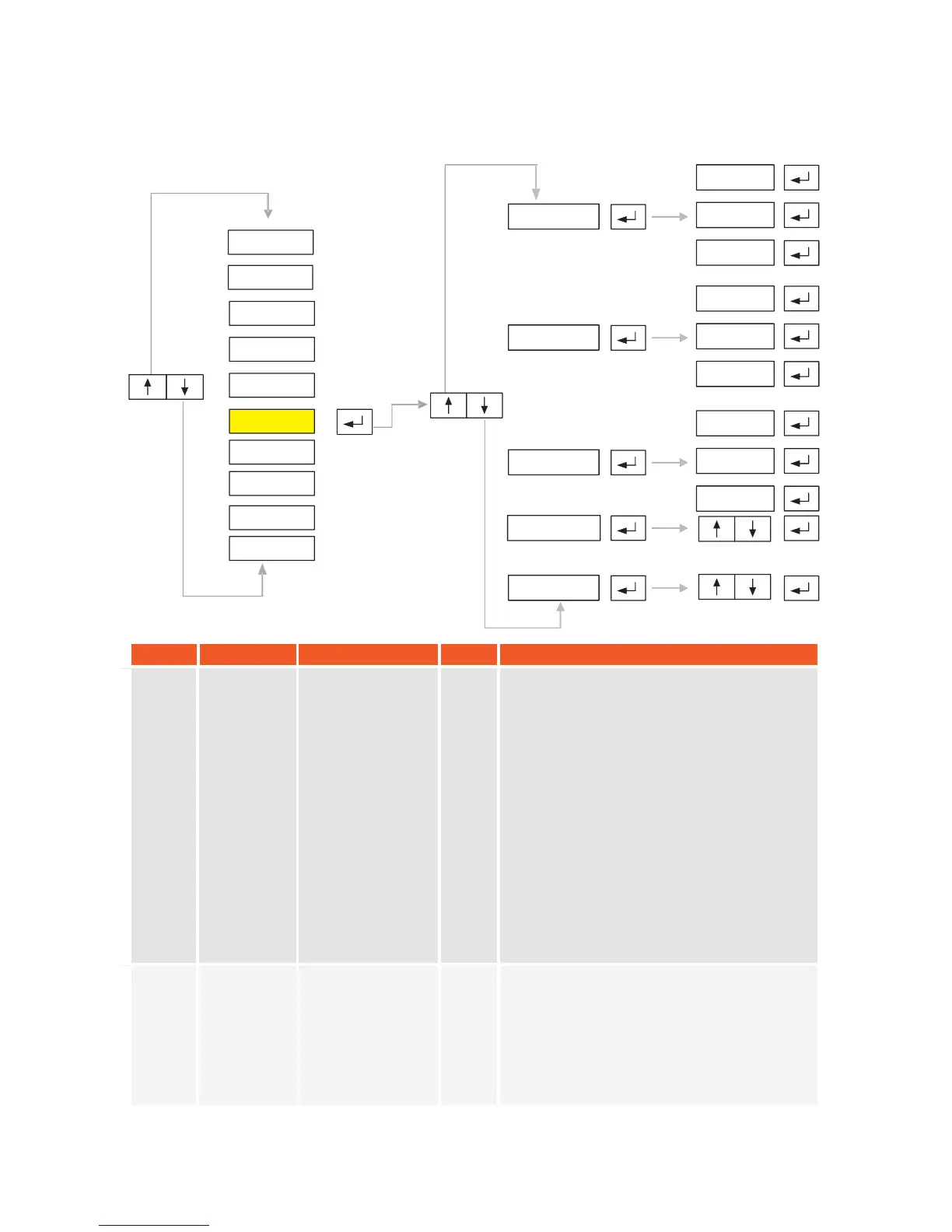
P6.1
P6.3
OUT 1
-
-
-
-
-
-
OUT 4
P6.2
SP 1
-
-
-
-
-
SP 4
P6.0
OP 1
-
-
-
-
-
-
OP 4
P6.4
P2-PAR
P1-GEN
P3-CON
P4-CAL
P5-POR
P6-INO
P7-PRP
P8
P9
-
-
DIS
ANA
-END-
KM.LL2E.002


 To Next Page