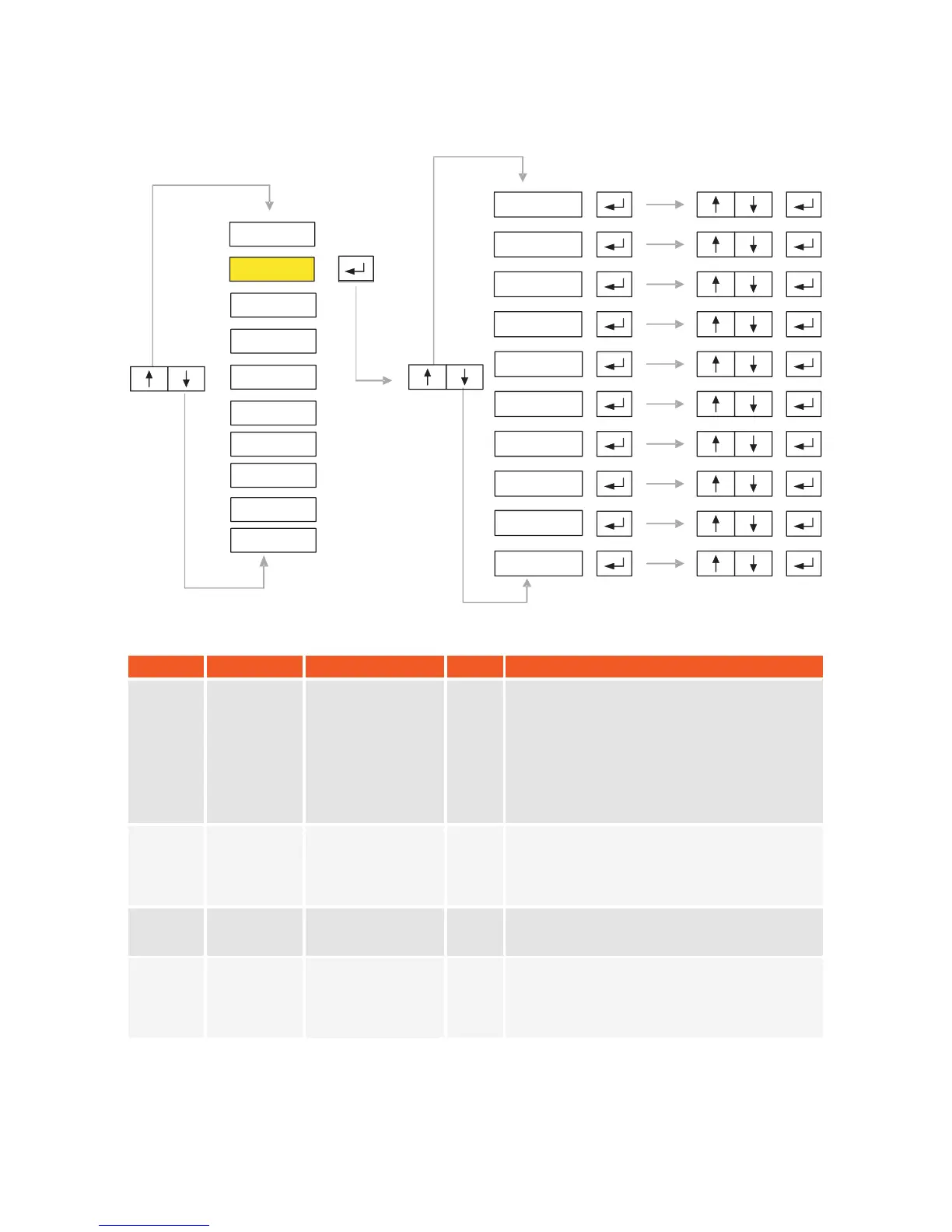
5.2. P2-Parameters:
SYMBOL
NAME
ALTERNATIVES
DEF.
EXPLANATION
P2.0
Auto Zero
Tracking
8 2e
0
Weight vaules smaller than the selected value
will be set automatically to zero.
P2.1
Auto Zero
Waiting
Time
0 0 sec.
1 0,5 sec.
2 1 sec.
3 1,5 sec.
4 2 sec.
4
Time which will be elapsed before auto zero
is activated.
P2.2
Manual Zero
1 %2
2 %20
3 full capacity
1
Select max imum load range that can be
manually zeroed by pushing zero button.
P2.3
Initial Zero
0
Select range which will be zeroed during
start-up.
P2.4
P2.3
P2.6
P2.7
P2.9
P2.8
P2.5
P2.2
P2.1
P2.0
18
0 Disable
1
0.25e
2
0.5e
3
0.75e
4
1e
5
1.25e
6
1.5e
7 1.75e
0 Disable
1 - %1
2 - %5
3 - %10
4 - %20
P2-PAR
P1-GEN
P3-CON
P4-CAL
P5-POR
P6-INO
P7-PRP
P8
P9
-
-
DIS
ANA
-END-
KM.LL2E.002


 To Next Page