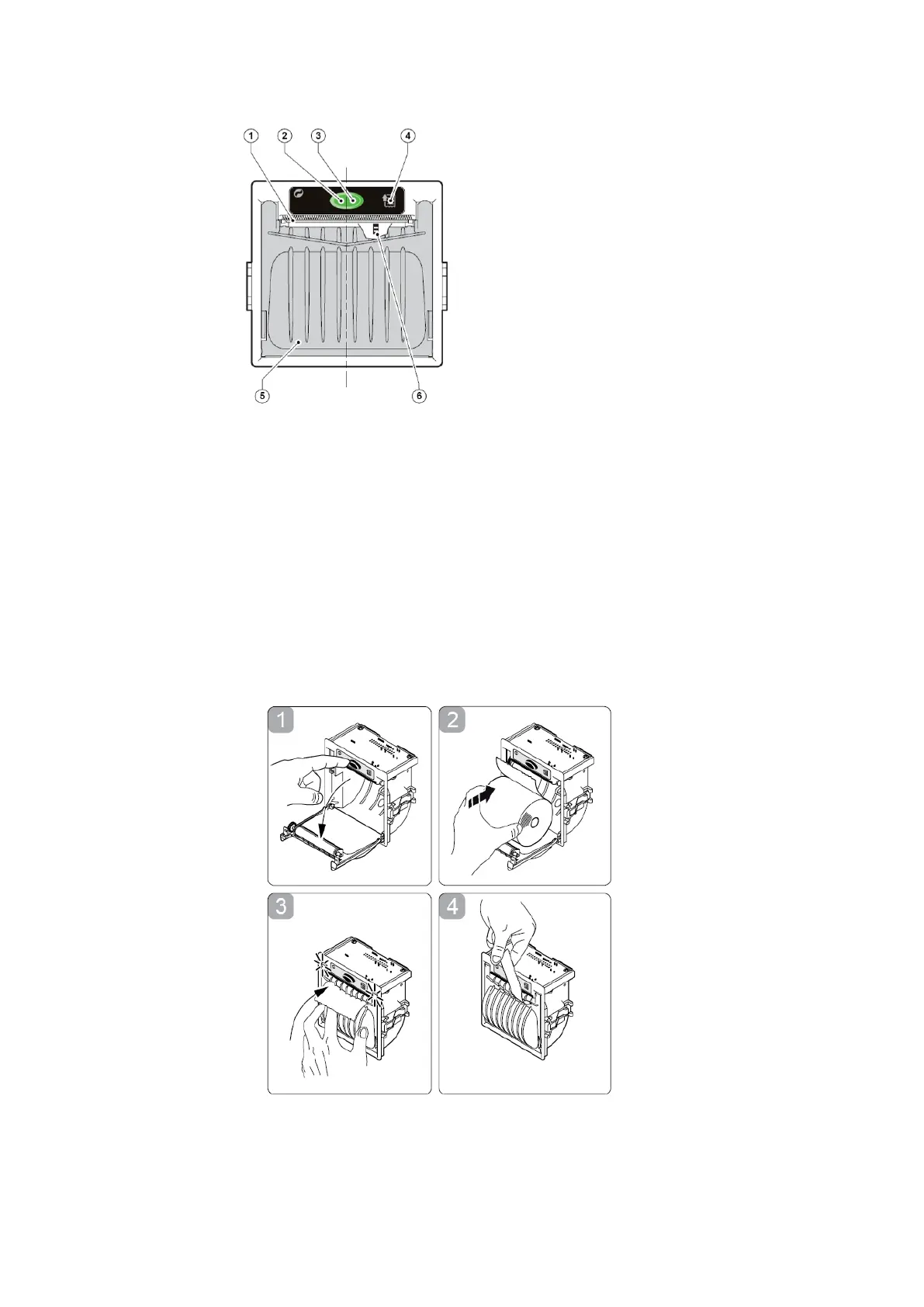
Fig. 1
1. Open the printer's cover door (see Front view).
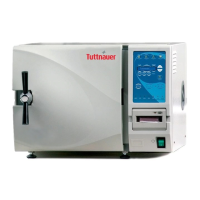
2. Press the OPEN key to open the printer cover as shown (see Fig. 3/1).
Handle the paper cutter carefully not to cut your hand.
3. Place the paper roll making sure it unrolls in the proper direction as
shown (see Fig. 3/2).
4. The paper should roll off the top of the roll
5. Hold the loose end of the paper with one hand and re-close the cover
with the other hand as shown (see Fig. 3/3) the printer cover is locked.
6. Tear off the exceeding paper using the jagged edge (see Fig. 3/4).
Fig. 2
7. Close the printer's cover door by pressing its corner with the tip end of
the paper emerging from the slot


 To Next Page