4 Loading Media
4.3 Adjusting the Media Sensor
i
Notice!
When the printer is delivered the media sensor is positioned in the
middle of the media feed. Thus, the media sensor must only be
adjusted if:
• media with reex or cut-out marks, which are not in the middle,
• multi-strip media with an even number of strips,
• media with irregularly shaped labels
are used.
1
3
2
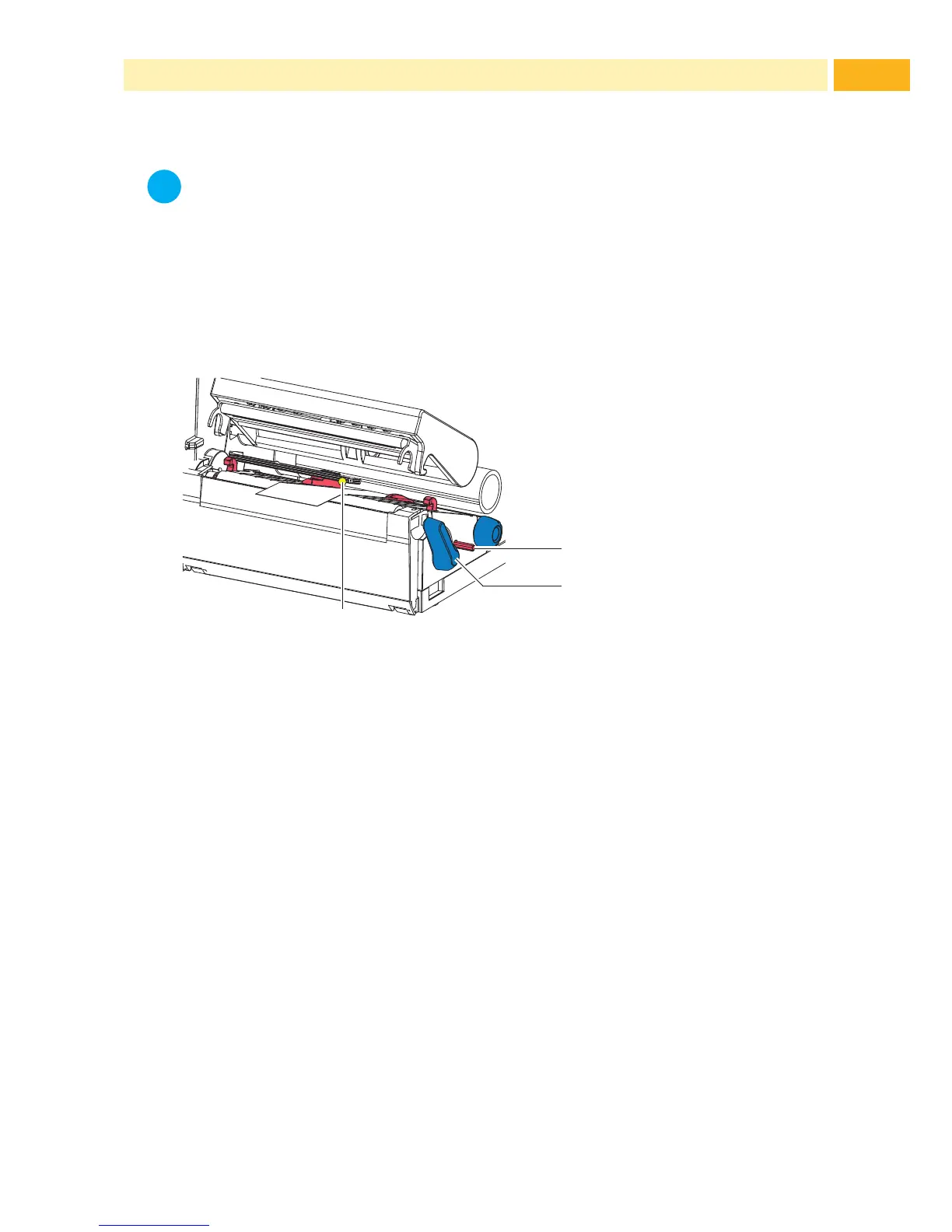
Fig. 9 Adjusting the Media Sensor
The sensor position (3) is marked with a yellow LED in the sensor retainer.
1. Press the sensor adjustor knob (1) using a pointed object, enabling
the spring loaded sensor adjuster knob to be presented outside of the
housing.
2. Position the sensor (3) by turning the knob (1) so that the sensor can
detect the front edge of the media in the direction of paper ow or the
reex or cut-out mark.
3. Push the sensor adjuster knob (1) back into the housing using a pointed
object until it snaps into place.



 To Next Page