Warning!
Risk of injury! The cutter / perforator blades are sharp!
i
Notice!
When cutting through the label material instead of the label gap
remains of adhesive may accumulate on the blades. If operating in
backfeed mode, such remains of adhesive may be deposited on the
drive roller as well.
Clean the drive roller and the cutter / perforator blades often.
1
2
3
4
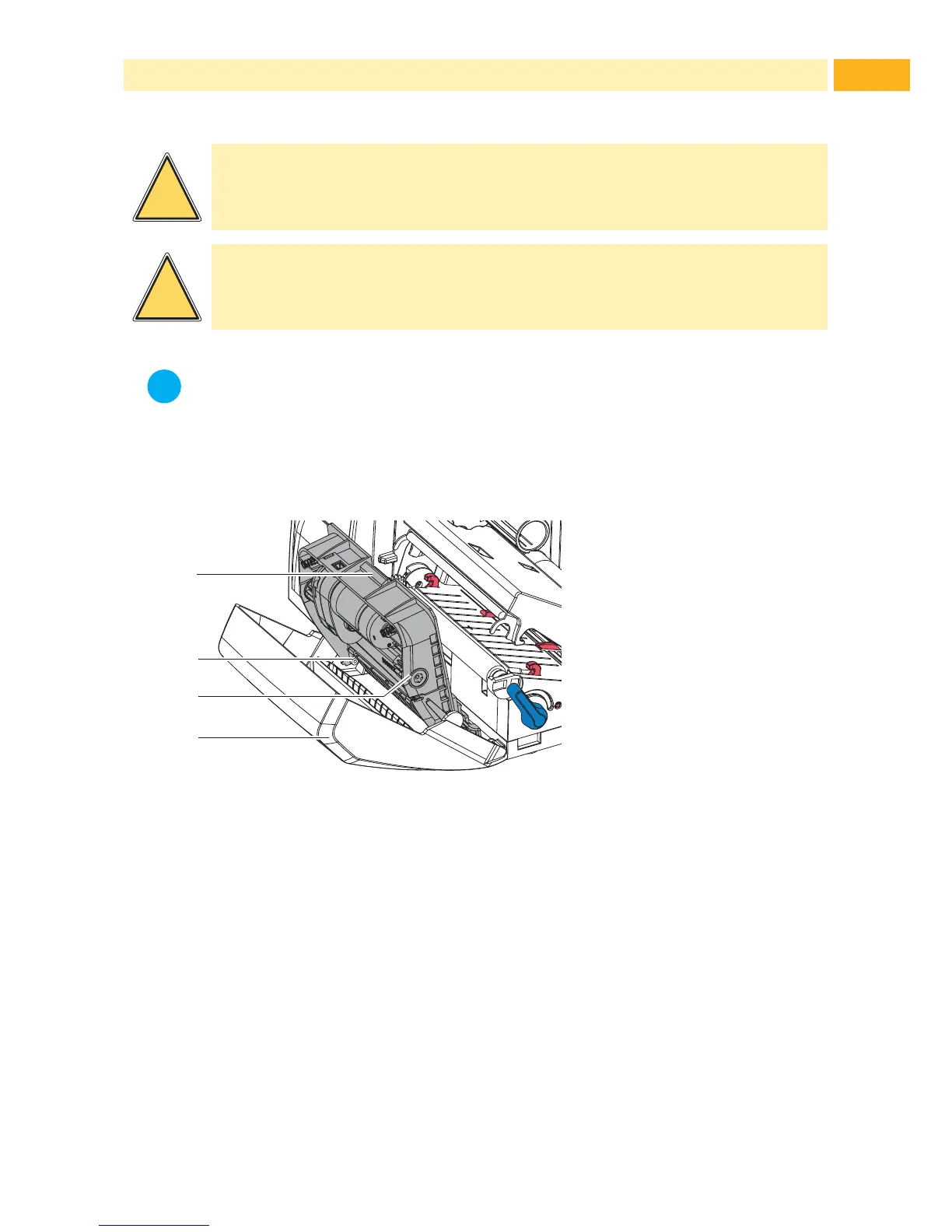
Fig. 17 Dismount Cutter / Perforator
1. Fold down the cutter / perforator.
2. Push the release push button (1) and lift the blade unit (3) from the cover
(4).
3. If the blades are only slightly dirty it is sufcient to clean them with a soft
cloth and continue with point 5.



 To Next Page