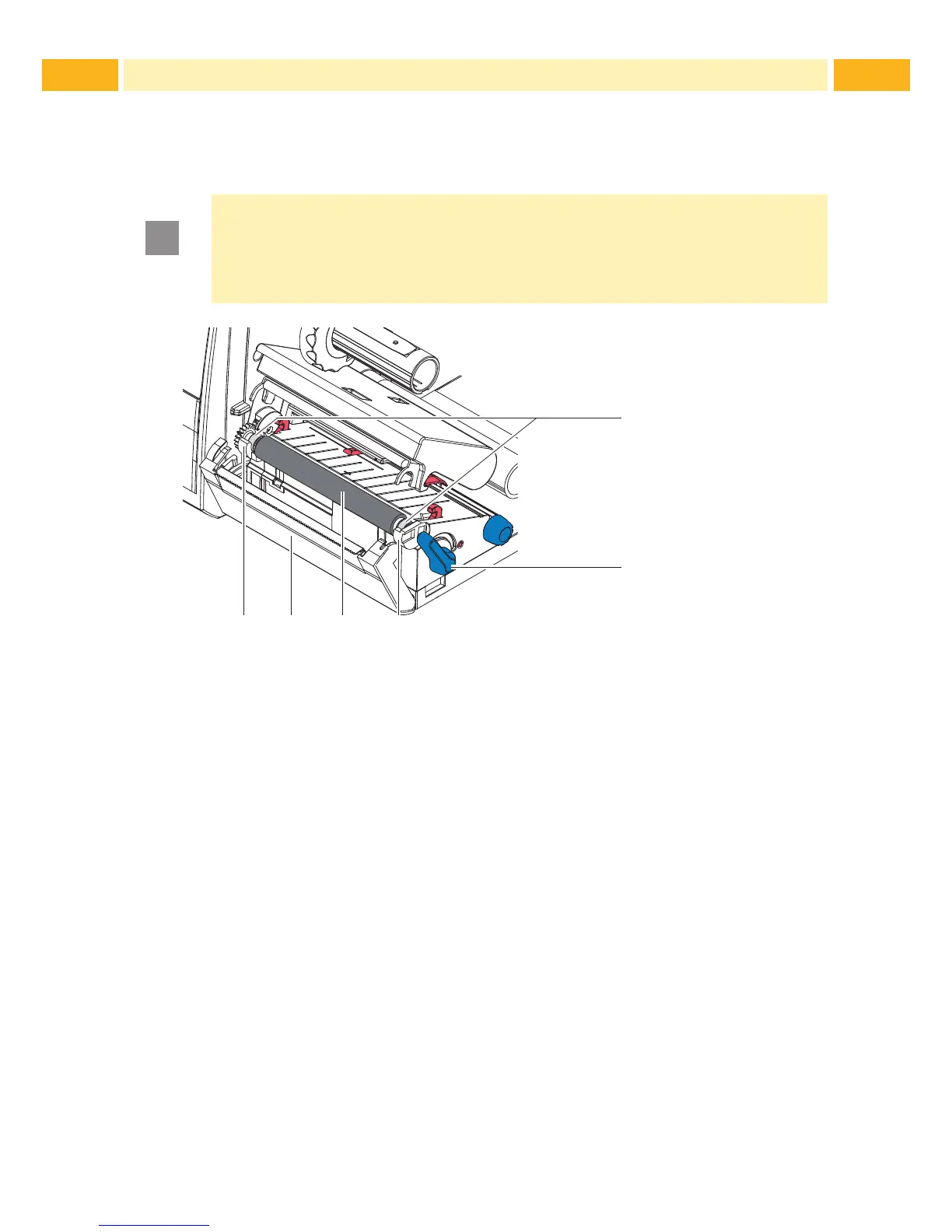
7.4 Cleaning or Replacing the Print Roller
Accumulations of dirt on the print roller may impair the media transport and
the print quality.
!
Attention!
Damage of the print roller.
Do not use sharp objects (knives, screwdrivers, etc.) to clean
the print roller.
1
2
Fig. 16 Print Roller
1. Turn lever (2) counterclockwise to open printhead.
2. Remove media and transfer ribbon from the printer.
3. Fold down the cover (5) with the tear-off plate, cutter or perforator.
4. Lift the print roller (4) from its retainers (3).
5. Remove deposits with the TE recommended roller cleaner and a soft cloth,
or replace the roller if it appears damaged.
6. Push the bearings of the print roller (1) into the retainer (3) until they click
into place.
7. Fold up the cover (5) with the tear-off plate, cutter or perforator.
7 Maintenance



 To Next Page