1
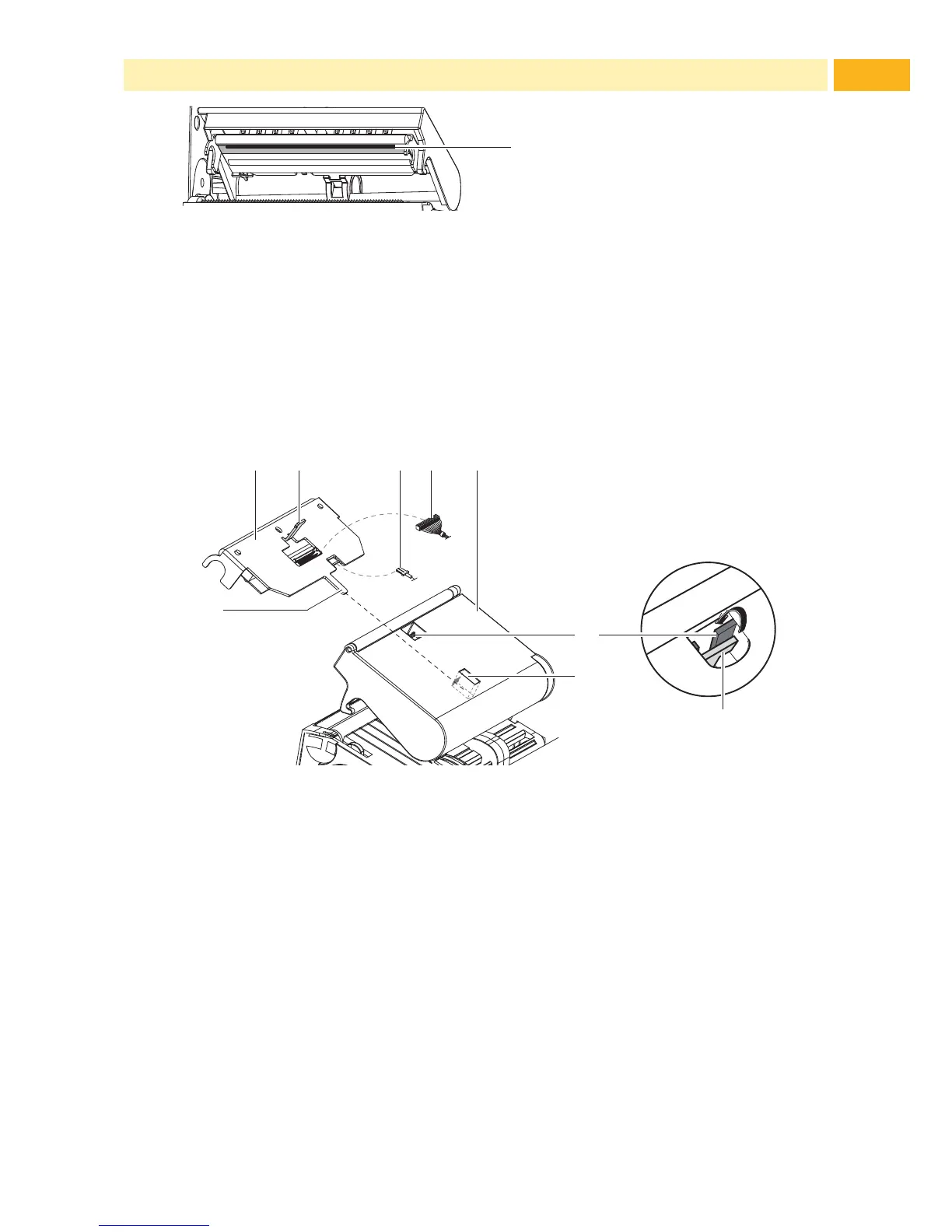
Fig. 14 Printhead Line
1. Lift the printhead.
2. Remove media and transfer ribbon from the printer.
3. Clean printhead line(1) with TE recommended cleaning materials.
4. Allow the printhead to dry for 2 - 3 minutes before commencing printing.
7.3 Changing the Printhead
2
Fig. 15 Printhead
1. Fold up printhead retainer (5).
2. Remove media and ribbon from the printer.
3. Push the printhead (1) up against the printhead retainer, slide the holding
lug (2) over the web (6) and pull it out of the slot in the printhead retainer.
4. Remove the printhead from the guide (6) in the printhead retainer.
5. Detach the cables (3 and 4) from the printhead.
6. After changing the printhead, attach the cables (3 and 4) to the printhead.
7. Insert the holding lug (7) of the printhead into the guide (6) in the retainer.
8. Push printhead (1) up against the printhead retainer. While doing so, guide
the holding lug (2) of the printhead upwards through the slot in the retainer.
9. Slide the printhead into the printhead retainer until the holding lug (2)
latches over the web (6).
7 Maintenance



 To Next Page