5 Cutter / Perforator (Option)
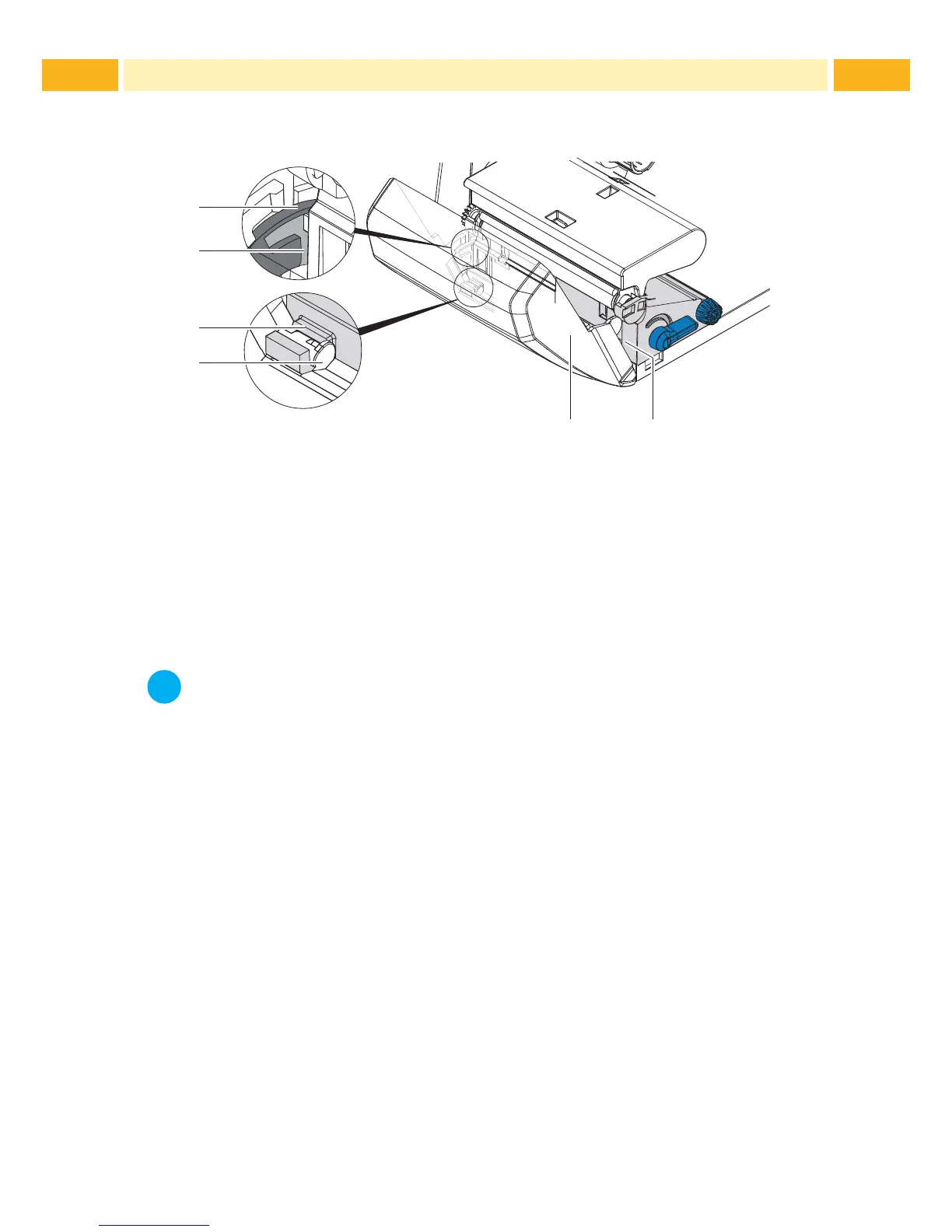
The cutter / perforator must be mounted to the printer during initial setup.
2
4
5
1
3
1
Fig. 13 Mount Cutter or Perforator
1. Put snap arm (5) of the cutter / perforator with the groove (4) rst into the
guide on the retainer (2).
2. Push the cutter / perforator (1) down into the holders (3).
3. Fold up the cutter / perforator (1) so that it snaps on both sides of the
retainer (2).
i
Notice!
When setting up the perforator please consult TE document
"T200 Ident Perforator setup instruction"(411-121015) found
on the DVD enclosed in the printer box and enclosed in the
Perforator box.



 To Next Page