____________________________________________________________________________________________
Page 42/63 UltraGauge™ EM User Manual www.ultra-gauge.com
Force Protocol
MENU Vehicle Setup ..
Force Protocol
Forces UltraGauge to use a specific protocol to communicate with the Vehicle’s Electronic Control Module (ECM). Please
leave set to Auto unless UltraGauge support has suggested an alternate setting.
When UltraGauge is attached to the OBDII connector it begins scanning for one of five possible interfaces/protocols. Once it determines
the interface it then discovers the available gauges supported by your vehicle.
During the scanning phase UltraGauge tries each of the electrical interfaces and protocols associated with the OBDII standard.
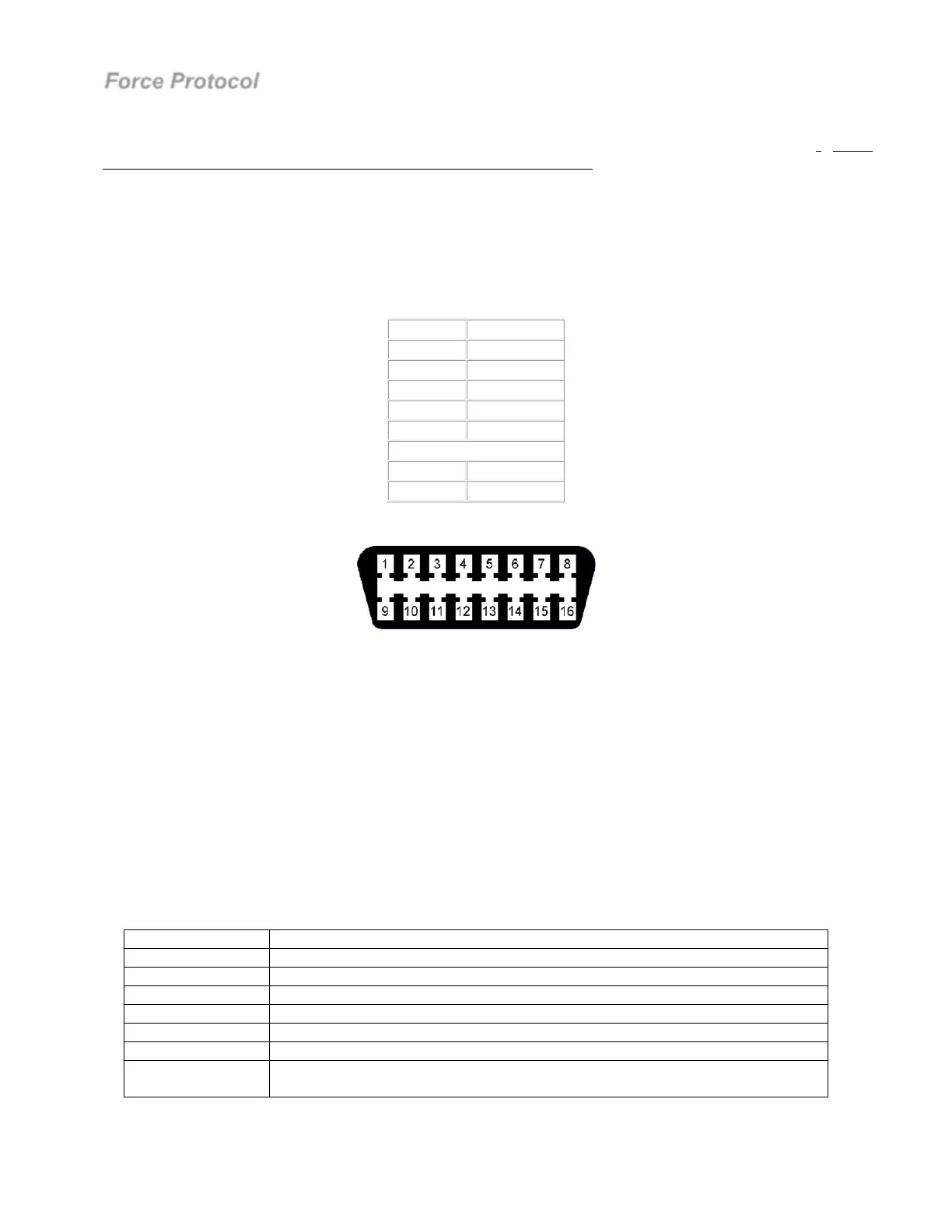
Depending on the interface, different pins of the OBDII connector are used:
Interface
Connector Pins
J1850-VPM 2
Early Ford 2,10
ISO 9141 7,15
CAN 6,14
KWP2000 7,15
Common pins:
Battery 16
Ground 4,5
Vehicle’s OBDII connector pin-out:
The issue is that some manufacturers improperly use pins that they should not. For example, a 1999 Ford would use pins 2,10,16,4 & 5.
If Ford then used any of the other pins defined above, say pin 7 & 15, the stage is set for a potential issue.
During the scanning phase UltraGauge will try each of the interfaces. Returning to our example, while scanning our 1999 Ford,
UltraGauge will drive pins 7 & 15 in an attempt to determine if the vehicle is ISO 9141. Since the vehicle is a Ford, no communication
will be established and UltraGauge will try the next interface. If however, the manufacturer has used pins 7 & 15 for proprietary uses, the
vehicle may become impaired. For example, on some vehicles the traction control light may become lit, or the speedometer or other
gauges may temporarily stop functioning, or the check engine light may become lit. To avoid these issues, the Protocol & Interface can
be fixed to that used by the vehicle. When the protocol is forced, UltraGauge will only try the set protocol. In the case of our 1999 Ford,
UltraGauge will only drive pins 2 and 10, and will no longer attempt to drive pins 7 & 15.
UltraGauge Automatically remembers the last found protocol and attempts to communicate with the vehicle’s ECM using that protocol.
As long as communication is established, UltraGauge will not attempt other protocols. If communication is not established, then
UltraGauge will cycle though each protocol until communication is established. Forcing the protocol will prevent this and UltraGauge
will repeatedly try only the forced protocol.
Force Protocol Description
Auto Discovery Scans the interface for the protocol. This is the default setting
Force J1850-VPM Early GM vehicles and some Chrysler vehicles
Force 9141 Most early foreign vehicles and most early Chrysler vehicles
Force Ford Exclusively used on early ford vehicles.
Force KWP2000 This rare protocol is used on various vehicles.
Force CAN Used on all 2008 and newer vehicles as well as on many 2004 and newer vehicles.
Force Current Forces the Protocol currently in use, found during the scanning process. Use this if
you can’t remember the protocol found.



 To Next Page