____________________________________________________________________________________________
Page 17/63 UltraGauge™ EM User Manual www.ultra-gauge.com
OPERATION
Once operating, UltraGauge is automatic. NEVER use the menu system while driving. Not only is this hazardous, UltraGauge stops
performing all mileage, distance, and other calculations while the menu system is active. Always ensure the vehicle is not moving and
the ignition is in the RUN position, before using the menu system. Normally UltraGauge detects and automatically turns off the display
when the ignition is in the OFF position. However, this feature is not active while using the menu system. Always exit the menu when
the ignition is off otherwise the display and backlight will remain on, and may drain the battery if left in this state for many days.
INDICATORS
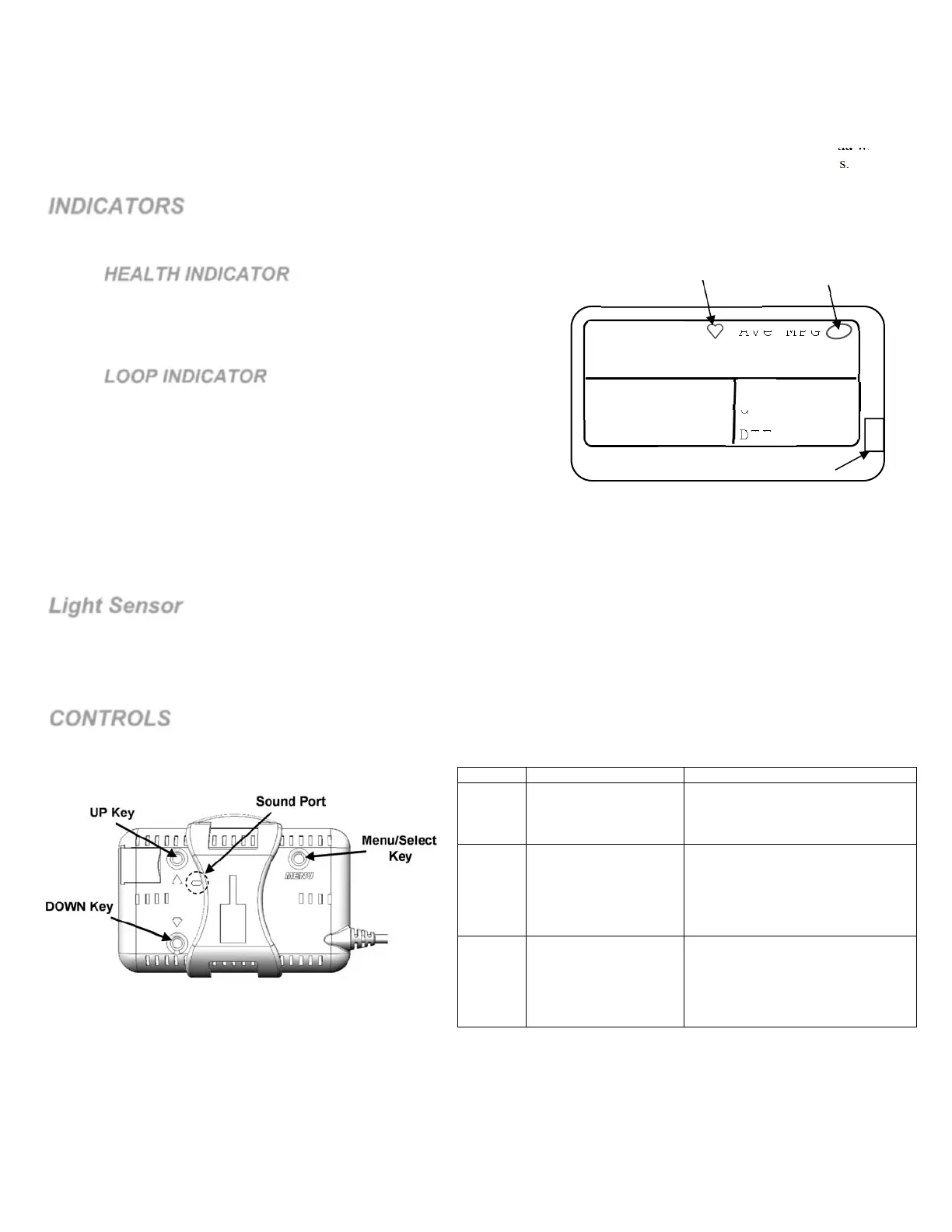
While configured to display 4 or 6 gauges per page, two indicators are displayed.
HEALTH INDICATOR
The Health indicator is a heart that beats roughly every second. As
long as the heart continues to beat, UltraGauge is functioning
normally.
LOOP INDICATOR
The Open/Closed loop indicator provides a visual indication of the
state of the vehicle’s fuel mixture control system. Closed loop is the
desired and nominal condition, and indicates that the vehicle’s
Engine Control Module (ECM) is using the vehicle’s Oxygen and
other sensors to set the real time fuel mixture.
An open loop will normally occur when the vehicle is cold, or when
the throttle is wide open, or when the engine is being used to decelerate the vehicle. If the loop remains open this indicates that
there is a problem with the overall fuel mixture system and the ECM is no longer able to determine the correct fuel mixture. In
this situation the ECM uses a static table to approximate the fuel mixture. In this state the fuel mixture will likely be too rich or
too lean. Continued open loop operation will likely result in a Trouble code. This indicator is not present on most Diesels.
Light Sensor
UltraGauge features a light sensor that is used to optionally automatically adjust the brightness of the display. During the day, the
display backlight will automatically adjust to maximum brightness, and to minimum brightness for night driving. It is important that the
light sensor window is not blocked as a result of installation. The Light Sensor Port is located on the front right side of UltraGauge, as
shown above. The backlighting function is fully configurable. See the Backlighting section for additional details.
CONTROLS
There are three controls used to setup, configure and control UltraGauge. The controls consist of the following three input keys which
are located on the back of UltraGauge.
KEY Function in Menu Alternate Function
MENU
SELECT
Used to enter the
Menu.
It is also used to
indicate a selection.
None
UP
Moves the cursor
upward or increases
the value of an entry.
From the main gauge screen,
pressing and holding UP for three
seconds triggers a Tank Fill Up.
When in low-power mode,
pressing UP, exits low power
mode.
DOWN
Moves the cursor
downward or
decreases the value of
an entry.
Two Alternate functions:
From the main gauge screen,
pressing DOWN will advance to
the next page of gauges.
During an Alarm, pressing Down
will suspend the alarm.
To make configuration changes, hold UltraGauge with the display towards you and manipulate the keys from behind using two hands.
Once you get the hang of it, it will be obvious.
When entering values, holding the UP or DOWN key pressed will cause the value to advance faster.
The Sound port is used to provide audible tones while accessing the menu system and for alarms.
Ave
MPH
MAP
DTE
Gen
dst
Inst Ave MPG
Open/Closed
Loop Indicator
Health Indicator
Light Sensor



 To Next Page