50 • USING THE ANS WERING MACHI NE Customer Service: 888-269-7477
Turning Answering Machine On/Off
Your CapTel phone comes with a built-in answering machine that will answer
calls and take messages for you when you are unavailable. The Answering
Machine can record both the voice message and captions, so that you can
listen to the message with the benefit of reading the captions. Up to 63
recordable messages can be saved, each message can be up to 2 minutes long.
NOTE: In 1-Line Mode, your callers must dial through the Captioning Service in
order for you to receive captions of your Answering Machine messages. If
callers do not dial through the Captioning Service, the Answering Machine will
only record the voice message, it will not be captioned.
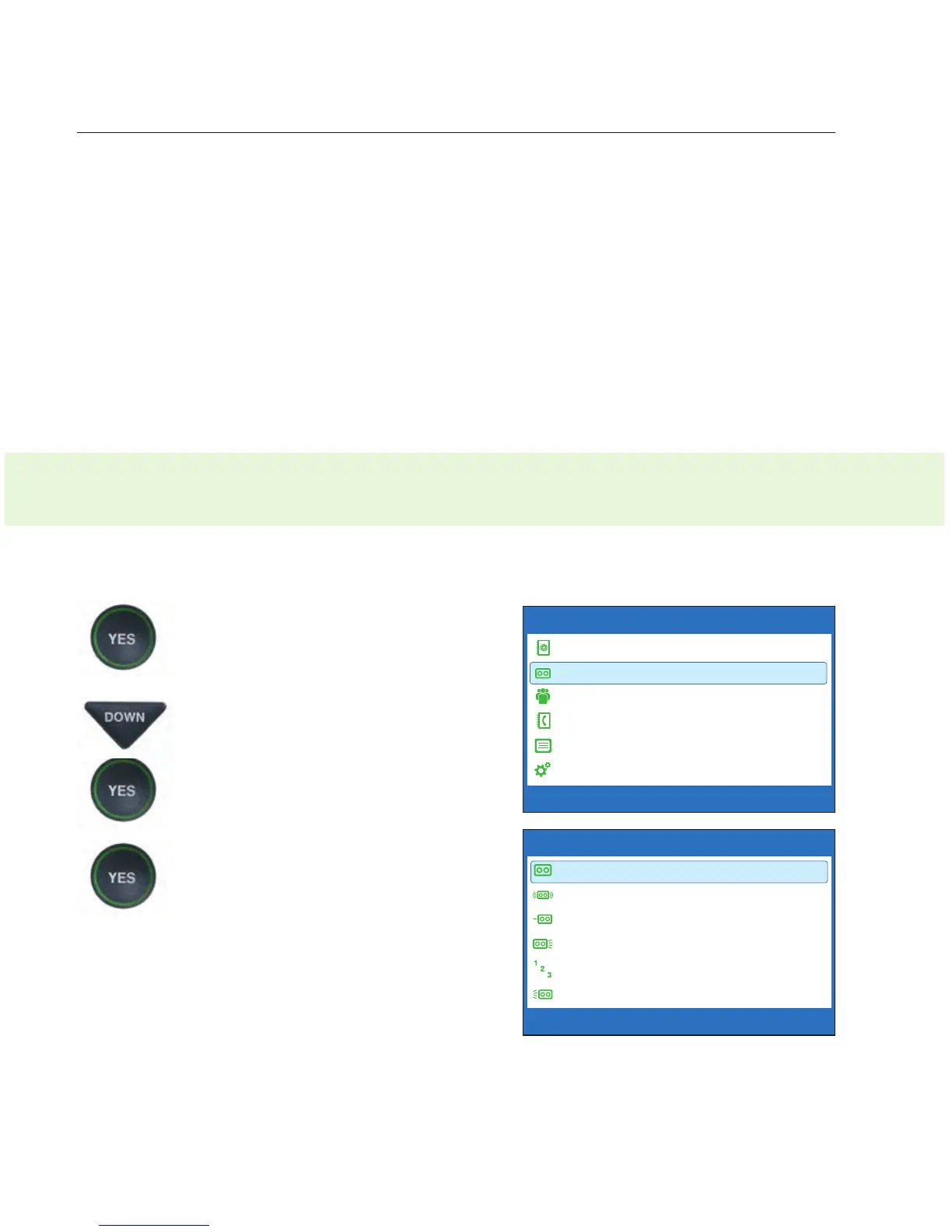
To turn the Answering Machine on:
1. With the handset hung up,
press the YES button to see the
Options menu.
2. Press the DOWN arrow button
until Answering Machine is
highlighted. Press the YES
button to select.
3. Check that Answering
Machine On/Off is
highlighted. Press the YES
button to select.
OPTIONS
Dial from Phone Book
Answering Machine
Call History
Edit Phone Book
Conversations
Settings
Press YES to select or press NO to exit Options
ANSWERING MACHINE
Answering Machine On/Off
Play Messages
Clear All Messages
Greeting Message
Answer Ring Count
Incoming Messages
Press YES to select or press NO to exit
2-LINE MODE: If you use your CapTel phone in 2-Line Mode, the Answering
Machine will record both voice messages and captions on every call.



 To Next Page