Customer Service: 888-269-7477 USI NG CAPT EL IN 2 -LINE M OD E • 95
Turning 2-Line Mode On/Off
To Turn 2-Line Mode on:
NOTE: You must follow this procedure to turn on 2-Line CapTel service. Simply
plugging a second line into the CapTel phone will not activate 2-Line capabilities.
There are two steps to setting up your CapTel for 2-Line Mode. First, plug the
telephone lines in. Second, activate the 2-Line menu option.
Setup CapTel Phone for 2-Line Mode
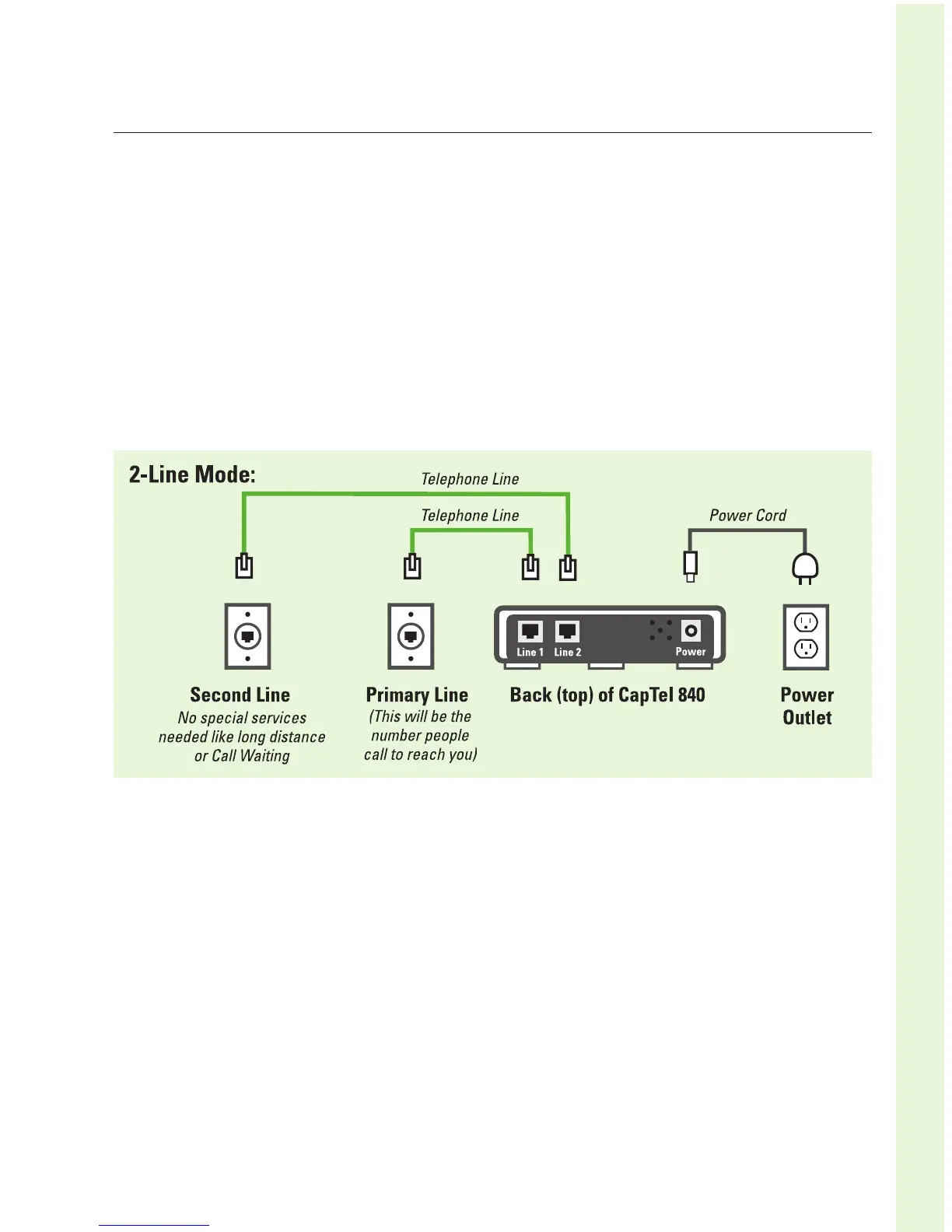
STEP 1: On the back (top) edge of the CapTel phone:
1. Plug the AC adapter cord into the round power jack marked
“Power”.
2. Plug the first telephone line cord into the jack marked “Line 1”.
This should be your primary telephone line, the phone number
that you give callers to reach you.
3. Plug the second telephone line cord into the telephone jack
marked “Line 2”. This telephone line must be a standard analog
phone line (or DSL with filter).



 To Next Page