VECTOR3MANUAL
MAN‐004REV7.2147/20/2017
INSTALLING AUTOMATIC ACTIVATION DEVICES (AAD)
AllVector3rigsaremanufacturedAADready.Consulttheowner’smanualsuppliedwiththeAADforinstructionson
installingintoyourVector3harnessandcontainersystem.
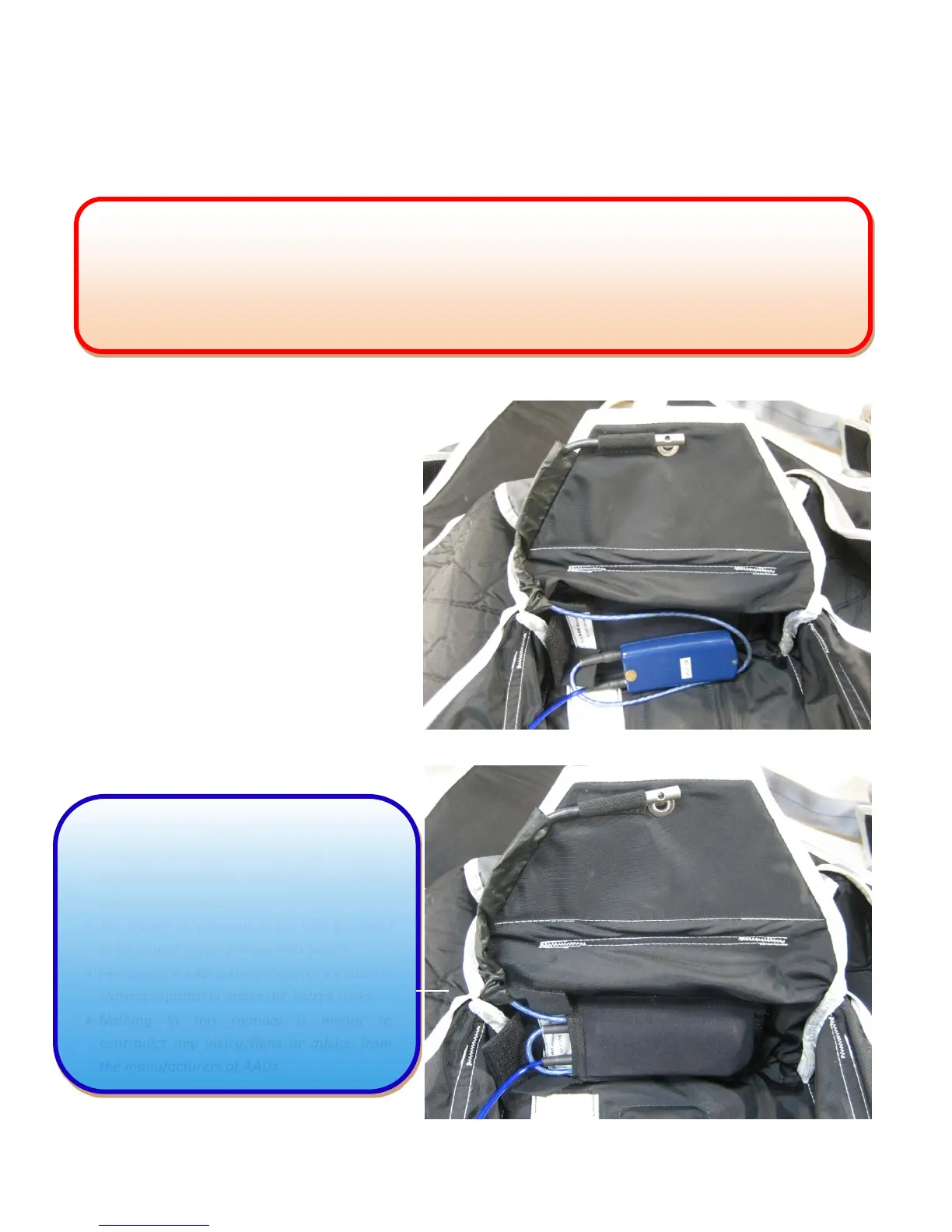
1.ReadtheAAD’smanufacturersinstallation
Instructions.
2.Threadthecutterthroughtheblackrip‐stop
channelasshown.
3.InserttheAADpowerunitintothespandexpocketasshown.
NOTE
Although AAD pouches may vary in design,
theyallutilizeaVelcrocoverforsecuringthe
excesscuttercable.
ThethickercuttercableoftheVigilwillneed
tobestoredinsidethespandexpouch.
ForCypresIIAAD’s,theexcesscuttercableis
stowedseparatelyunderthe
Velcrocover.
Nothing in this manual is meant to
contradict any instructions or advice from
themanu
acturerso
AADs.
3.
WARNING
BecauseAAD’sarereliableonlyiftheyareproperly installedandmaintained,anyonewhopurchasesaVector3
with an AAD must have the unit tested by the manufacturer or an accredited testing facility at specified time
intervalsasoutlinedbytheAADmanufacturer.
AnAADisabackupemergency
devicethat,likemanycomplexmechanicalorelectronicdevices,issubjecttofailure
2.
3.



 To Next Page