UAD Powered Plug-Ins Manual - 328 - Chapter 37: Pultec and Pultec-Pro
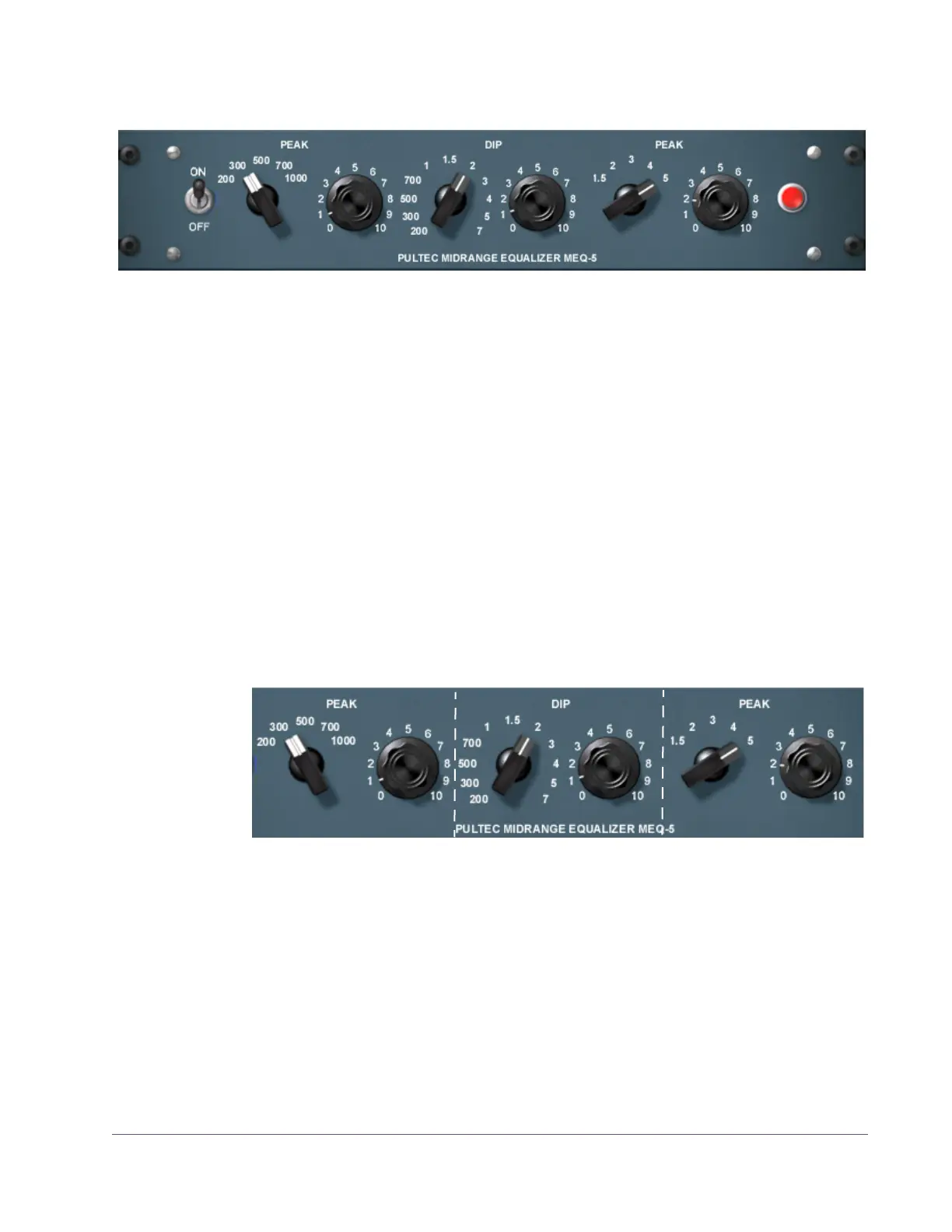
Pultec MEQ-5 Screenshot
Pultec MEQ-5 Controls
The MEQ-5 can control three frequency ranges simultaneously, using three
groups of interacting parameters.
The first group controls the low–mid frequencies and has two controls: fre-
quency select and boost. The second group controls the mid frequencies and
has two controls: frequency select and attenuation. The third group controls
high-mids and has two controls: frequency select and boost.
The placement and grouping of the sections and their related controls are
shown in Figure 101.
On/Off Toggle
Switch
This switch disables the MEQ-5 portion of Pultec-Pro. It allows you to compare
the processed and unprocessed signal of the MEQ-5. When in the out posi-
tion, the UAD DSP load is reduced (unless UAD-2 DSP LoadLock is enabled).
Figure 100. The Pultec-Pro MEQ-5 Midrange Equalizer plug-in window
Figure 101. Control grouping within the Pultec-Pro MEQ-5



 To Next Page
 Loading...







