UAD Powered Plug-Ins Manual - 343 - Chapter 38: RealVerb Pro
3. Drag the Decay Time control for the late-field reverberations left or right
(from 0.10–96.00 seconds) to affect the length of the reverb tail. The De-
cay Time is indicated in the text field at the bottom of the Timing panel.
4. To affect how quickly the late-field reverberations become more dense, ad-
just the Diffusion control at the right of Late Reflection display in the Timing
panel. The higher the Diffusion value (near the top of the display), the more
rapidly a dense reverb tail evolves.
Positioning
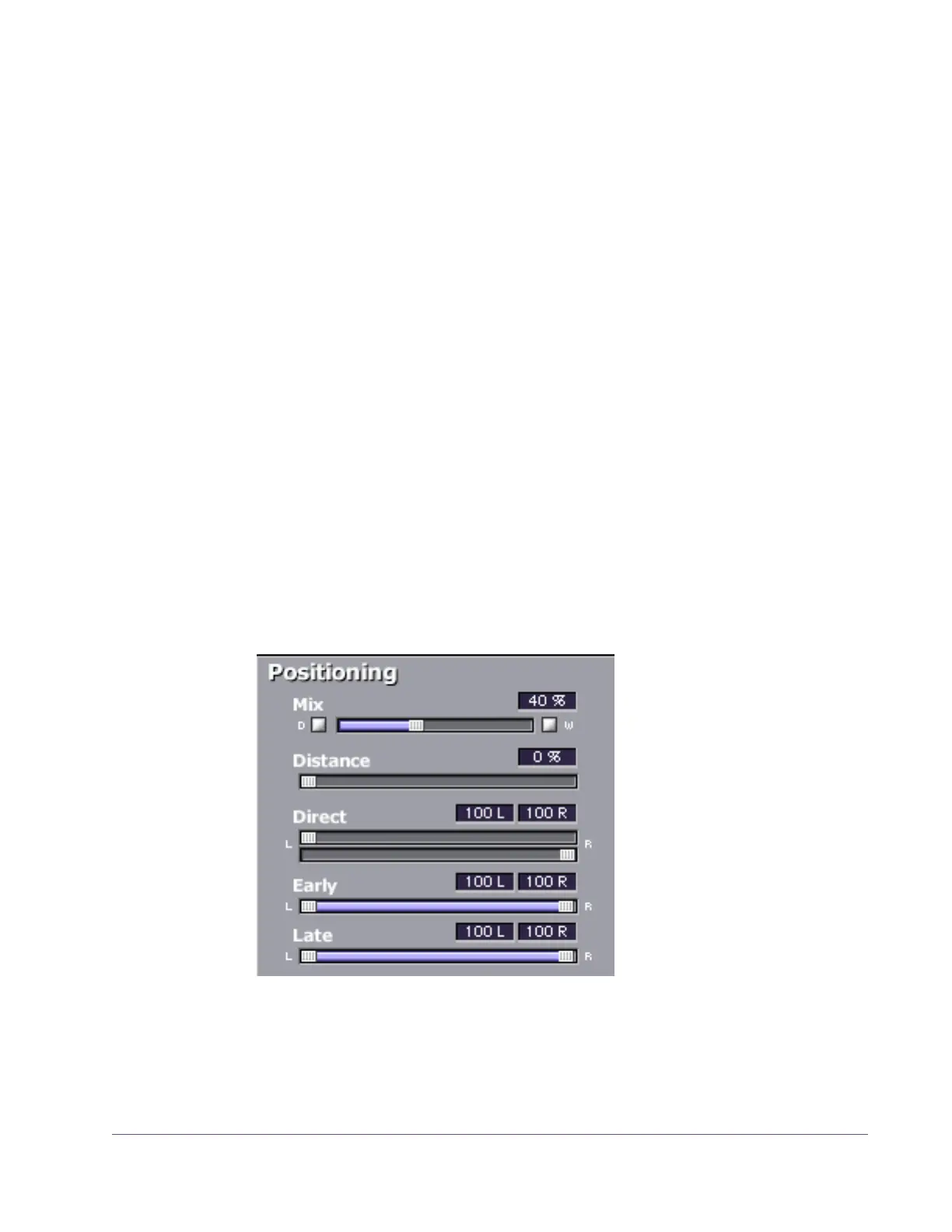
One of the unique features of RealVerb Pro is the ability to separately position
the direct path, early reflections, and late-field reverberation. The Position
panel (see Figure 111) provides panning controls for each of these reverb
components. In addition, a proprietary Distance control adjusts perceived
source distance. These controls allow realistic synthesis of acoustic spaces—
for instance listening at the entrance of an alley way, where all response com-
ponents arrive from the same direction, or listening in the same alley next to
the source, where the early reflections and reverberation surround the lis-
tener.
Note: The Direct, Early, and Late controls are unavailable in mono-in/mono-
out configurations.
Figure 111. RealVerb Pro Positioning panel


 To Next Page
 Loading...








